Patent drawing solutions for attorneys, inventors, and IP teams
Whether you prepare filings for clients, protect your own invention, or manage figures for an in-house team — start from the workflow that matches your role and material.
PatentFig AI routes every role into the same core workflow — generate, refine, check, and export patent figures — through entry points organized by source material, figure type, industry, and filing check.
Evaluating tools rather than picking a workflow? Start with the full overview of patent drawing software.
Attorneys and in-house IP teams: keep figure creation, review, and export in one repeatable workflow.
Inventors: start from a sketch, product photo, screenshot, or plain-text description of your invention.
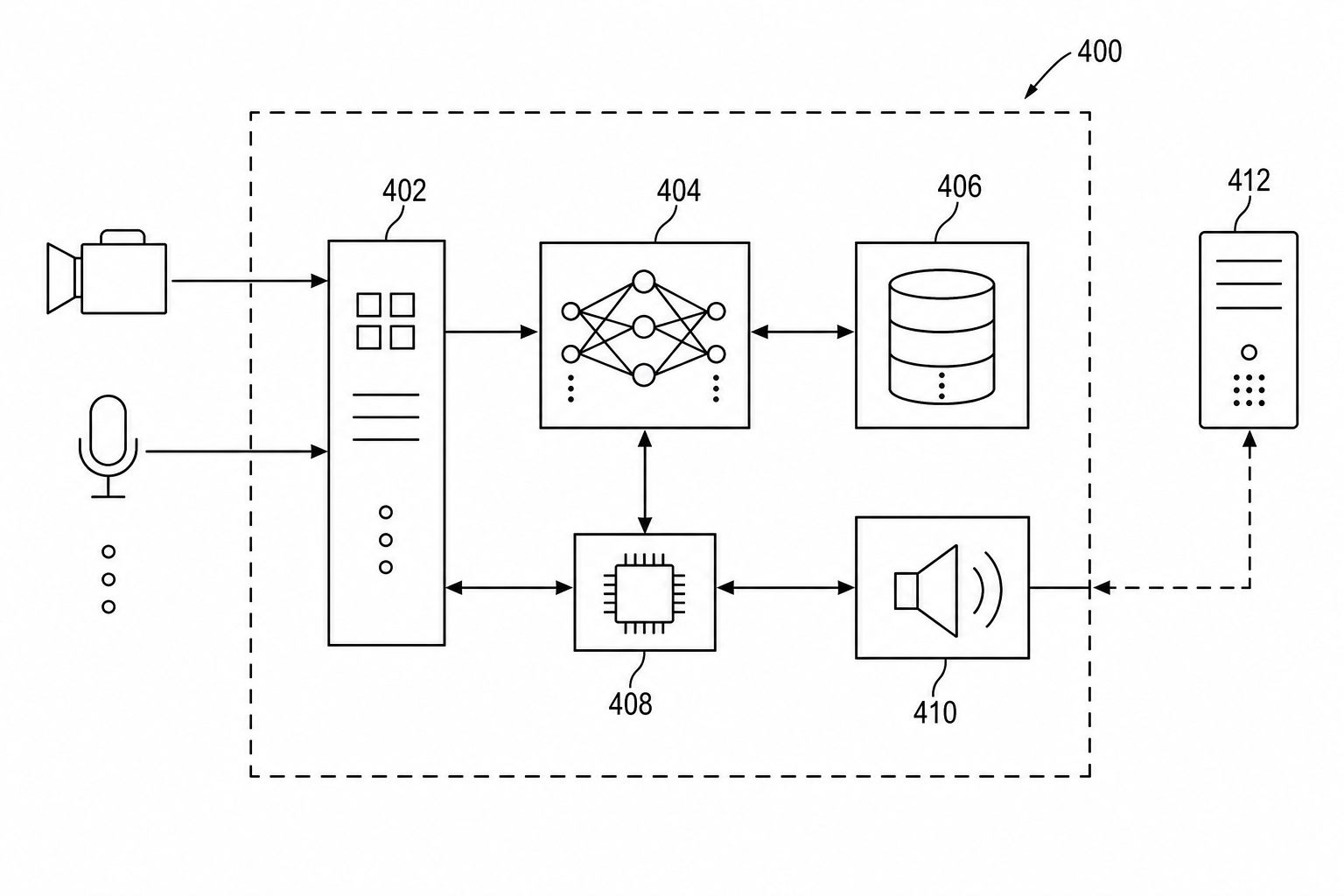
High-intent workflows from real usage patterns
This guide starts with figure types that often need repeated drafting: software diagrams, mechanical drawings, UI screenshots, and submission checks.
Create From Source
Start with the material you already have
Choose the workflow based on whether your starting point is text, a product photo, a sketch, or a screenshot.
Diagram Types
Create the kind of patent figure you need
Use focused workflows for architecture diagrams, flowcharts, mechanical drawings, exploded views, and design patent views.
Industry Workflows
Match the figure style to the invention domain
Use these entries when the invention domain needs specialized drawing conventions beyond the general figure type.
Compliance And Filing
Check and prepare drawings before filing
Review standards, image quality, export readiness, and office-specific formatting before a figure set moves downstream.
Buying And Evaluation
Compare software, services, and repeatable workflows
Use these pages when deciding whether PatentFig AI should replace manual drawing tools or outside illustration loops.
Already know the next step?
Open the generator if you need a new figure, or check an existing figure before export.
Patent Drawing Solutions