Circuit Diagram Generator for Patents
Create patent-ready figures for circuit diagrams, schematic diagrams, components, signal paths, sensor circuits, and control loops.
- Start from a circuit diagram, schematic with components, component list, signal-flow note, or claim draft.
- Generate schematic circuit diagrams with components turned into black-and-white patent figures on a pure white background, preserving functional blocks and signal relationships, per USPTO §1.84 / CNIPA.
- Refine labels, arrows, view layout, and figure structure through focused iterations.
- Connect the result to Figure Checker, export tools, and the broader patent drawing workflow.
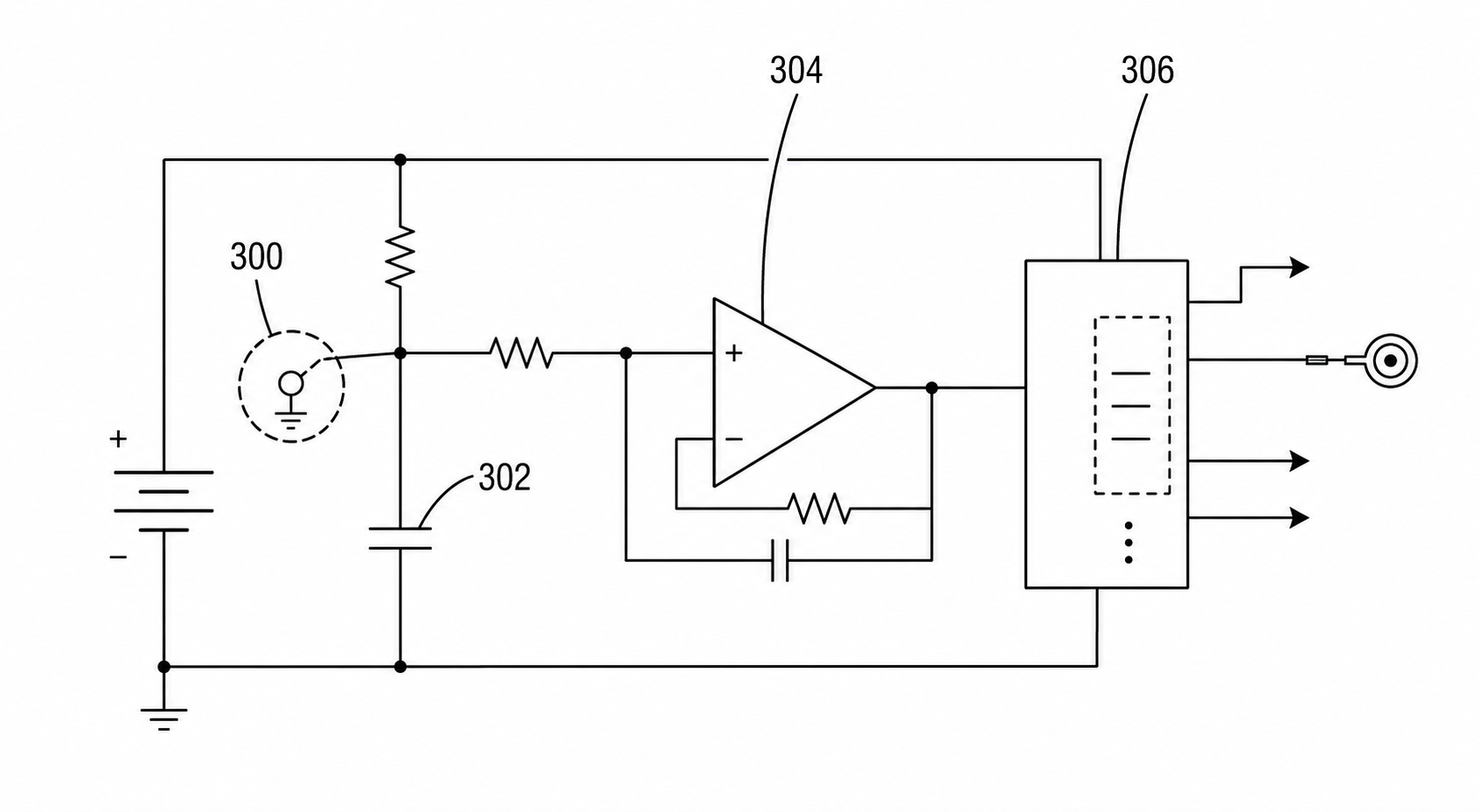
Circuit patent drawing examples
Fictional inventions in filing style. Open one to pre-fill the generator and adapt it.
A practical generation flow
Circuit Diagram Generator for Patents is organized around source preparation, figure generation, revision, and final review.
1
Prepare the source
Use a circuit diagram, schematic with components, component list, signal-flow note, or claim draft with enough structure for PatentFig AI to infer the drawing relationships.
2
Generate the figure
Create schematic circuit diagrams with components turned into black-and-white patent figures on a pure white background, preserving functional blocks and signal relationships, per USPTO §1.84 / CNIPA with patent-style composition, line work, and reference structure.
3
Check and export
Use review and export tools once the layout, labels, and file format are stable.
Why this workflow needs a patent-specific tool
Generic image tools do not consistently handle circuit diagrams, schematic diagrams, components, signal paths, sensor circuits, and control loops with the structure patent drawings need.
Patent-first structure
The workflow emphasizes readable parts, relationships, and reference numerals for circuit diagrams, schematic diagrams, components, signal paths, sensor circuits, and control loops.
Iteration without restarting
Adjust the figure prompt, regenerate focused views, and keep the surrounding workflow stable.
Review before export
Check visual clarity, margins, line work, labels, and file readiness before downstream filing work.
Common mistakes in circuit patent figures
A single box labeled "circuit" with no internal structure shown.
Including every resistor and capacitor value when none of them are inventive.
Unlabeled arrows that mix signal, power, control, and feedback paths.
Drawing a full schematic when a functional signal-path figure would carry the claim better.
Circuit Diagram Generator for Patents
Circuit Diagram Generator for Patents FAQ
Open Circuit Diagram Generator for Patents
Start in PatentFig AI, generate schematic circuit diagrams with components turned into black-and-white patent figures on a pure white background, preserving functional blocks and signal relationships, per USPTO §1.84 / CNIPA, then review and export the figure set.
Related workflows
Detailed guide
Read the Circuit Diagram Generator for Patents workflow article.
Patent drawing tools
Browse every PatentFig AI generator, checker, and converter.
Patent drawing examples
Browse sample patent drawings across every category.
Check figure compliance
Review DPI, line work, margins, color mode, and readability.
AI Wiring Diagram & Schematic Generator
Create patent-ready figures for wiring diagrams, electrical schematics, power paths, sensing hardware, and control wiring.
Block Diagram Maker for Patent Figures
Create patent-ready figures for block diagrams, system diagrams, module relationships, and hardware/software architecture overviews.