Screenshot to Patent Drawing
Create patent-ready figures for UI layouts, app screens, dashboard structure, and software interface figures.
- Start from an app screenshot, SaaS interface, wireframe, or product screen.
- Generate a simplified UI patent drawing with structural boxes, dashed borders, and callouts.
- Refine labels, arrows, view layout, and figure structure through focused iterations.
- Connect the result to Figure Checker, export tools, and the broader patent drawing workflow.
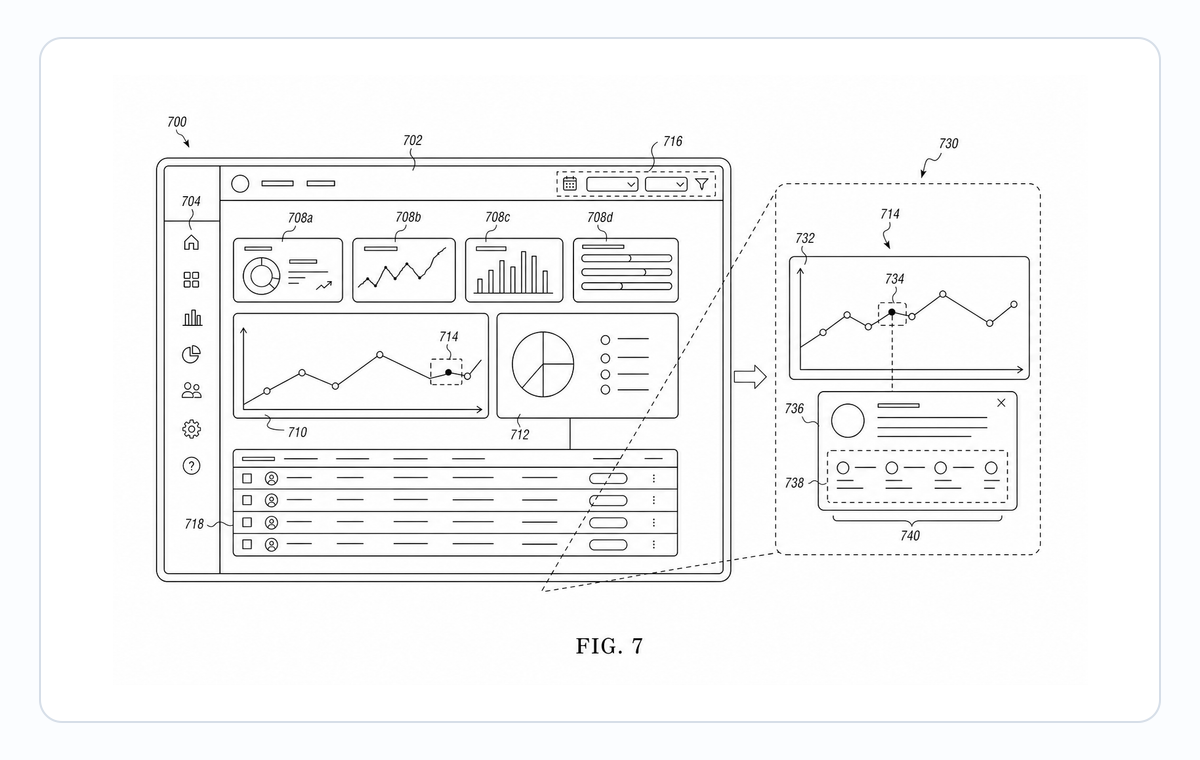
Screenshot-to-figure examples
Fictional inventions in filing style. Open one to pre-fill the generator and adapt it.
A practical generation flow
Screenshot to Patent Drawing is organized around source preparation, figure generation, revision, and final review.
1
Prepare the source
Use an app screenshot, SaaS interface, wireframe, or product screen with enough structure for PatentFig AI to infer the drawing relationships.
2
Generate the figure
Create a simplified UI patent drawing with structural boxes, dashed borders, and callouts with patent-style composition, line work, and reference structure.
3
Check and export
Use review and export tools once the layout, labels, and file format are stable.
Why this workflow needs a patent-specific tool
Generic image tools do not consistently handle UI layouts, app screens, dashboard structure, and software interface figures with the structure patent drawings need.
Patent-first structure
The workflow emphasizes readable parts, relationships, and reference numerals for UI layouts, app screens, dashboard structure, and software interface figures.
Iteration without restarting
Adjust the figure prompt, regenerate focused views, and keep the surrounding workflow stable.
Review before export
Check visual clarity, margins, line work, labels, and file readiness before downstream filing work.
Common mistakes converting screenshots
Keeping real user data, real query content, or real account names visible in the figure.
Preserving pixel-perfect styling that reads as a marketing screenshot rather than a patent figure.
Showing decorative icons that are not part of the claim.
Forgetting that brand colors and gradients must be stripped to bilevel.
Screenshot to Patent Drawing
Screenshot to Patent Drawing FAQ
Open Screenshot to Patent Drawing
Start in PatentFig AI, generate a simplified UI patent drawing with structural boxes, dashed borders, and callouts, then review and export the figure set.
Related workflows
Detailed guide
Read the Screenshot to Patent Drawing workflow article.
Patent drawing tools
Browse every PatentFig AI generator, checker, and converter.
Patent drawing examples
Browse sample patent drawings across every category.
Check figure compliance
Review DPI, line work, margins, color mode, and readability.
Software Patent Diagram Generator
Create patent-ready figures for method flowcharts, system block diagrams, data-flow diagrams, and state-transition diagrams for software inventions.
AI patent drawing generator
Generate a first patent figure draft from prompts or images.