LogoPatentFig AI
  • Start Creating
  • Pricing
  • Blog
LogoPatentFig AI

AI-powered patent figure generation

YouTubeYouTubeEmailStripe Climate
Product
  • Features
  • Pricing
  • Patent Drawing Software
  • Illustration Software
  • FAQ
Resources
  • Blog
  • Changelog
  • Roadmap
  • AI Generator
  • Services vs Software
Legal
  • Cookie Policy
  • Privacy Policy
  • Terms of Service
© 2026 PatentFig AI All Rights Reserved.
Featured on Twelve ToolsFeatured on Wired BusinessFazier badgePatentFig - Featured on Startup FamePatentFigAI | dang.ai

Sketch To Patent Drawing AI

Sketch To Patent Drawing AI

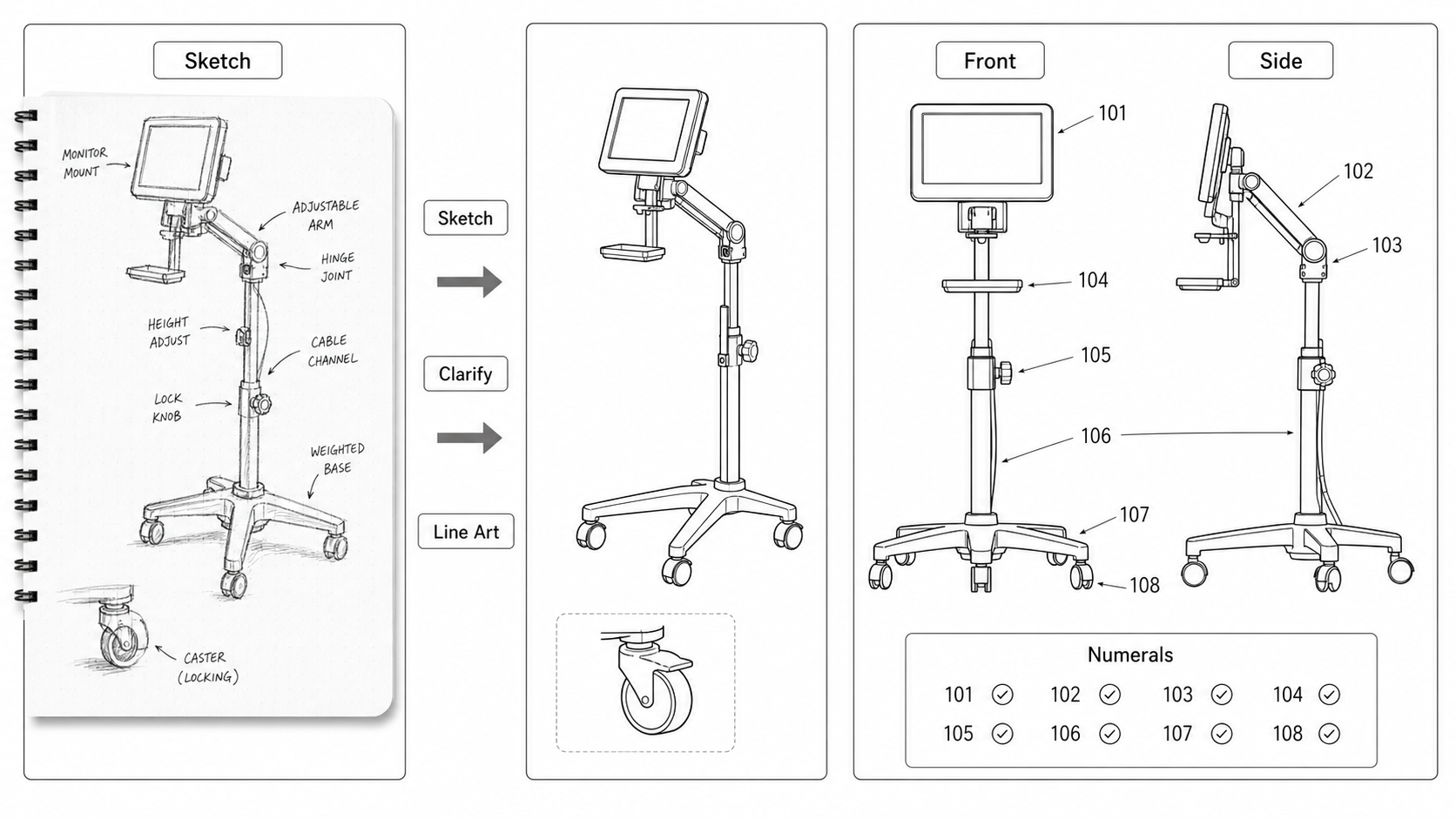
Turn inventor sketches into patent figures

Convert rough whiteboard notes, hand sketches, and early CAD screenshots into structured patent figures with AI.

Try PatentFig FreeSee Pricing

Start from a hand sketch, whiteboard photo, or rough CAD screenshot.

Separate invention structure from notes, arrows, and informal labels.

Generate cleaner views while keeping the original invention logic.

Move from inventor notes to a reviewable patent figure set.
What this workflow solves

The goal is to make patent figure work faster without losing control over filing quality.

Built for patent work
The page is written for filing teams that need controlled line art, not decorative AI images.
One workspace
Generation, review, export, and iteration stay in the same browser workflow.
Review before filing
Use the output as a drafting accelerator, then check the figure set before submission.

How the PatentFig workflow runs

Start with the source, generate a controlled figure, review the result, then export only after validation.

Start from the strongest source
Use a clean product image, clear sketch, or focused prompt so the first output has less ambiguity.
Refine only what changed
Regenerate a view or adjust details instead of restarting the full drawing set.
Export after validation
Keep editable masters until layout, numerals, views, and file formats are stable.

Sketch To Patent Drawing AI visual workflow

Three generated no-text technical panels show the workflow from source to review.

Sketch To Patent Drawing AI hero workflow
Start from a hand sketch, whiteboard photo, or rough CAD screenshot.
Sketch To Patent Drawing AI generation workflow
Start with the source, generate a controlled figure, review the result, then export only after validation.
Sketch To Patent Drawing AI review workflow
Convert rough whiteboard notes, hand sketches, and early CAD screenshots into structured patent figures with AI.

Related workflows

Patent drawing solution hub
Browse PatentFig drawing workflows by filing task and source material.
Open the generator
Start a patent figure project from an image, sketch, or prompt.
Check figure compliance
Review DPI, line work, margins, color mode, and readability.
Convert final figures
Prepare SVG, TIFF, PNG, and PDF outputs for filing workflows.
Patent drawing software
Compare the full PatentFig software workflow for IP teams.

Sketch To Patent Drawing FAQ

Is this a replacement for professional review?
No. PatentFig accelerates drafting and checking, but legal sufficiency and filing strategy still require professional judgment.
Can I edit the result after generation?
Yes. The recommended workflow is to generate a first version, refine the parts that changed, and keep editable masters until export.
Which export format should I use?
Keep SVG or another editable master for revisions, then export TIFF, PDF, PNG, or SVG according to the filing workflow and counsel preference.

Sketch To Patent Drawing AI

Convert rough whiteboard notes, hand sketches, and early CAD screenshots into structured patent figures with AI.

Open PatentFig