Patent Exploded View Drawing Generator
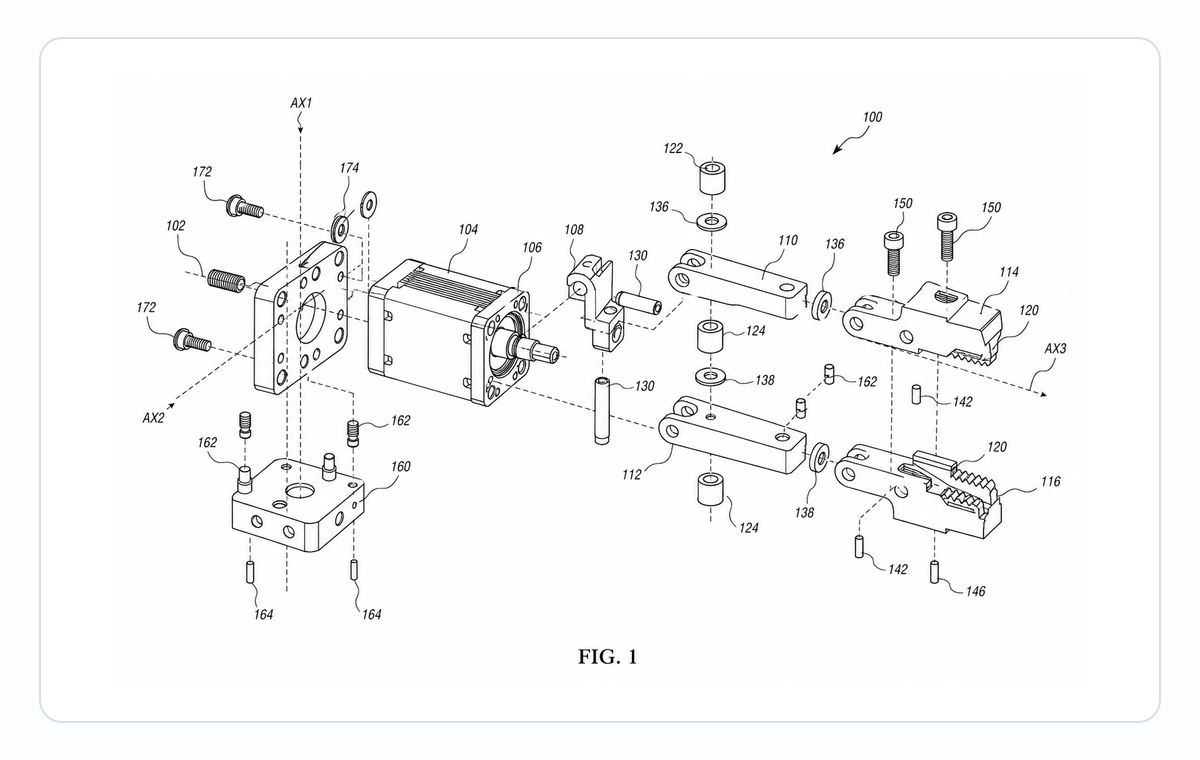
Separate components along readable assembly axes while preserving how every part fits the invention.
- Photo, CAD, disassembly, or parts-list input
- Controlled assembly axes and part spacing
- Reference numerals tied to the specification
- Companion cross-sections when assembly alone is insufficient
Exploded view, cross-section, or instructions?
- Use an exploded patent view to show what the parts are and the order in which they fit together.
- Use a cross-section to show contact, compression, sealing, or engagement in the assembled state; use ManualFig for step-by-step user instructions.
Exploded view patent drawing examples
Fictional inventions in filing style. Open one to pre-fill the generator and adapt it.
Prepare the assembly before generating
An accurate exploded view needs reliable evidence for each part and its destination in the assembled device.
1
Inventory visible and hidden parts
List housings, fasteners, seals, brackets, inserts, and subassemblies that matter to the disclosure.
2
Choose one axis per relationship
Keep each component group on a readable assembly path instead of making parts drift in unrelated directions.
3
Preserve part identity
Use the same reference numeral for a component in the exploded view, assembled view, and cross-section.
Make the part relationships unambiguous
Spacing should reveal order and destination without implying a different geometry or motion.
Show destination and orientation
Align holes, pins, seals, and interfaces so the reader can see where each part belongs and how it faces.
Use sparse callouts
Place numerals outside the silhouette with short leader lines and avoid covering small components.
Add a companion figure when needed
Pair the exploded view with an assembled perspective or section when the claim depends on engagement after assembly.
Common mistakes in exploded views
Parts separating in two or three different directions on the same figure.
Solid alignment lines that read as structural features instead of guides.
Showing internal seals or O-rings floating in the exploded view with no destination.
Same numeral used in the exploded view and the cross-section for different parts.
Patent Exploded View Generator
Patent Exploded View Generator FAQ
Create an exploded patent figure
Upload the clearest assembled or disassembled reference and identify the parts the disclosure must show.
Related workflows
Detailed guide
Read the Patent Exploded View Generator workflow article.
Patent drawing tools
Browse every PatentFig AI generator, checker, and converter.
Patent drawing examples
Browse sample patent drawings across every category.
Check figure compliance
Review DPI, line work, margins, color mode, and readability.
Medical Device Patent Drawing Generator
Create patent-ready figures for catheters, stents, implants, auto-injectors, wearables and patches, surgical instruments, cross-sections, and exploded assemblies.
Automotive patent drawings
Powertrain, EV battery, ADAS, and wiring-harness figures, filing-ready.