Patent Drawing Software
Patent Drawing Software for Utility, Design, and Flowchart Figures
Generate patent figures from photos, sketches, screenshots, system descriptions, and method steps.
PatentFig AI is the end-to-end patent drawing software for IP attorneys, patent engineers, inventors, and in-house IP teams — a single patent drawing program for utility patent line art, design patent multi-view sets, patent block diagrams, software flowcharts, medical device figures, and filing-ready exports.
Checks USPTO, EPO, CNIPA, JPO, KIPO, and PCT drawing rules.
What the software actually produces
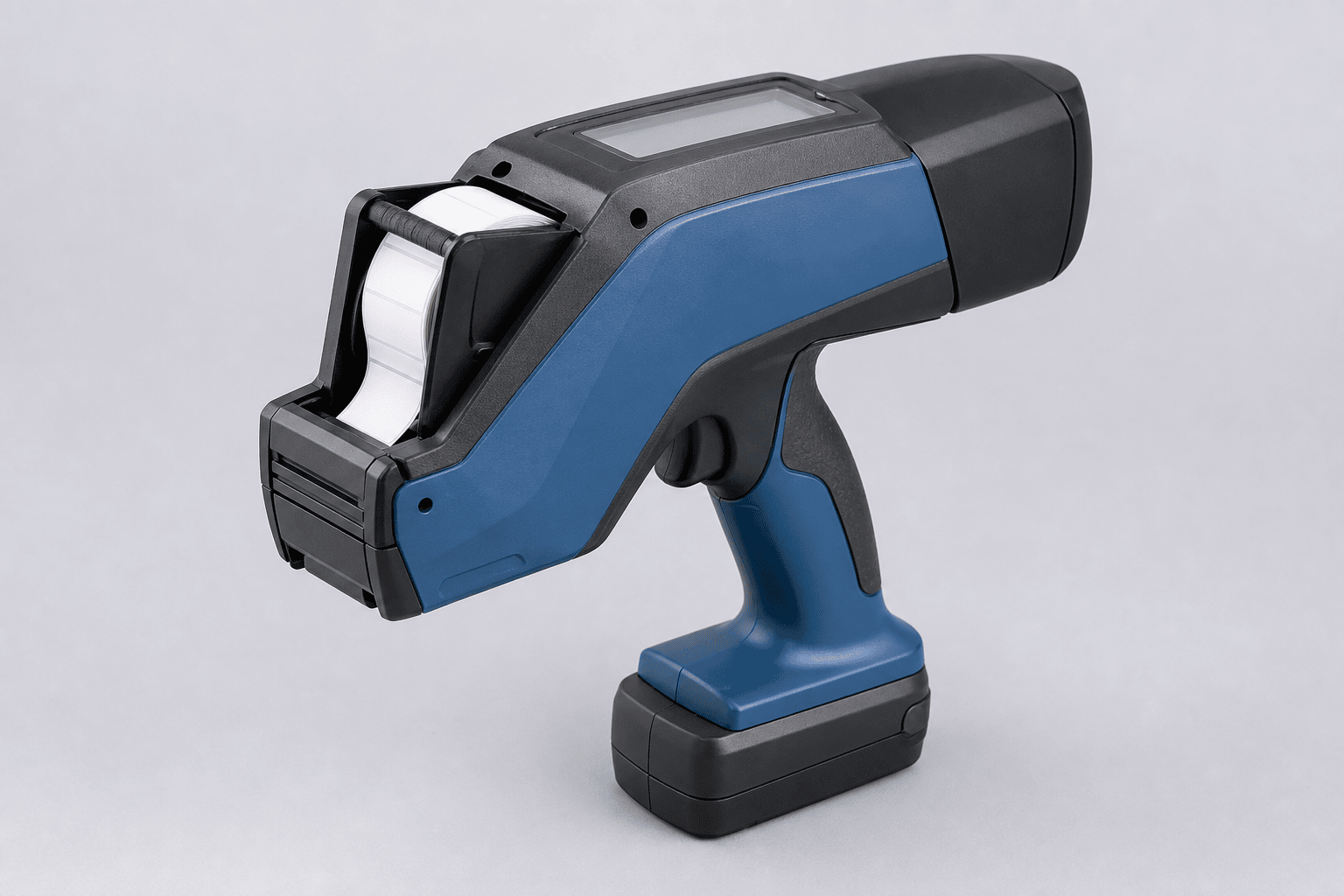
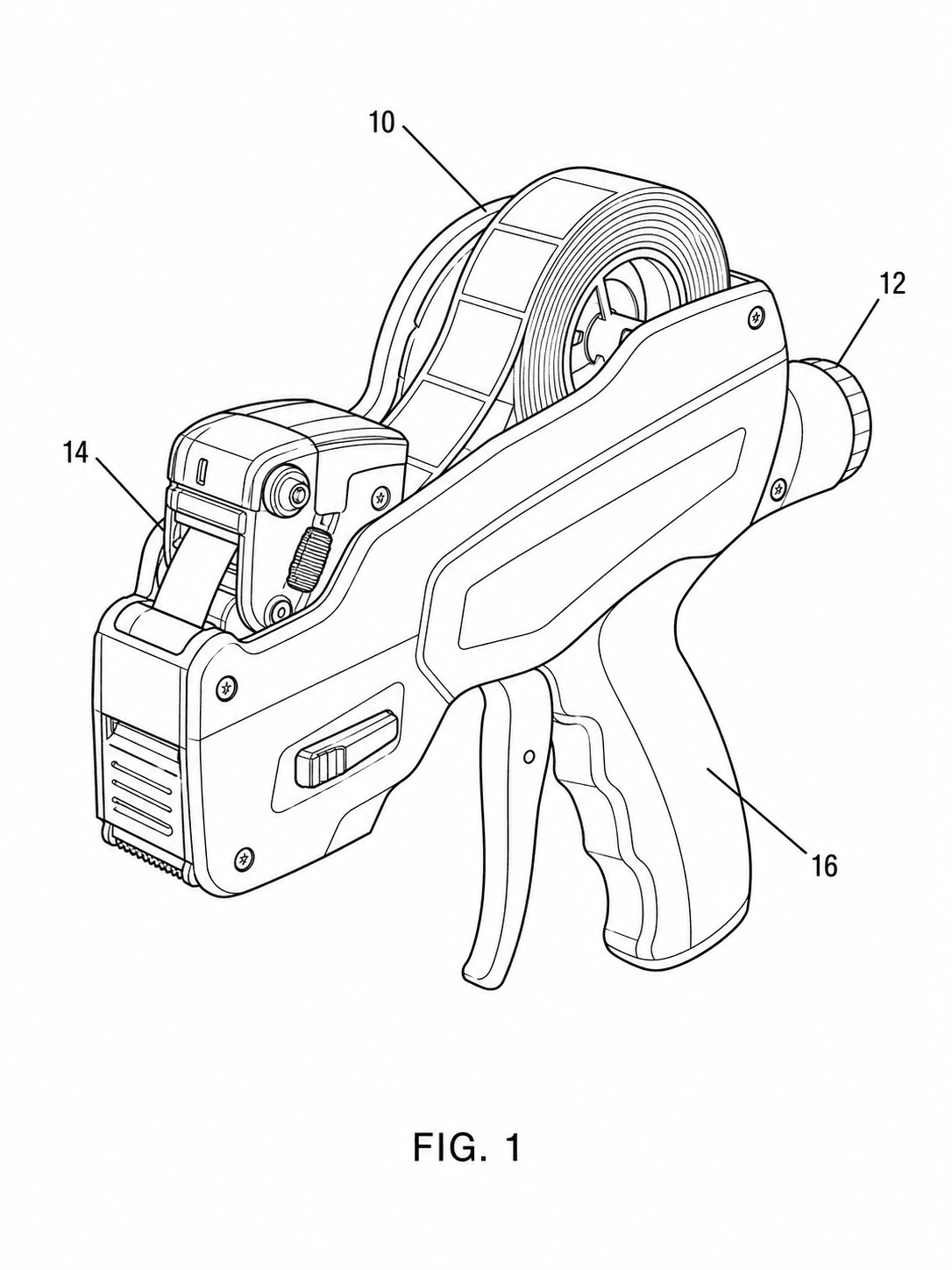
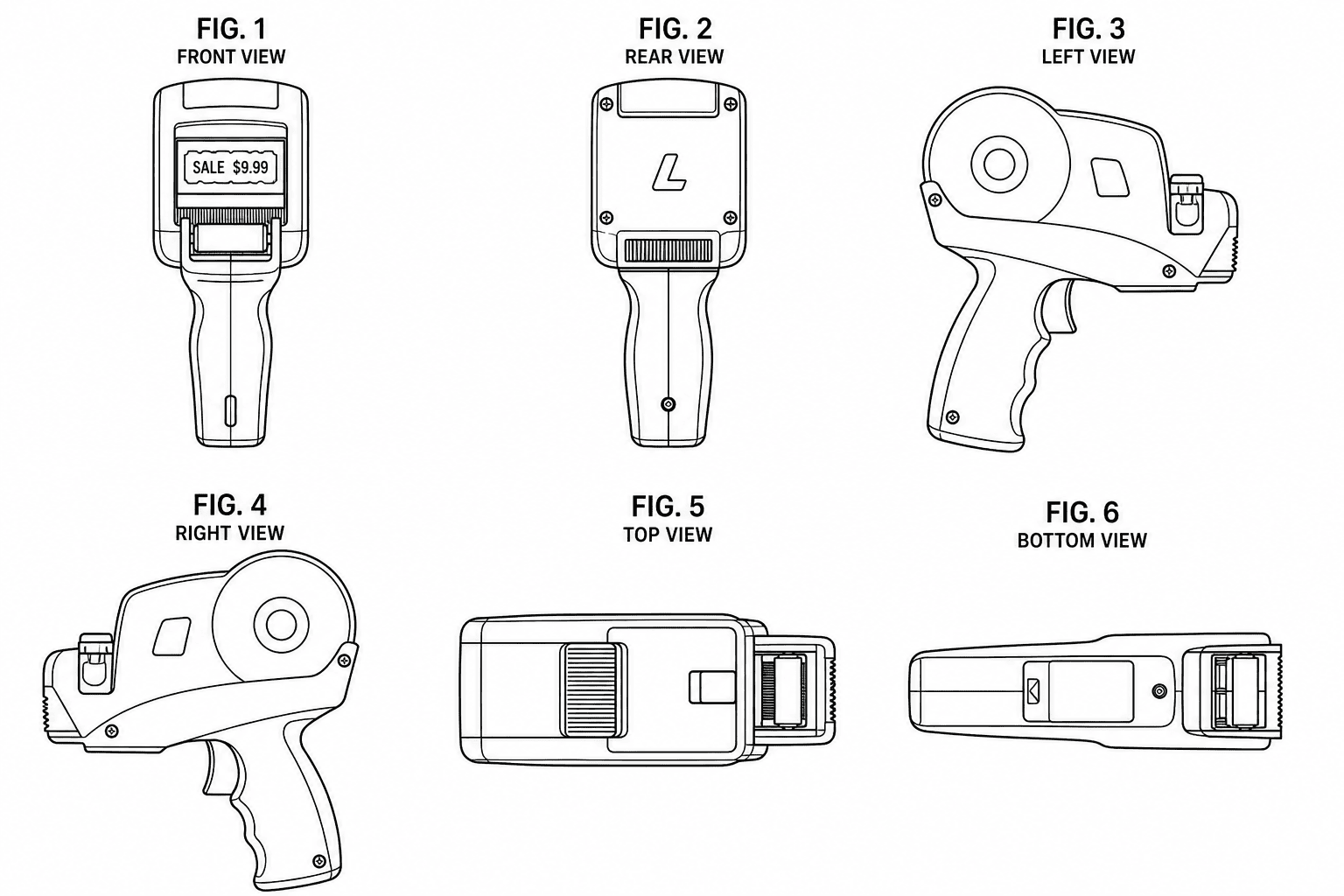
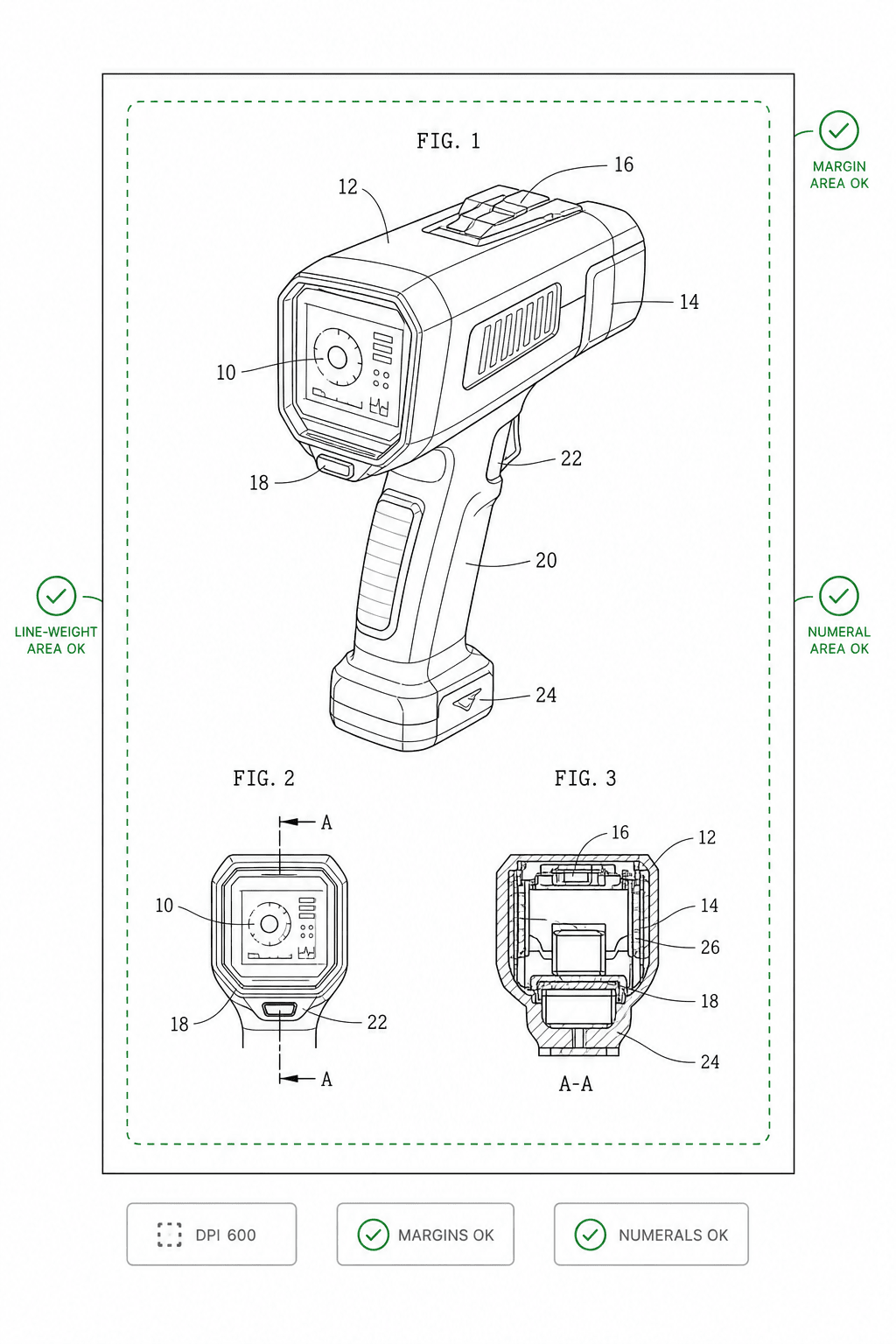
One pass through the patent drawing software: upload a product photo, get a compliant utility figure, expand it into a design view set, and run the compliance check before export.
Everything you need to prepare patent drawings
One workspace for generation, refinement, compliance checking, and export.
AI Figure Generation
Turn product images, system descriptions, method claims, CAD views, screenshots, or rough sketches into clean black-and-white patent figures.
Utility and Block Diagram Workflows
Draft device structures, cross-sections, electrical system diagrams, software block diagrams, and AI/ML pipeline figures without starting from a blank canvas.
Chat-to-Modify
Refine any figure with natural language commands. Move components, adjust angles, or rename reference numerals without regenerating the entire drawing set.
Multi-View Consistency
Generate all six orthographic views (front, rear, left, right, top, bottom) from a single reference image, with guaranteed contour alignment across views.
Compliance Checker
Automatically check every figure for DPI, line weight, margins, color mode, and reference numeral legibility before you file.
Filing-Ready Export
Export to SVG, TIFF, PDF, or PNG with preset profiles for USPTO, EPO, CNIPA, JPO, KIPO, and PCT national-phase submissions.
Illustrator vs. general drawing tools vs. PatentFig AI
The three realistic ways to get patent figures done, compared on cost, speed, and control (as of 2026).
Hiring a patent illustrator
General drawing & CAD tools
PatentFig AI
Built for patent figures?
Yes — illustrators draft to 37 CFR 1.84
No — general drawing and CAD tools are not patent-compliant out of the box
Yes — generates in filing style; you still review before filing
Starting cost
$75–$300 per figure
General drawing/CAD license $100–$1,500
$50/mo · 500 credits · ~50 figures (~$1 each)
Per-revision cost
$30–$75 per change
Your team's hours in general drawing/CAD tools
Included — regenerate or chat-edit
Turnaround
2–3 business days
Hours of manual drafting per figure
Minutes
Compliance checking
Manual review by the illustrator
None built in — you format and verify by hand
Built-in checker for USPTO, EPO, CNIPA, JPO, KIPO, PCT
Multi-view consistency
Per-order
Drawn manually, view by view
Generated together
Who controls revisions
The illustrator's queue
Your team
You
Free patent drawing software: try it before you pay
PatentFig AI has a free tier. Create an account — no credit card required — and you get free credits at sign-up plus a daily login credit grant, enough to generate real patent figures and judge the line quality on your own invention before you upgrade.
Free general-purpose drawing tools (open-source CAD, vector editors, slide software) can technically draw, but they were not built around patent rules: you still format margins, line weights, numeral heights, and view labels by hand for every office. Dedicated patent drawing software bakes those constraints into generation and compliance checking — which is where the hours actually go.
Start on the free tier, then move to a paid plan when you need complete multi-view sets, advanced export formats, or more monthly volume.
Who uses patent drawing software
Solo inventors
Turn a phone photo or napkin sketch into filing-ready figures without paying per-figure illustration fees.
Open the generatorPatent attorneys & agents
Run every figure set through a compliance check before filing so formatting objections never reach the client.
Try the figure checkerPatent engineers & paralegals
Convert inventor-supplied photos, CAD exports, and legacy drawings into consistent, numbered figure sets.
Convert existing drawingsIn-house IP teams
Keep invention disclosures inside a controlled workspace instead of emailing them to outside vendors.
Review the trust centerWhy IP teams switch to PatentFig AI
Compared to manual drafting or generic AI image tools, PatentFig AI cuts the time and cost of patent figure preparation.
Cut figure prep from days to minutes
Stop waiting days for external illustrators. Generate a complete, compliance-checked figure set in the same session you start it.
Avoid costly Office Actions
The built-in compliance checker catches 37 CFR 1.84 violations — margins, line weights, numeral legibility — before they become a Notice to File Corrected Application Papers.
Keep figures consistent across jurisdictions
Generate one conservative, portable figure set that works across USPTO, EPO, CNIPA, JPO, KIPO, and PCT with no per-office rework.
Iterate without losing prior work
Chat-driven surgical edits preserve the validated parts of your drawing set. No more full regeneration every time a claim changes.
Built for every major patent office
Office-specific drafting guidance is built in. Read the full rules for your jurisdiction:
Start free. Upgrade when you need more figures or advanced export formats.
Keep researching the software decision
Best Patent Drawing Software
How to evaluate the options before you commit to one.
Patent Illustration Software
Software for illustration-heavy workflows like design patent shading and multi-view sets.
Patent Drawing Services
Comparing software against hiring a drawing service for your figure set.
Illustration Services vs. Software
A full breakdown of the outsource-vs-software decision.
Frequently Asked Questions
Common questions about patent drawing software.
Ready to cut patent figure prep from days to minutes?
Start a free trial. No credit card required.