Patent Flowchart Generator
Convert a claimed method into ordered steps and branches an examiner can map back to the specification.
- Method claims and process descriptions as input
- Action-led steps and explicit decision branches
- Retry, failure, recovery, and termination paths
- Step numbering designed to match the specification
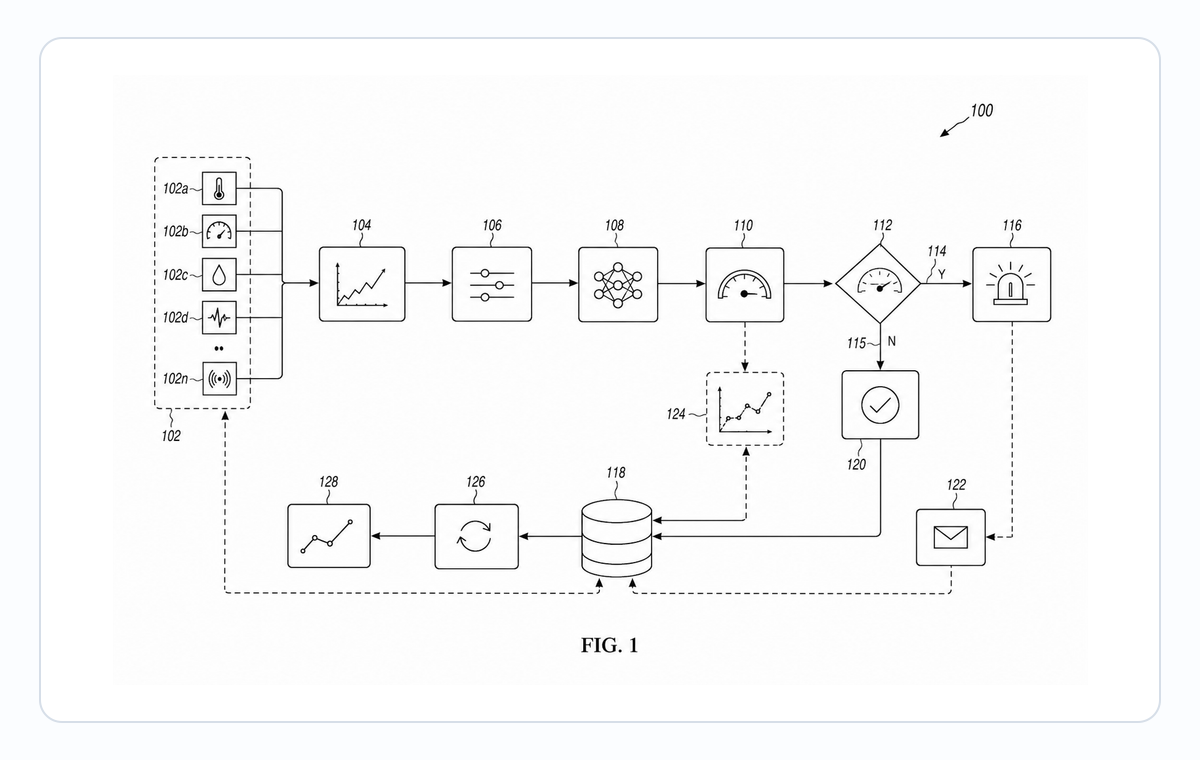
Use this page for a claimed sequence
- Choose a method flowchart when the invention is defined by what happens first, next, conditionally, or after failure.
- Choose the software patent diagram page when the invention is defined primarily by modules, data movement, or system states.
Patent flowchart examples
Fictional inventions in filing style. Open one to pre-fill the generator and adapt it.
Turn claim language into diagram logic
The goal is not to copy a paragraph into boxes, but to expose the sequence and the branches the claim depends on.
1
Extract substantive actions
Convert each operative claim step into a short verb-led phrase without implementation prose or legal boilerplate.
2
Identify true decisions
Use a diamond only where the method actually branches, and show the outcome paths that matter to the disclosure.
3
Preserve exceptions and recovery
Include retries, validation failures, lockouts, fallback behavior, and termination when the method describes them.
Keep the figure aligned with the specification
A useful patent flowchart gives the drafter stable step identities that can be cited consistently in the text.
Use method-step numerals
Use S100, S200, S300, and so on for substantive steps rather than component-style numerals such as 100 or 102.
Keep labels compact
Prefer two-to-four-word action phrases, with only the minimum branch text needed to disambiguate the path.
Split oversized methods
When one page becomes crowded, divide the method into companion sub-flowcharts instead of shrinking text and crossing arrows.
Common mistakes in patent flowcharts
Writing step labels in code or pseudocode instead of natural-language verbs.
Using swim lanes that imply a system structure not actually claimed in the method.
Skipping decision diamonds when the method has conditional branching.
Numbering steps with reference numerals that do not match the spec text.
Patent Flowchart Generator
Patent Flowchart Generator FAQ
Generate a patent method flowchart
Paste the method claim or process outline and identify any decision, retry, failure, or recovery path that must remain visible.
Related workflows
Detailed guide
Read the Patent Flowchart Generator workflow article.
Patent drawing tools
Browse every PatentFig AI generator, checker, and converter.
Patent drawing examples
Browse sample patent drawings across every category.
Check figure compliance
Review DPI, line work, margins, color mode, and readability.
Patent diagram
Types, examples and USPTO rules for block, flow, circuit, state and sequence figures.
Software Patent Diagram Generator
Create patent-ready figures for method flowcharts, system block diagrams, data-flow diagrams, and state-transition diagrams for software inventions.