Product Photo to Patent Line Art
Create patent-ready figures for product photos, prototype images, perspective views, clean contours, and patent-ready line art.
- Start from a product photo, prototype shot, 3D render, e-commerce image, or inventor reference image.
- Generate a patent line-art draft that strips marketing detail and keeps shape, views, and reference structure.
- Refine labels, arrows, view layout, and figure structure through focused iterations.
- Connect the result to Figure Checker, export tools, and the broader patent drawing workflow.
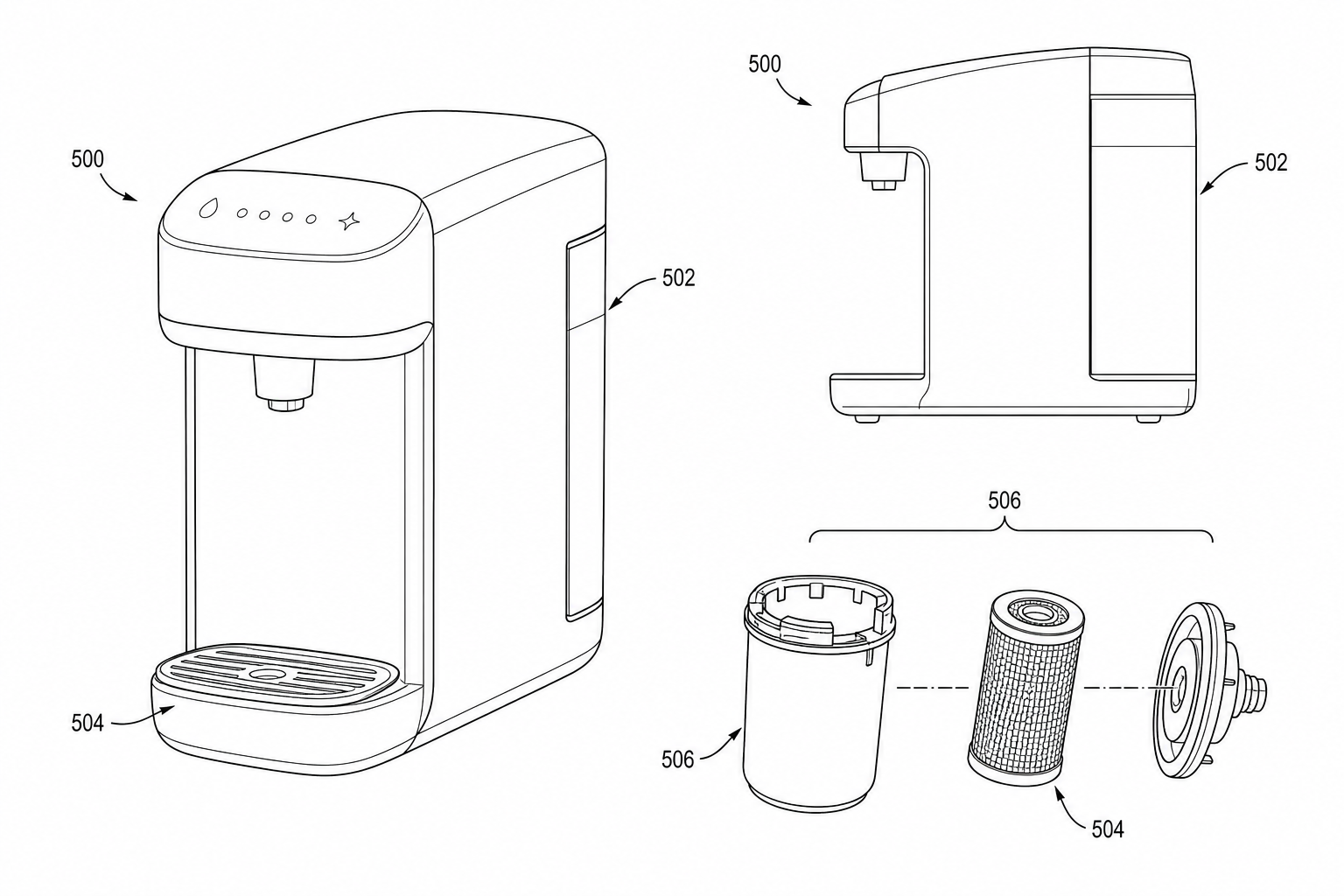
Product-photo line-art examples
Fictional inventions in filing style. Open one to pre-fill the generator and adapt it.
A practical generation flow
Product Photo to Patent Line Art is organized around source preparation, figure generation, revision, and final review.
1
Prepare the source
Use a product photo, prototype shot, 3D render, e-commerce image, or inventor reference image with enough structure for PatentFig AI to infer the drawing relationships.
2
Generate the figure
Create a patent line-art draft that strips marketing detail and keeps shape, views, and reference structure with patent-style composition, line work, and reference structure.
3
Check and export
Use review and export tools once the layout, labels, and file format are stable.
Why this workflow needs a patent-specific tool
Generic image tools do not consistently handle product photos, prototype images, perspective views, clean contours, and patent-ready line art with the structure patent drawings need.
Patent-first structure
The workflow emphasizes readable parts, relationships, and reference numerals for product photos, prototype images, perspective views, clean contours, and patent-ready line art.
Iteration without restarting
Adjust the figure prompt, regenerate focused views, and keep the surrounding workflow stable.
Review before export
Check visual clarity, margins, line work, labels, and file readiness before downstream filing work.
Common mistakes converting photos to patent line art
Submitting an AI-extracted line drawing without verifying which seams or fasteners the model invented.
Leaving company branding on the product (logos, molded text, color labels).
Photographing the product mid-assembly so the AI cannot tell which parts belong together.
Using a single photo to generate every required view instead of photographing each view separately.
Product Photo to Patent Line Art
Product Photo to Patent Line Art FAQ
Open Product Photo to Patent Line Art
Start in PatentFig AI, generate a patent line-art draft that strips marketing detail and keeps shape, views, and reference structure, then review and export the figure set.
Related workflows
Detailed guide
Read the Product Photo to Patent Line Art workflow article.
Patent drawing tools
Browse every PatentFig AI generator, checker, and converter.
Patent drawing examples
Browse sample patent drawings across every category.
Check figure compliance
Review DPI, line work, margins, color mode, and readability.
Photo to patent drawing AI
Turn source photos into controlled patent-style line art.
Design patent drawing software
Prepare consistent appearance-focused design patent view sets.