Utility Patent Drawing Generator
Turn an invention disclosure into a coordinated figure set for apparatus and method claims.
- Structural figures for apparatus claims
- Numbered flowcharts for method claims
- Consistent reference numerals across views
- Checker, vector, and filing-format exports
Choose figures from the claims
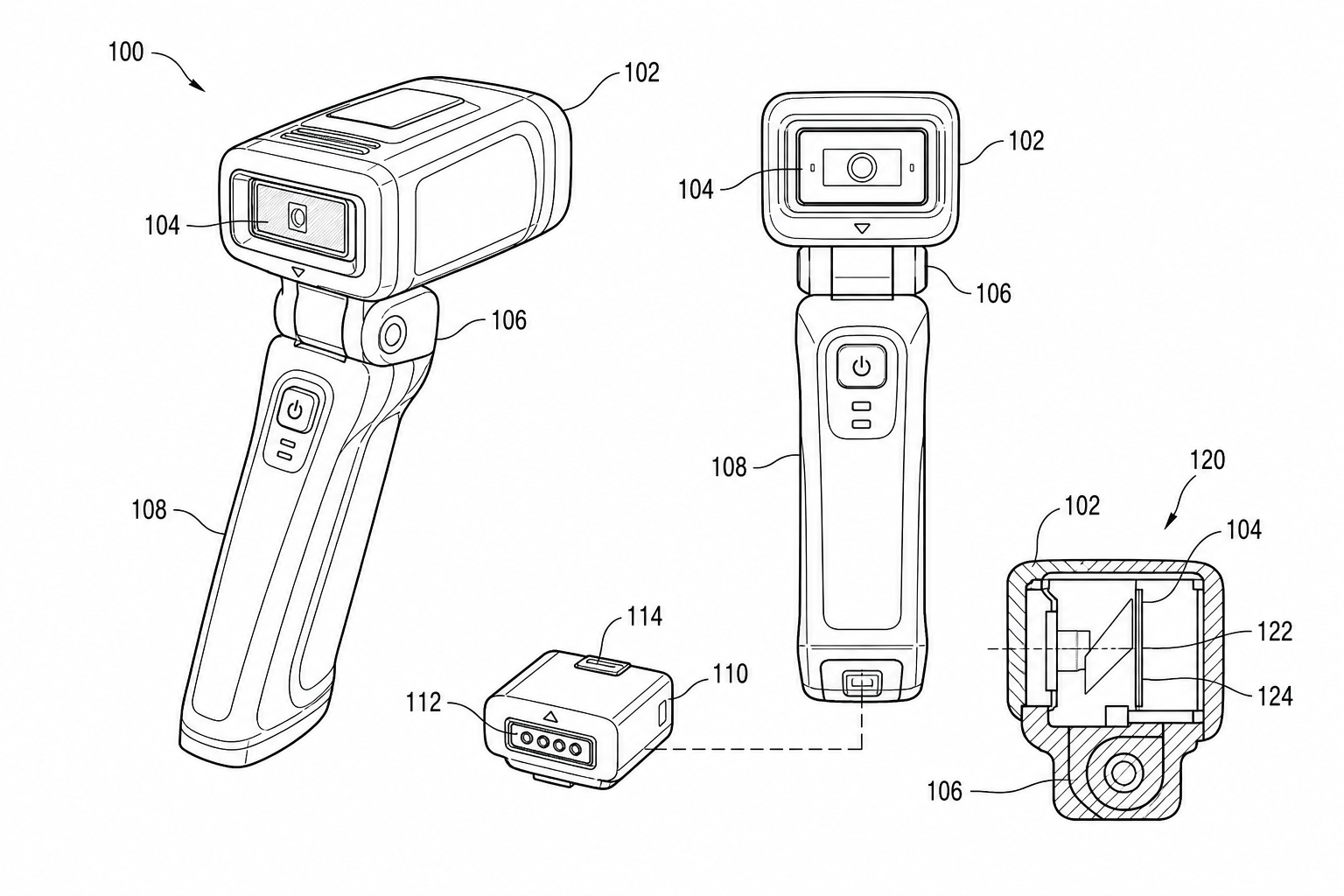
- Use structural, sectional, detail, or exploded views when the claim depends on parts and their relationships.
- Use a numbered method flowchart when the claim depends on ordered steps, decisions, retries, or exceptions.
Utility patent drawing examples
Fictional mechanisms showing utility figure conventions. Open one to pre-fill the generator and adapt it.
Plan the figure set before drawing
A useful utility filing usually needs a small set of complementary figures rather than one crowded overview.
1
Map claim elements
List the components, relationships, and method steps that need visual support before choosing a view.
2
Assign the right figure type
Use perspective and elevation views for overall structure, sections for hidden relationships, and flowcharts for claimed methods.
3
Create a numbering plan
Give each recurring component one stable numeral and preserve that identity across the full drawing set.
From source material to reviewable figures
The workflow separates geometry, labeling, and filing checks so one correction does not force a complete redraw.
Establish geometry first
Use the clearest photo, sketch, CAD screenshot, or written description as the source of structural truth.
Add patent conventions
Convert the source into restrained line art, then add only the numerals, lead lines, arrows, and hatching the disclosure needs.
Check before export
Review margins, line quality, color mode, readability, numeral consistency, and output format before filing.
Common mistakes in utility patent figure sets
Filing the same drawing set used for the design patent — utility figures need reference numerals and structural views, not appearance-only orthographics.
Submitting an overview figure with no companion detail, method, or cross-section figures.
Letting reference numerals drift between figures within the same application.
Treating broken lines as decorative shading instead of reserving them for hidden features.
Utility Patent Drawing Generator
Utility Patent Drawing Generator FAQ
Create the first utility patent figure
Bring a claim, sketch, photo, or CAD reference and build the figure set one view at a time.
Related workflows
Detailed guide
Read the Utility Patent Drawing Generator workflow article.
Patent drawing tools
Browse every PatentFig AI generator, checker, and converter.
Patent drawing examples
Browse sample patent drawings across every category.
Check figure compliance
Review DPI, line work, margins, color mode, and readability.
Mechanical Drawing Generator for Patents
Create patent-ready figures for mechanical drawings, technical drawings, device structures, housings, cross-sections, and hardware assemblies.
Patent Flowchart Generator
Create patent-ready figures for process flow diagrams, flowcharts, method steps, decision logic, control flows, and state-machine figures.