Best Patent Drawing Software for Attorneys in 2026
Choose by the work your filing actually needs: patent-native AI, a traditional CAD workflow, a general diagramming workflow, or a human patent illustrator.
- Decision-ready guide
- Workflow-based comparison
- Real output examples
- Office-rule checks

The 30-second answer
- Choose PatentFig AI when an attorney, patent agent, or IP team needs to generate, revise, check, and export filing figures without a specialist drawing workflow.
- Choose traditional CAD when exact geometry is the priority and an experienced CAD operator is already available to apply patent conventions manually.
- Use general diagramming only for simple flowcharts or block diagrams; reserve a human patent illustrator for unusually complex final polish or a complete hands-off engagement.
What to look for in patent drawing software
Six criteria that separate patent-grade tools from generic drawing apps.
1
Office compliance built in
Line weights, margins, and numbering per USPTO/EPO/CNIPA/JPO/KIPO/PCT rules.
2
Reference-numeral consistency
The same part keeps the same numeral across every view, automatically.
3
All the views you file
Perspective, elevations, exploded, cross-section — and design view sets.
4
Real source inputs
Start from a text description, photo, sketch, or screenshot — not a blank canvas.
5
A compliance checker
Catch objections before filing, not in an office action.
6
Filing-ready export
PNG at 300/600 DPI, SVG, DXF, and vector PDF.
The four workflows attorneys actually use
Compare approaches, not vendor names. Each approach wins in a different operating context.
Patent-native AI software
Best default for attorneys and IP teams that need generation, revision, checking, and export in one workflow.
Traditional CAD workflow
Best for exact geometry when a skilled operator is already available; patent formatting and checks remain manual.
General diagramming workflow
Suitable for straightforward method flowcharts and block diagrams, but not full mechanical or design figure sets.
Human patent illustrator
Useful for unusually complex figures, final specialist polish, or teams that want a complete handoff.
Evaluation framework
Use the same five tasks to evaluate any workflow before adopting it. The evidence below shows representative PatentFig outputs rather than an unverified external benchmark.
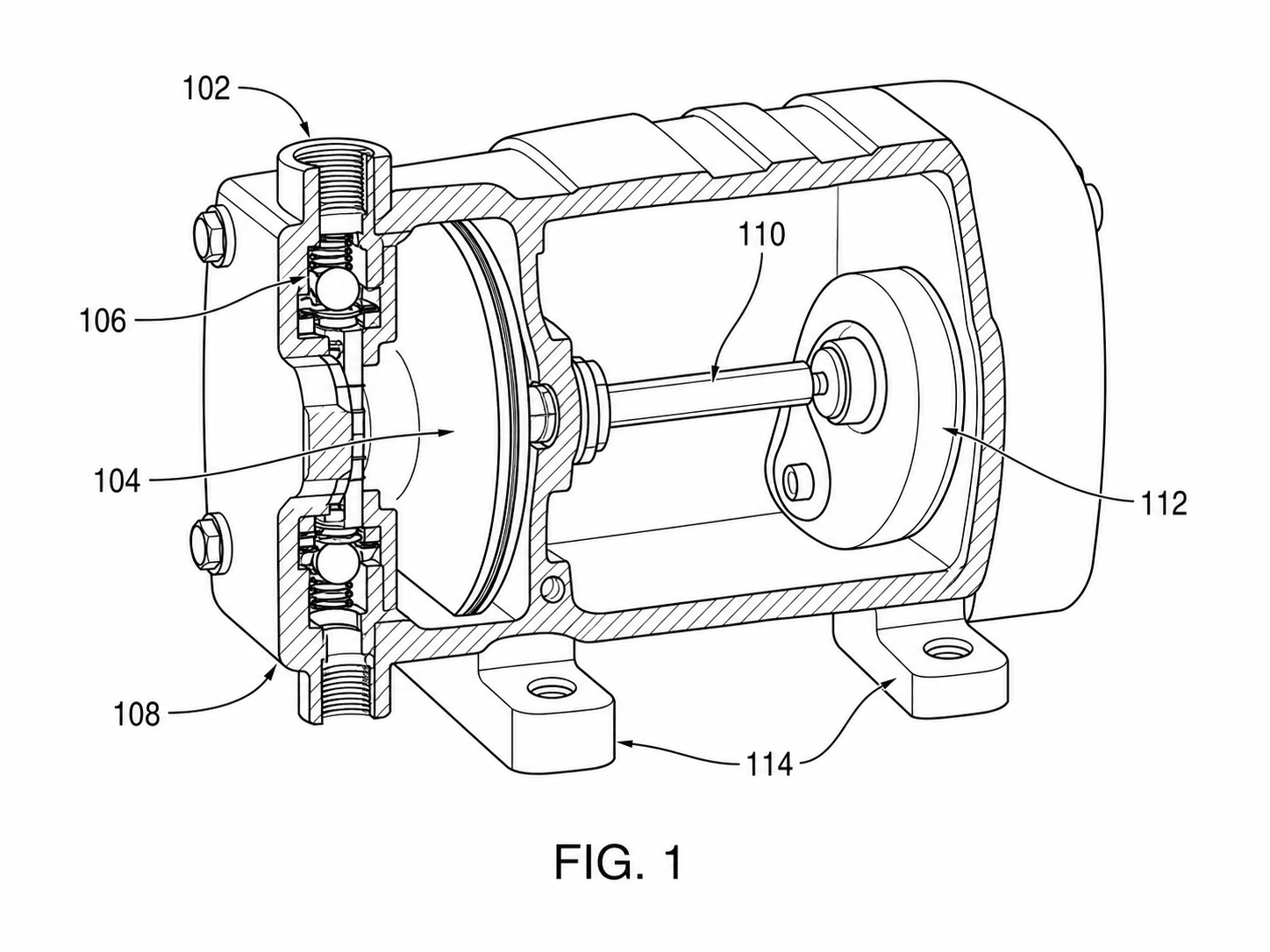
Task 1 — Photo to utility figure
One product photo in, one USPTO-style line-art figure with reference numerals out. Scored on line uniformity and numeral placement.
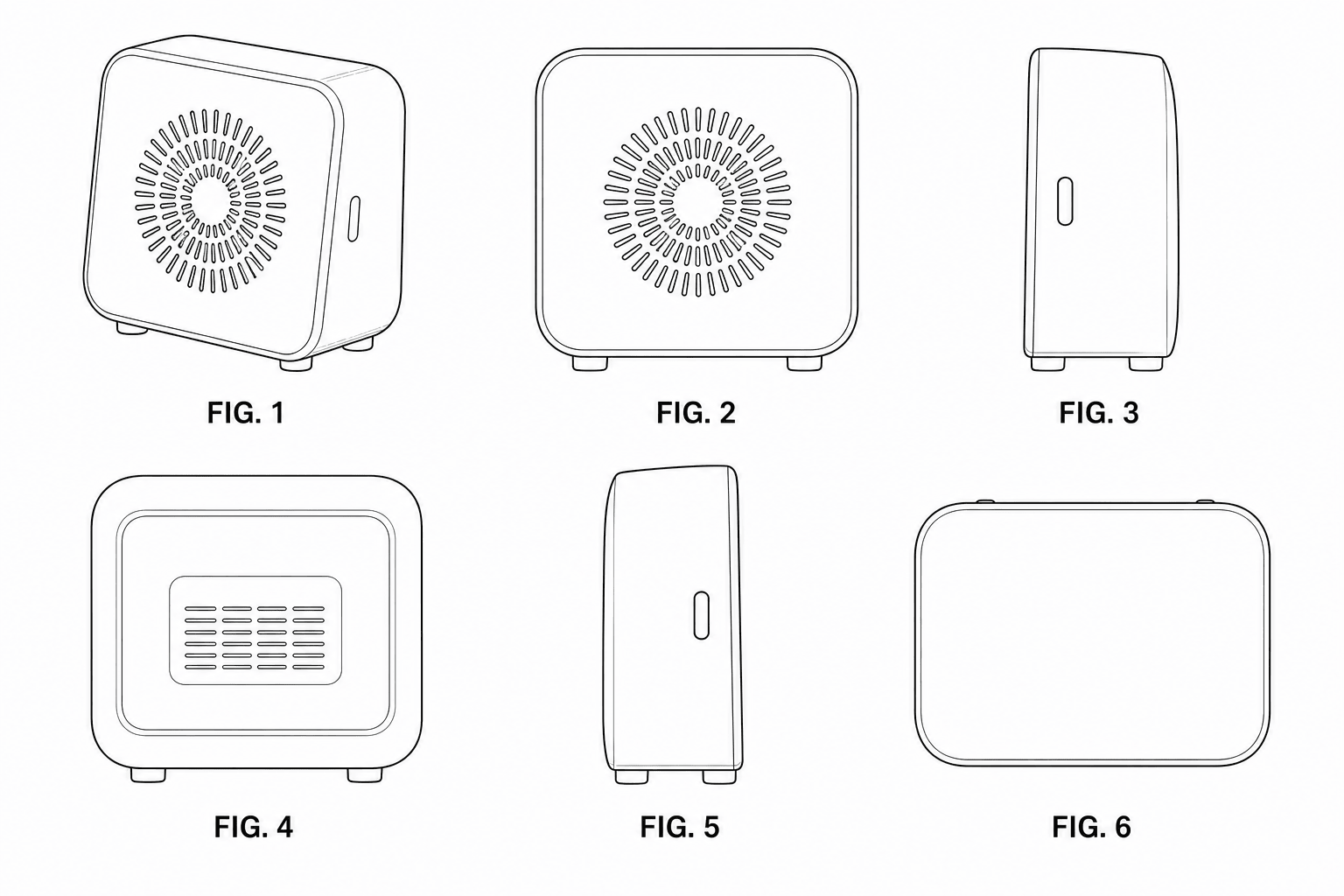
Task 2 — Design view set
Seven consistent views from a single source. Scored on contour alignment across views and correct broken-line use.
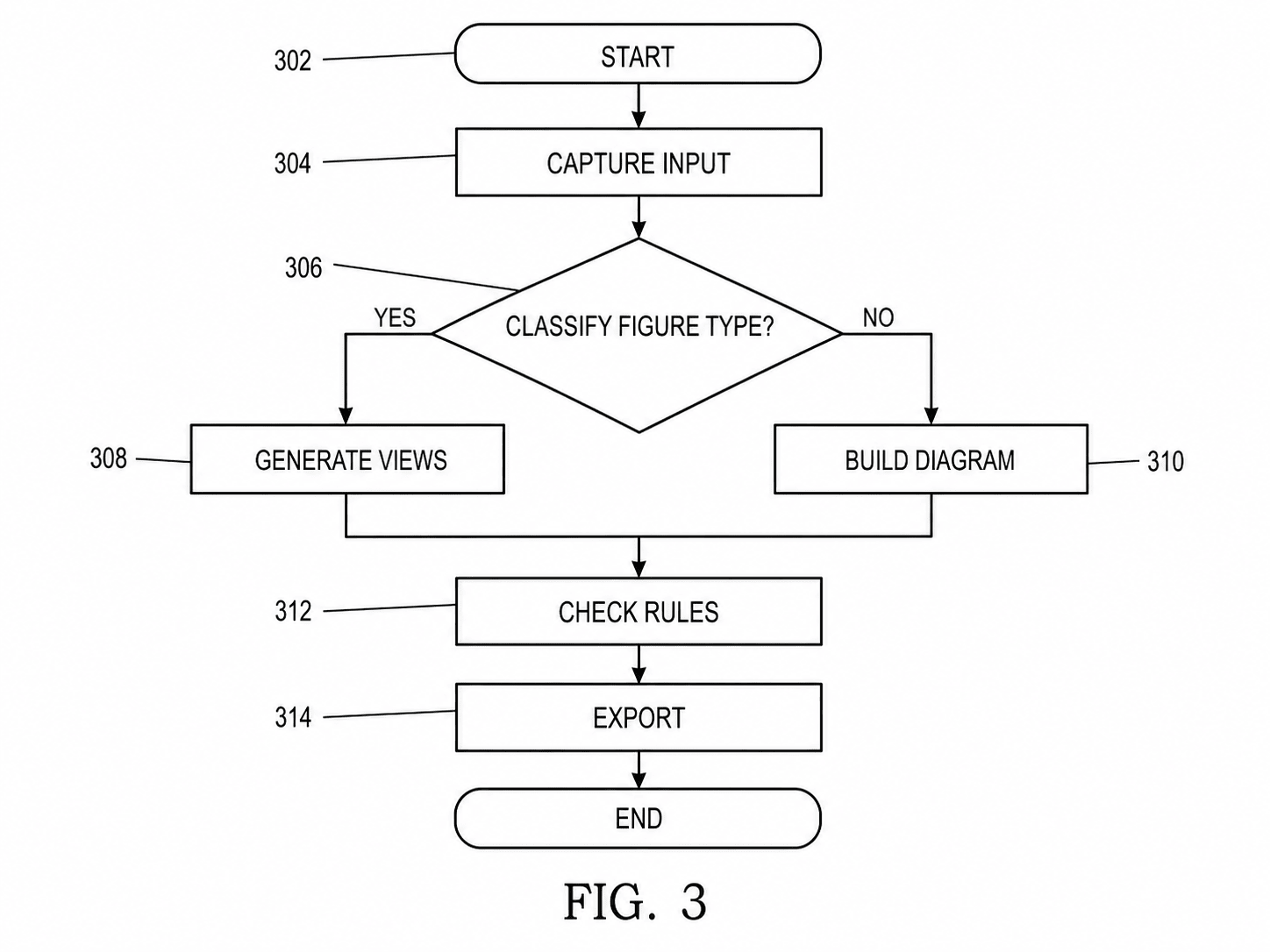
Task 3 — Flowchart from method steps
A claimed method converted to a numbered flowchart. Scored on step numbering and decision-branch clarity.
Task 4 — Revision round
One late part change propagated to every affected view. Scored on rework time and numeral consistency after the edit.
Task 5 — Pre-filing check & export
Margins, DPI, line weight, and numerals validated, then exported to vector. Scored on objections a checker would catch.
Which patent drawing workflow should you choose?
A category-level comparison that helps an IP team choose the right operating model for each filing.
Approach
Best for
Strengths
Tradeoffs
Recommendation
PatentFig AI
Attorneys, agents, paralegals, and in-house IP teams
Fast generation, targeted revisions, multi-office checks, and filing-oriented export
Attorney review is still required; unusually complex figures may need specialist polish
Default choice for routine and mixed figure sets
Traditional CAD
Teams with an experienced CAD operator and exact geometry
Precise geometric control and mature model-based workflows
Steep learning curve; patent conventions, numerals, and checks remain manual
Use for precision-heavy mechanical work
General diagramming
Simple flowcharts, block diagrams, and internal schematics
Easy manual layout for boxes, arrows, and straightforward logic
No patent-rule checks and poor fit for mechanical or design line art
Use only when the figure is a simple diagram
Human illustrator
Complex final polish or a fully outsourced engagement
Specialist judgment and complete handoff
Longer feedback loops and metered revisions
Reserve for exceptional cases or final review
PatentFig AI is the strongest fit when
- An attorney or paralegal needs first drafts and revisions in the same working session
- The set mixes mechanical views, design views, flowcharts, and block diagrams
- Figures must be checked for USPTO, EPO, CNIPA, JPO, KIPO, or PCT conventions
- Pre-filing material should stay inside a controlled software workflow
Use a specialist workflow when
- A trained CAD operator must preserve exact model geometry or native CAD constraints
- A highly unusual or litigation-grade figure needs specialist certification and final polish
- Internal policy prohibits any cloud processing of pre-filing material
2026 comparison
Patent drawing software FAQ
Draw your next filing with patent-native software
Generate compliant figures from a description, validate against your office, and export filing-ready files.
Related tools and guides
Guide: build a patent workflow around the figure set
Connect claims, figures, checking, and attorney review without adding duplicate landing pages.
Patent drawing software
The full PatentFig workspace for filing-ready figure sets.
Secure patent drawing workflow for law firms
Review no-training commitments, retention controls, and the attorney-paralegal workflow.
Patent drawing generator
Generate a patent drawing from a text description.
Patent drawing examples
Browse sample patent figures across every category.
Patent drawing services
2026 rates from real companies, and when software wins.
Figure checker
Validate figures against office rules before filing.
Vectorize
Convert raster figures to SVG, DXF or vector PDF.
AI patent drawing generator
Photos, sketches, and 3D references to patent figures.