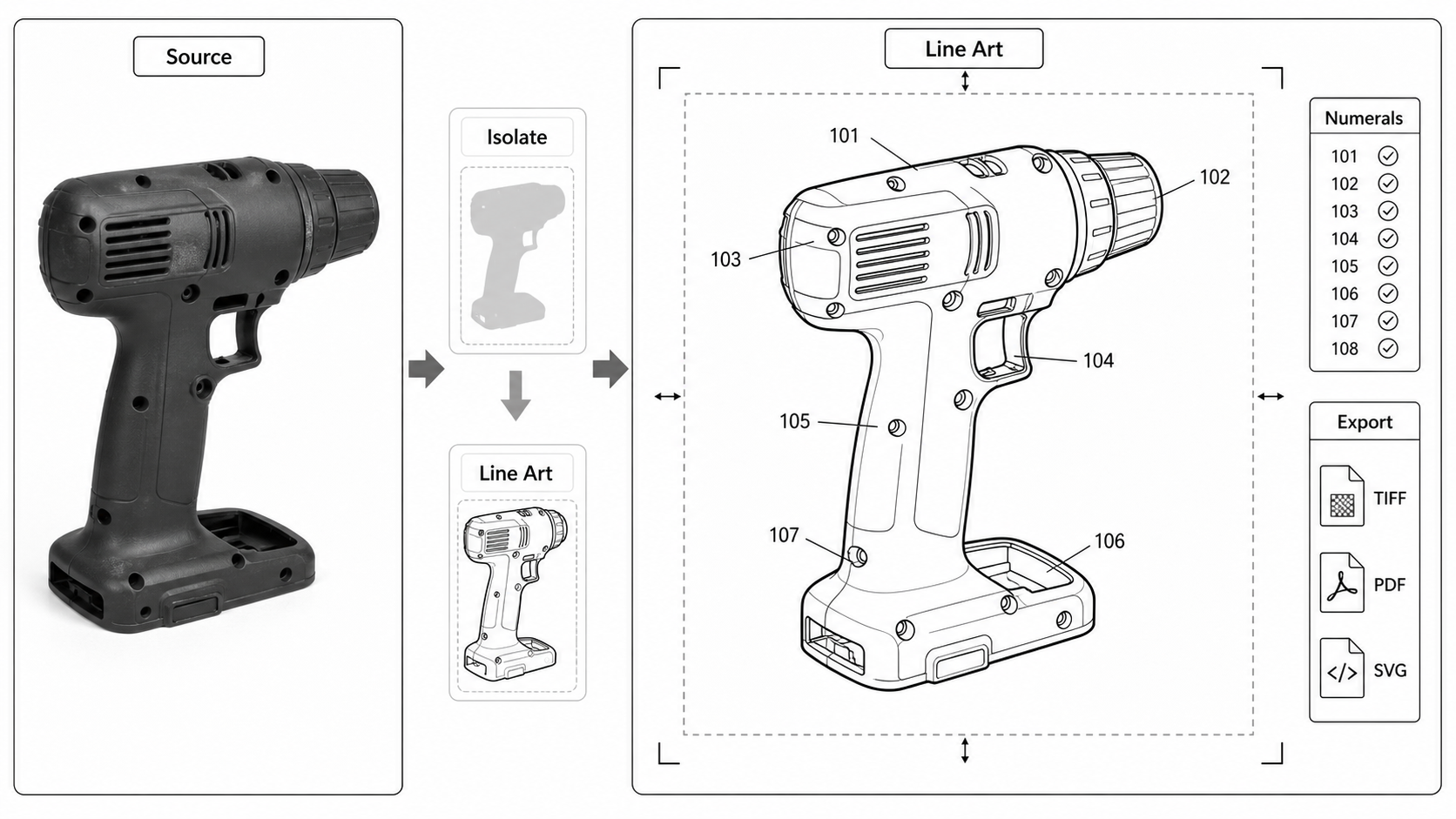
Photo to Patent Drawing AI: A Practical Workflow
Turn product photos into patent-style line art: photo prep, AI line extraction, what AI invents and what it loses, and the cleanup steps before filing.
TL;DR: A clear, evenly lit, straight-on product photo is the fastest source for AI patent line art: the AI extracts contours and proportions well, but it discards or invents fine detail, so every output needs a human pass for hidden structure, claim-relevant features, and reference numerals. Photo quality determines output quality — and the photo stays the source of truth for later regenerations, not the AI output.
A product photo carries shape, proportion, and surface relationship information that a text prompt cannot. It is also the worst possible source for a finished patent figure — full of color, shadow, glare, branding, and background noise that every patent office prohibits. The work in this pipeline is converting the photo's structural content into clean line art while discarding everything else.
Generate patent line art from a product photo. Open the photo-to-patent-drawing generator.
Patent Line Art vs Product Manual Line Art
Two different jobs that share an output format. Patent line art supports a filing record: reference numerals, figure views, claim-supporting structure, export checks. Product manual line art supports user comprehension: step panels, arrows, warnings, part labels for operation.
If the goal is a patent application, use product photo to patent line art. If the goal is a manual, quick-start guide, IFU, installation sheet, or assembly instruction, that is a different workflow — closer to ManualFig conventions than PatentFig.
The distinction matters because the structural choices diverge. A patent figure shows what is claimed; a manual figure shows what the user does. The same product can need different figures for each.
Photo Quality Determines Output Quality
AI line extraction has hard limits set by the input. A good photo produces a usable first draft; a bad photo produces output that needs more cleanup than redrawing would have taken.
What "good" looks like
| Attribute | Target | Why |
|---|---|---|
| Focus | Sharp across the whole product | Soft edges become uncertain contours |
| Lighting | Even, diffuse, no hard shadows | Shadows turn into spurious line work |
| Background | Plain white, light gray, or solid color | Busy backgrounds confuse contour extraction |
| Angle | Perpendicular to the dominant face | Off-angle photos distort proportions |
| Distance | Fills 60-80% of frame | Cropped tight loses context; cropped loose loses resolution |
| Reflections | None | Glare on plastic or metal reads as a separate surface |
| Branding | Hidden, removed, or trivial | Logos must be stripped before patent use |
| Resolution | 12 MP or higher | Enough pixels for clean upsampling after extraction |
Common photo problems
| Problem | What AI does with it | Fix |
|---|---|---|
| Hard shadow under the product | Treats the shadow edge as a contour | Reshoot with diffuse light or shoot on a translucent surface |
| Glossy plastic with highlights | Renders highlights as surface features | Use a polarizing filter or matte spray for the photo session |
| Cluttered desk background | Adds random lines to the figure | Reshoot on plain backdrop, or mask the background before extraction |
| Camera tilted 10° off axis | Skews the proportions of the figure | Reshoot perpendicular, or perspective-correct in post |
| Multiple products in frame | Tries to merge them into one figure | Shoot one product at a time |
| Product mid-assembly | Adds invented assembly features | Reshoot fully assembled or fully exploded, not in between |
A spent half-hour on lighting and background usually saves an hour on AI cleanup.
Setting Up a Quick Patent Photo Session
You do not need studio gear. Three practical setups:
The window setup
Place the product on a white piece of paper or matte vinyl near a north-facing window during midday. Diffuse the light through a sheer curtain or thin white fabric. The diffused window light produces clean, soft shadows that AI handles well. Phone camera, perpendicular angle, tap to focus on the product surface.
The light tent setup
A $30 collapsible light tent on Amazon works for any product under 30 cm. White interior, two LED lights on opposite sides, top-down or front shooting angle. Output is very clean for AI extraction.
The desk setup
Last resort, but works. Plain white desk surface or large sheet of paper. Two desk lamps positioned 45° on each side, both at the same height. The cross-lighting eliminates one-sided shadow. Phone camera, perpendicular, manual exposure if available.
For all three setups, shoot the same product from the angles the patent needs — typically front, two sides, top, perspective, and any required cross-section angle (cross-sections cannot be photographed; they come from CAD or sketch).
AI Line Extraction: What Gets Done Well
The AI step takes a clean photo and produces patent-style line art. The reliable operations:
- Contour extraction. The product silhouette and major surface boundaries are extracted as black lines.
- Background removal. Wood grain, fabric texture, shadow from staging — all stripped.
- Color flattening. A red plastic housing becomes black-and-white line art with no fill.
- Surface detail simplification. Texture, gradients, and shading are reduced or removed.
- Multi-product separation. If the photo has two products, AI can separate them into separate figures.
What AI Loses or Invents
The unreliable operations require human review:
- Hidden internal parts. A photo of a closed housing shows nothing about the interior. AI does not invent the interior — it leaves it blank. The patent figure may need a cross-section that AI cannot derive from this photo.
- Exact proportions. Line extraction can shift dimensions by a few percent. If the claim specifies a length-to-width ratio, verify against the source.
- Reference numerals. AI sometimes adds candidate numerals that do not match the spec. Strip them and add numerals from the spec's reference table.
- Seam vs surface line confusion. A seam between two parts looks similar to a surface line in a photo. AI may merge them. Verify each line by hand.
- Invented fasteners. If a screw or rivet is partially visible behind glare, AI may "complete" it into a clearly-drawn fastener that the photo did not actually show. Verify against the inventor's source documentation.
- Material distinction. Two parts in different materials (metal cap on plastic body) look the same in line art. The patent figure may need hatching or a callout to distinguish them.
A Worked Photo-to-Figure Flow
A handheld power tool with the goal of three views: front, side, and perspective.
Step 1: shoot three photos. Same lighting, same background, same distance, but rotated 90° between front and side, and tilted up 30° for the perspective shot. Save each at full resolution.
Step 2: upload each photo to the photo-to-patent-drawing generator. One at a time. Wait for the line-art output.
Step 3: review each output for the failure modes above. The front view should show the housing contour, the trigger, the chuck, and any visible vents. The side view should align with the front view at the same scale. The perspective should match the same axis as the side.
Step 4: load each line-art SVG into Inkscape. Run the cleanup steps from the CAD-to-SVG guide — normalize line weights, strip color, convert text to paths. Add reference numerals from the spec.
Step 5: arrange the three views on an A4 page inside the sight rectangle. Add figure designators below each view. See the margin rules guide for the per-office sight rectangle dimensions.
Step 6: export as vector PDF or 600 DPI bilevel TIFF. Run Figure Checker before filing.
Total time for three views from clean photos: about an hour. From rough photos: two to three hours, mostly cleanup.
When a Photo is Not Enough
Photos alone cannot produce:
- Cross-sections. Use CAD, a hand sketch, or an explicit prompt to PatentFig AI describing the section plane and what crosses it.
- Exploded views. Use CAD if available, or photograph the disassembled product with parts laid out in assembly order. AI can then arrange them into an exploded view, but the disassembly photo is the source.
- Hidden mechanisms. Use CAD, a sketch of the interior, or a description of the mechanism for AI to generate from.
- Method flowcharts. Photos are useless here. Use a text description of the steps.
A patent application for a moderately complex product often needs photos plus sketches plus CAD output. The photos handle exterior structure, sketches handle interior intent, CAD handles cross-sections.
When Photo-Only is Enough
For some inventions, photos are sufficient:
- Surface-claim design patents. The visual surface is what is claimed. Photos converted to line art (with broken lines for unclaimed environment) often suffice.
- Simple utility inventions with no hidden mechanism. A novel handle, clip, or surface texture can be fully shown from photos.
- Provisional applications. USPTO provisionals do not require formal drawings; photo-derived line art is fine for the priority date.
The breakpoint: if the claim language refers to features visible from the outside only, photos are usually enough. If the claim language references internal structure, hidden mechanisms, or process steps, photos need supplementation.
Removing Branding Before Extraction
Most product photos have a logo somewhere. The cleanest way to handle this depends on logo placement:
- Logo on a separate face. Reshoot from an angle that hides it.
- Logo embossed into a surface. Remove with photo editing before AI extraction, or strip in the SVG after extraction.
- Logo printed on a removable label. Remove the label before shooting.
- Logo molded into the product. Reshoot the unbranded prototype if one exists, or accept that the logo will need to be edited out after AI extraction.
The patent office does not care that the inventor's prototype had a logo. It cares that the figure does not show one. Strip before filing.
The Photo as the Source, Not the Master
Keep the original photo alongside the SVG and the final filing copy. When a claim amendment changes which features need to be shown, the photo lets you regenerate the figure with different emphasis. The AI line art is a derivative artifact, not the source of truth.
Next step: Open the generator and try this workflow with your own source material — or browse patent drawing examples for a starting point.
Author

Categories
More Posts
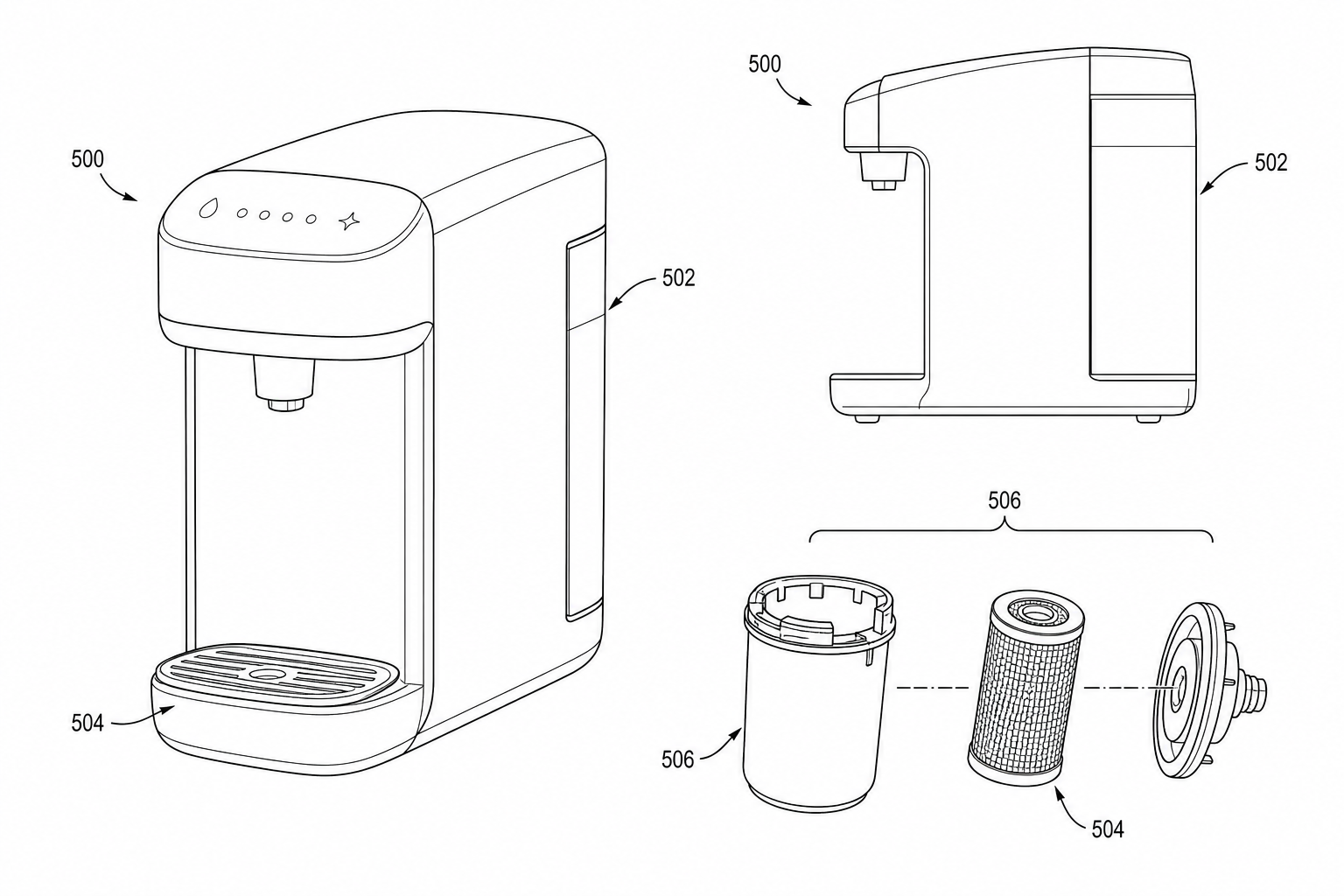
Product Photo to Patent Line Art: When AI Works and When to Redraw
Learn when product photos can be converted into patent line art with AI, when manual redraw is safer, and how to prepare views for patent filing.
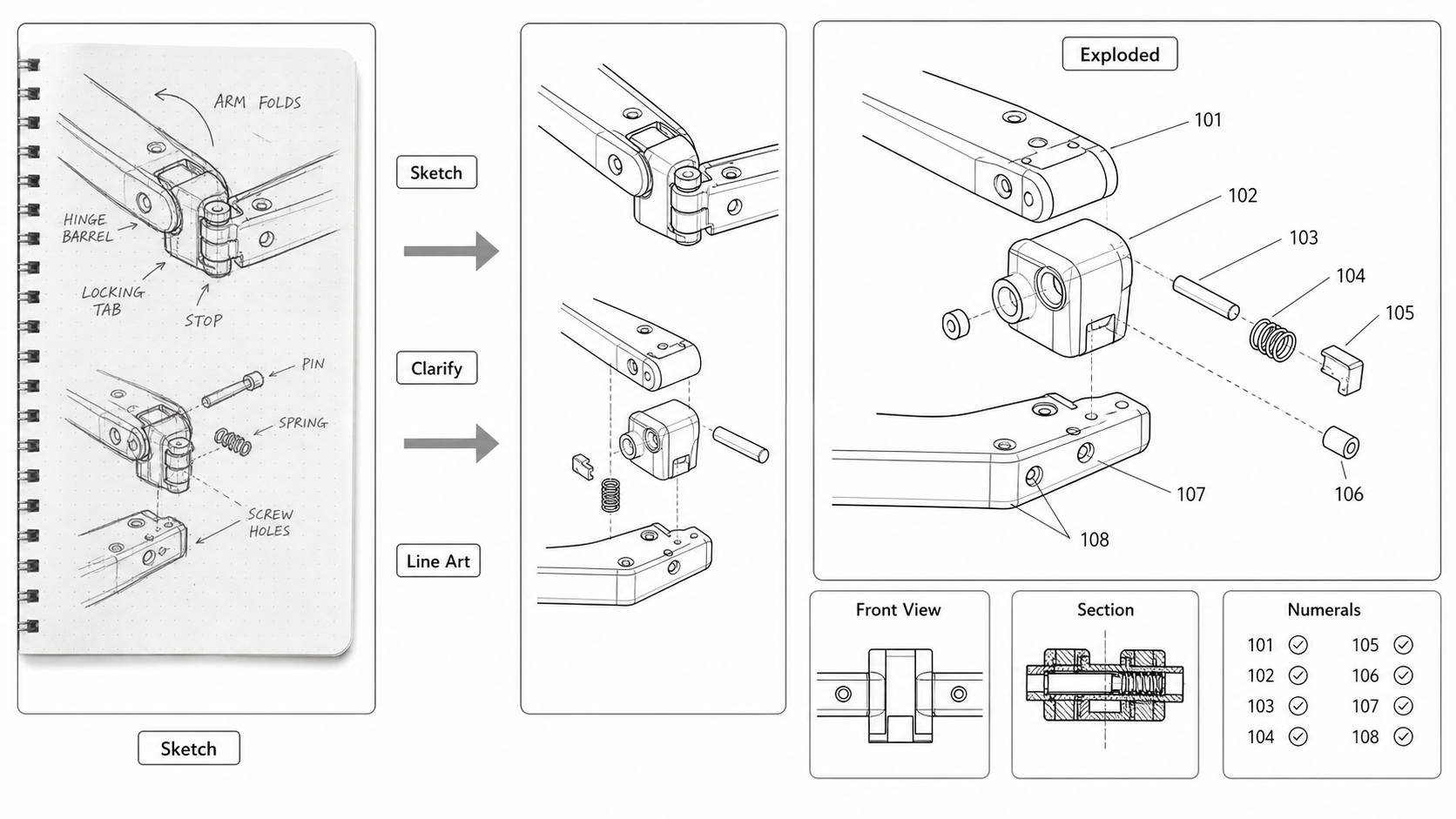
Sketch to Patent Figure: Turning Inventor Notes Into Filing-Ready Drawings
Convert hand-drawn inventor sketches into patent figures: scanning tips, AI line-art extraction, when to redraw, and what gets lost between a napkin and a USPTO submission.
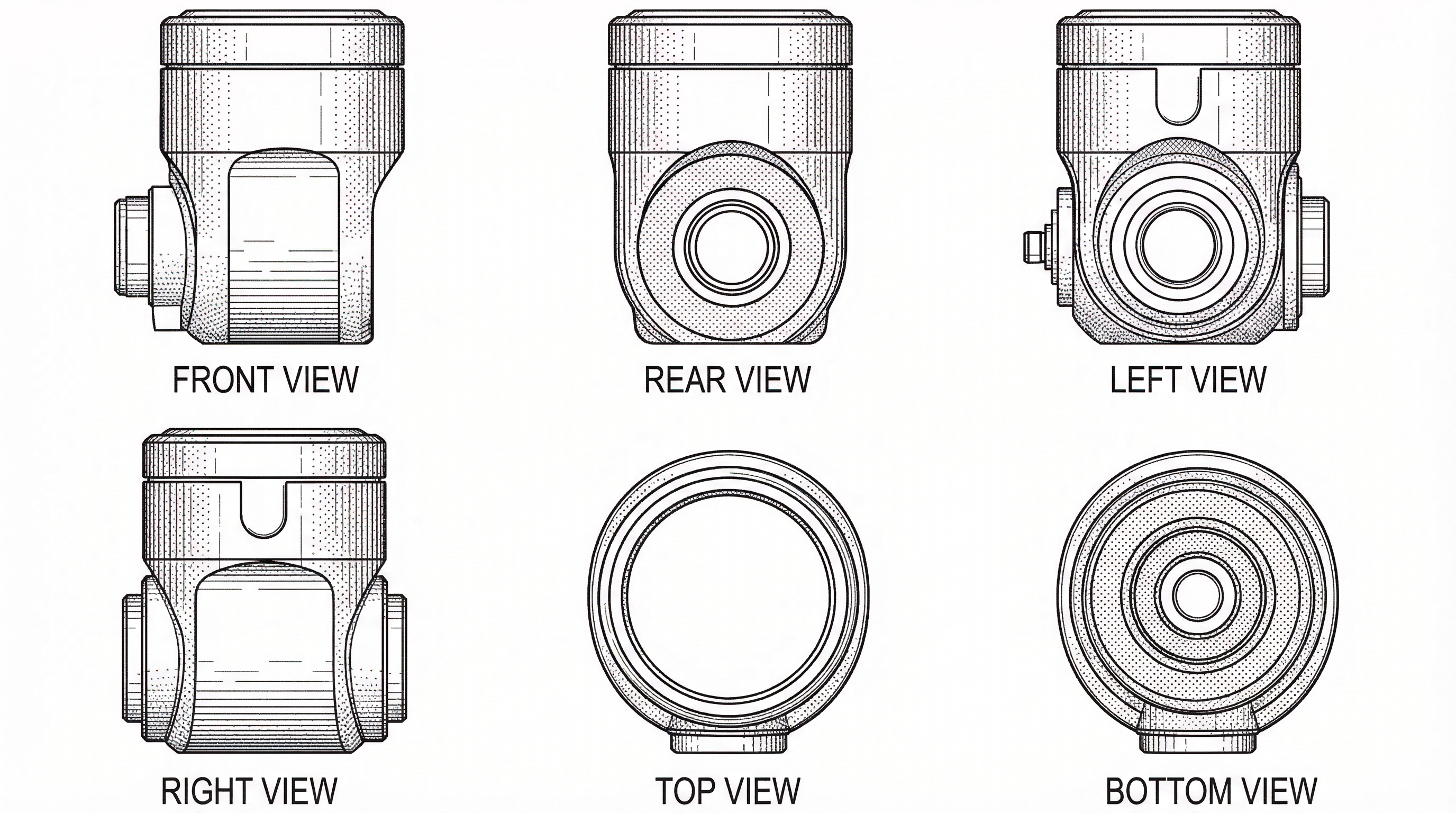
Design Patent Multi-View Sets: Generate 6 Views from One Reference Image
Generate consistent orthographic patent views from a single product image. Eliminate manual drafting and maintain contour alignment across all 6 views. 2026 guide.
Newsletter
Join the community
Subscribe to our newsletter for the latest news and updates