Automotive Patent Drawings
A vehicle patent rarely claims one part. It claims a system spread across the chassis — and the figure set has to follow it from the powertrain to the ECU. Here is which figure carries which claim, and the line-art rules that keep the set out of an office action.
- Powertrain & drivetrain views
- EV battery-pack & thermal figures
- ADAS sensor-placement layouts
- Consistent numerals across layers
The 30-second answer
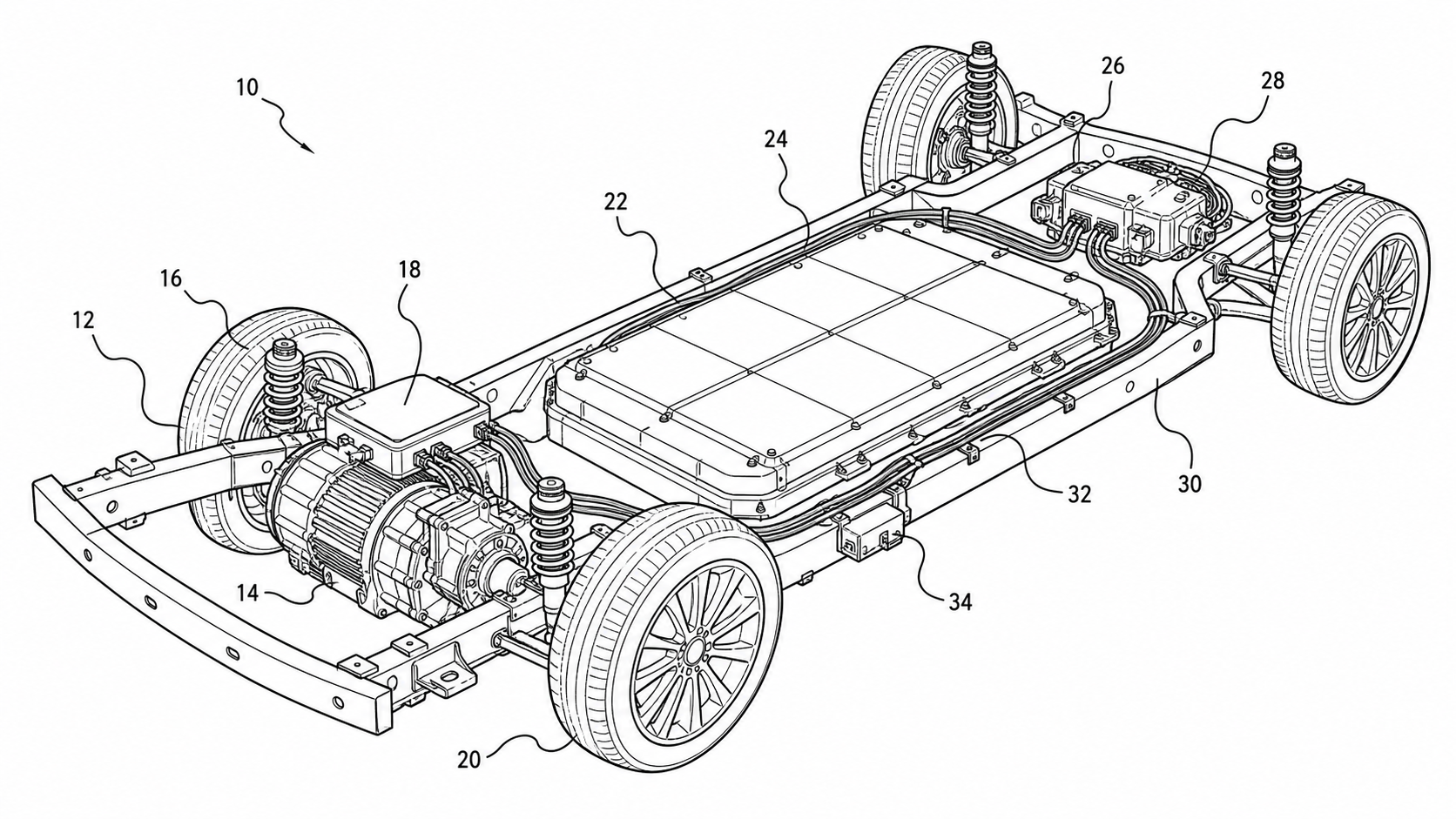
- Map each claim layer to its figure type: powertrain/drivetrain and suspension → exploded views and cross-sections; EV battery pack and thermal loop → cutaway and schematic; ADAS sensors → a top-view or side-view placement layout; electronics → a wiring-harness diagram; control logic → a block diagram and a method flowchart.
- Draw everything as black-and-white line art on a pure white background, with reference numerals placed outside the part and connected to it by squiggly lead lines — no shaded CAD renders, no photographs.
- Generate each figure from a CAD export, photo, or description in PatentFig AI, keep the numerals consistent across the whole set, and run the checker against USPTO §1.84 / CNIPA before filing.
Automotive figure examples
Each example is a fictional invention. Open one to pre-fill the generator with the prompt.
Which figures support which claims
Automotive claims stack mechanical, electrical, sensing, and method layers — match each layer to its figure type.
1
Powertrain & drivetrain claims → cross-sections and exploded views
Engines, transmissions, e-axles, and differentials read best as a sectioned assembly with hatching on every cut surface, or as an exploded view separating the gearset, shafts, bearings, and housing along a dashed alignment axis — every part numbered for the assembly recitation.
2
EV battery-pack & thermal claims → cutaways and schematic loops
Show the module-and-cell arrangement as a cutaway or partial cross-section, and draw the thermal-management circuit — cold plate, coolant channels, pump, chiller, radiator — as a labeled schematic loop with flow arrows so the claimed heat path reads on the sheet.
3
ADAS sensor claims → placement layouts
Cameras, radar, lidar, and ultrasonic sensors belong on a top-view or side-view of the vehicle outline with each sensor at its mounting location, a numeral on each, and field-of-view cones in phantom lines where coverage is claimed.
4
Electrical claims → wiring-harness diagrams
A wiring harness reads as orthogonally routed connection lines between labeled connectors, ECUs, and loads, with reference numerals on each node so the specification can recite the topology — not as a photographic loom.
5
Suspension & chassis claims → mechanism views
Control arms, dampers, subframes, and steering linkages need an elevation or perspective mechanism view, with a second position in phantom (dash-double-dot) lines and a motion arc where travel or articulation is claimed.
6
Control-method claims → block diagrams and flowcharts
The control architecture — ECUs, sensors, actuators, and buses (CAN/LIN) — is a labeled, numbered block diagram, and any recited algorithm (torque vectoring, regenerative braking, lane-keeping) is a numbered flowchart whose steps mirror the claim language.
Automotive drawing mistakes that cost office actions
The failure patterns specific to vehicle figures — all avoidable at generation time.
Filing a shaded CAD render instead of line art
Studio renders and gradient-shaded CAD views fail the black-and-white line-art rule. Export the geometry and convert it to clean line work — a glossy body-panel render is a guaranteed objection under USPTO §1.84 and CNIPA.
Reference numerals laid on top of the part
Numerals must sit outside the part they identify and connect to it with a squiggly lead line. Numbers printed across a dense gearbox or harness become illegible at the reduced scale offices print at.
Sensor count out of sync with the numerals
If the claims recite eight ultrasonic sensors, eight numbered sensors must appear on the placement layout — a six-sensor figure under an eight-sensor claim invites a disclosure objection.
Crowding the whole vehicle onto one sheet
One figure trying to show the chassis, the harness, and the ADAS array reads as clutter. Split it: an overview, a powertrain section, a battery cutaway, a sensor layout, and the control block diagram as separate numbered figures.
Hidden geometry shown as solid lines
Internal coolant channels or buried fasteners drawn in solid lines read as visible structure. Put genuinely hidden edges in dashed hidden lines, and reserve phantom lines for alternate positions and claimed-environment context.
Outsourcing vehicle figures vs. PatentFig AI
Automotive sets are large — sections, cutaways, layouts, and diagrams — which is exactly where per-figure billing hurts.
Drawing service
PatentFig AI
Powertrain sections & exploded views
Specialist work at specialist rates
Generated with hatching and alignment axes
Mixed set (sections + layouts + diagrams)
Often two vendors or two queues
One workspace for all figure types
Numeral consistency across layers
Manual coordination
Same part, same numeral, every figure
Claim-amendment revisions
$50–$100 per round, days each
Chat edits, same day
Typical set cost (10–16 figures)
$1,000–$4,000
$50/mo · 500 credits · ~50 figures (~$1 each)
Compliance check
Depends on the vendor
Built-in checker for USPTO §1.84 / CNIPA and four more offices
PatentFig AI is the better fit when
- The set mixes mechanical assemblies, wiring diagrams, sensor layouts, and block diagrams — one tool for all of them
- You have CAD screenshots, dyno-cell photos, or packaging sketches as inputs
- A part numeral must stay consistent from the powertrain cross-section to the control block diagram
- Claims are still being amended and figures will be revised through drafting
Bring in a specialist when
- A litigation-grade figure set needs certified final polish
- You need automatic orthographic projection sets straight from native CAD assemblies
- The drawing must carry measured engineering tolerances rather than patent line art
Industry guide
Automotive patent drawings FAQ
Put the whole vehicle on paper
Powertrain, battery pack, ADAS array, harness, and control logic — generate the full automotive figure set and check it before filing.
Related tools and guides
Medical device patent drawing generator
Cross-sections, multi-state, and exploded device views.
Mechanical patent drawing generator
Line art for powertrains, suspensions, and housings.
Electrical patent diagram generator
Wiring harnesses and circuit schematics as line art.
Exploded view patent drawing generator
Assembly figures for gearsets, packs, and modules.
Patent drawing examples
Browse sample patent figures across every category.
Guide: the exploded view patent drawing workflow
Assembly figures for drivetrains and battery packs.