Robotics Patent Drawings
Robot inventions claim motion, and motion is the hardest thing to put on a static sheet. The figure set that works pairs multi-state mechanical views with control-system diagrams — here is the mapping, and the mistakes to avoid.
- Multi-state motion figures
- Phantom-line second poses
- Control block diagrams
- Consistent numerals across layers
The 30-second answer
- Map each claim layer to its figure type: kinematics → multi-state views with phantom lines, end-effectors → enlarged details, control systems → block diagrams, planning methods → flowcharts.
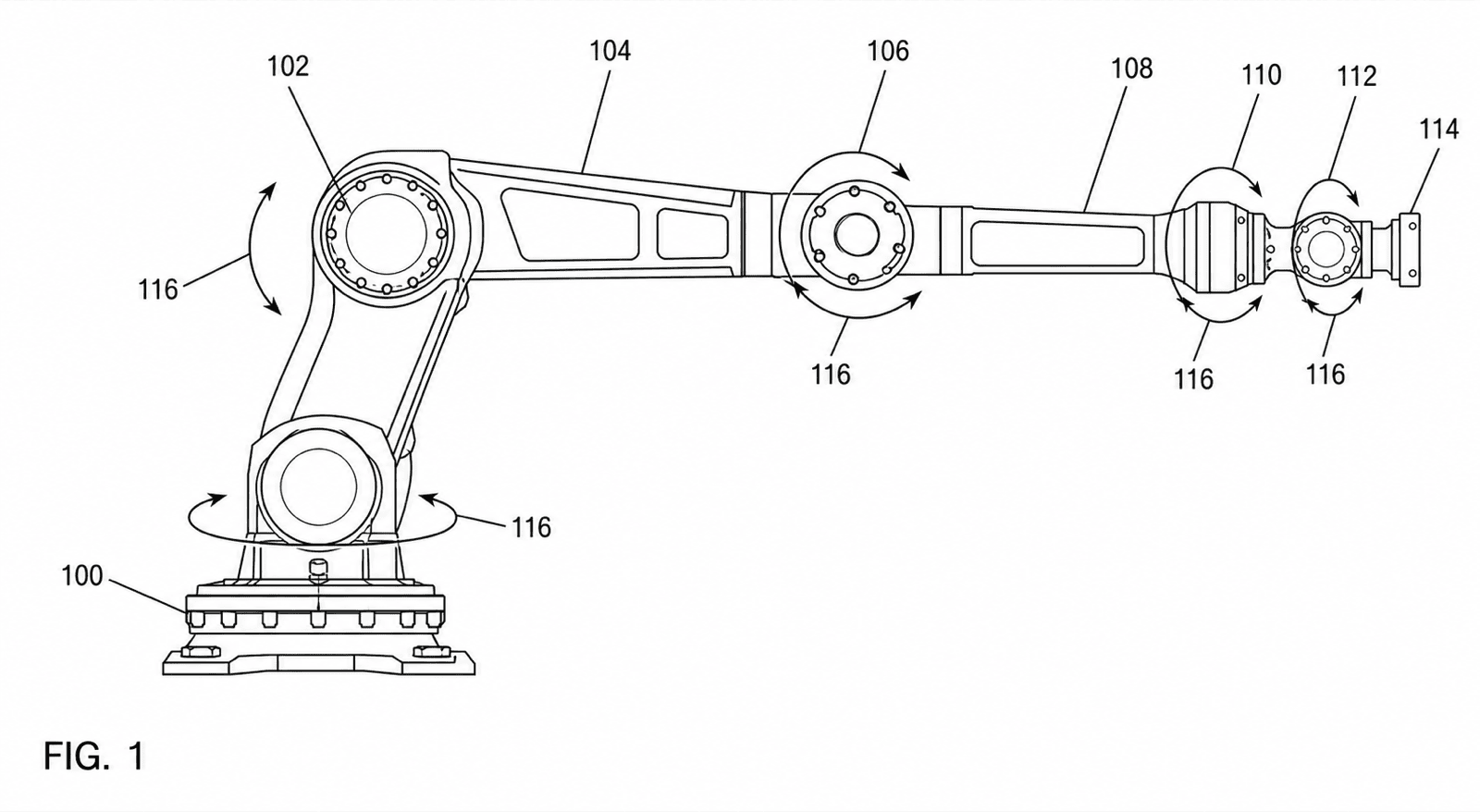
- Show motion with solid lines for the primary pose and phantom (dash-double-dot) lines for alternate poses, with an arc and arrows marking the range of travel.
- Generate each figure from a photo, CAD view export, or description in PatentFig AI, keep numerals consistent across the set, and run the checker before filing.
Robotics figure examples
Each example is a fictional invention. Open one to pre-fill the generator with the prompt.
Which figures support which claims
Robotics claims layer mechanics over control over method — match each layer to its figure type.
1
Kinematics claims → multi-state figures
Show the arm or linkage in its primary pose in solid lines and a second pose in phantom lines on the same view, so the claimed range of motion reads on one sheet.
2
End-effector claims → enlarged details
Grippers, tool changers, and compliant fingers need a separate enlarged detail view (FIG. 2 from circle 2 in FIG. 1) where jaw geometry and actuation are legible.
3
Control-system claims → block diagrams
Controller, drives, encoders, sensors, and communication buses as labeled blocks with signal arrows — each block numbered so the specification can recite the architecture.
4
Path-planning and method claims → flowcharts
Numbered steps that mirror the claim language: sense, plan, check collision, execute, repeat — decision diamonds carrying YES/NO branch labels.
5
Assembly claims → exploded views
Joint modules, harmonic drives, and housings separated along a dashed alignment axis, every part numbered for the assembly recitation.
Robotics drawing mistakes that cost office actions
The failure patterns specific to robot figures — all avoidable at generation time.
Range of motion with no arc annotation
Claiming a rotation range but drawing a single static pose leaves the examiner nothing to map the claim onto — add the motion arc with direction arrows between states.
Multiple poses without phantom lines
Drawing two poses in identical solid lines reads as two devices. The alternate pose belongs in phantom (dash-double-dot) line work.
Degrees of freedom out of sync with numerals
If the claims recite six joints, six numbered joints must appear — a five-joint figure under a six-DOF claim invites a disclosure objection.
Filing a render instead of line art
Lab photos and shaded CAD renders fail the black-and-white line-art rules. Convert them — gradient shading on a robot arm is a guaranteed objection.
Outsourcing robot figures vs. PatentFig AI
Robotics sets are large — mechanical views plus diagrams — which is exactly where per-figure billing hurts.
Drawing service
PatentFig AI
Multi-state motion figures
Specialist work at specialist rates
Generated with phantom-line second poses
Mixed set (views + diagrams)
Often two vendors or two queues
One workspace for all figure types
Numeral consistency across layers
Manual coordination
Same part, same numeral, every figure
Claim-amendment revisions
$50–$100 per round, days each
Chat edits, same day
Typical set cost (8–12 figures)
$800–$3,000
$50/mo · 500 credits · ~50 figures (~$1 each)
Compliance check
Depends on the vendor
Built-in checker for six offices
PatentFig AI is the better fit when
- The set mixes mechanical views, block diagrams, and flowcharts — one tool for all of them
- You have CAD screenshots, lab photos, or whiteboard sketches as inputs
- Joint and link numerals must stay consistent from FIG. 1 to the control diagram
- Revisions are expected as claims are amended during drafting
Bring in a specialist when
- A litigation-grade figure set needs certified final polish
- You need automatic 21-view orthographic sets from native CAD files
- The drawing requires measured engineering tolerances rather than patent line art
Industry guide
Robotics patent drawings FAQ
Put the whole robot on paper
Kinematics, grippers, controllers, and algorithms — generate the full robotics figure set and check it before filing.
Related tools and guides
Mechanical patent drawing generator
Mechanical line art for arms, linkages, and housings.
Patent block diagram generator
Control architectures as labeled, numbered blocks.
Mechanical drawing examples
Sample mechanical figures from the examples gallery.
Figure checker
Validate figures against office rules before filing.
Patent flowchart generator
Method and process flowcharts for software patents.
Guide: the exploded view patent drawing workflow
Assembly figures for joint modules and drive trains.