Software Patent Diagrams: Architecture, Flowcharts, UI Screens, and AI Systems
Plan software patent figure sets across architecture diagrams, method flowcharts, UI figures, AI pipelines, and export review.
TL;DR: Software patent filings need a figure set, not one diagram: a system architecture with 6–9 modules (the readable range), a method flowchart with verb-first steps ("receive", "determine", "generate", "transmit"), wireframe-style UI figures with branding and user data stripped, and at least two figures for AI pipelines (structure plus sequence). Never import a product architecture slide — logos, vendor names, and colored fills are extraneous matter under 37 CFR 1.84(j) and EPO Rule 46(2)(c).
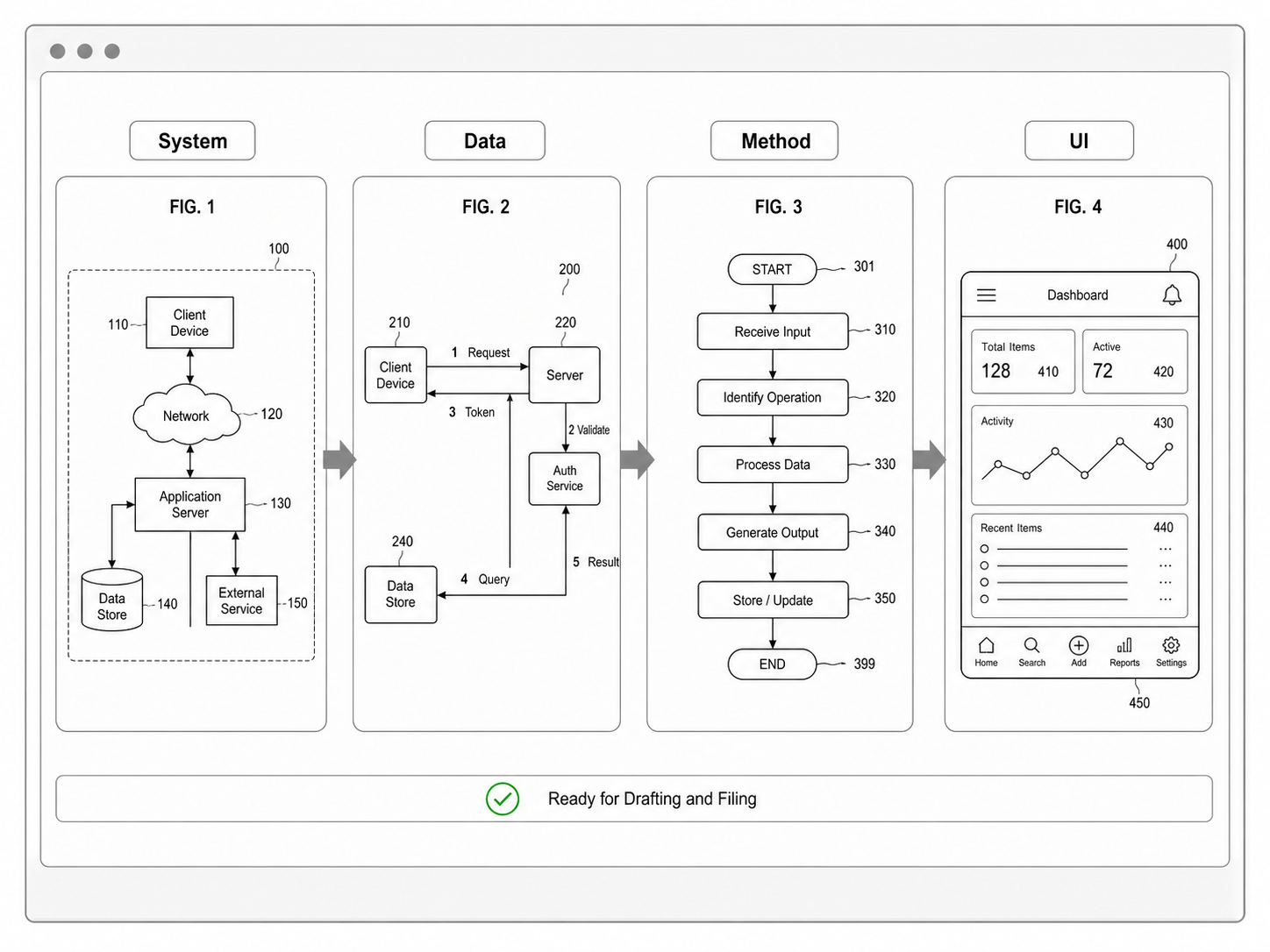
Software patent drawings fail when every invention is forced into one picture. A cloud architecture slide, UI screenshot, method flowchart, and AI pipeline do not serve the same purpose. A useful figure set separates structure, sequence, interface, and data movement.
Start with the software patent diagram generator when the source is a product workflow, architecture note, invention disclosure, README, screenshot, or method claim.
The Four Core Figure Types
| Figure type | What it explains | When to use it |
|---|---|---|
| System architecture | Devices, servers, databases, modules, boundaries | The invention depends on system structure |
| Method flowchart | Ordered steps, branches, validation, ranking, synchronization | The claim is about a process |
| UI screen figure | Screen regions, controls, inputs, results | The interface helps explain the invention |
| AI or data pipeline | Training, inference, retrieval, orchestration, feedback | The invention uses model or data flow |
Do not let one dense diagram do all four jobs. Splitting the figure set usually improves clarity.
Architecture, Flowchart, UI, And AI
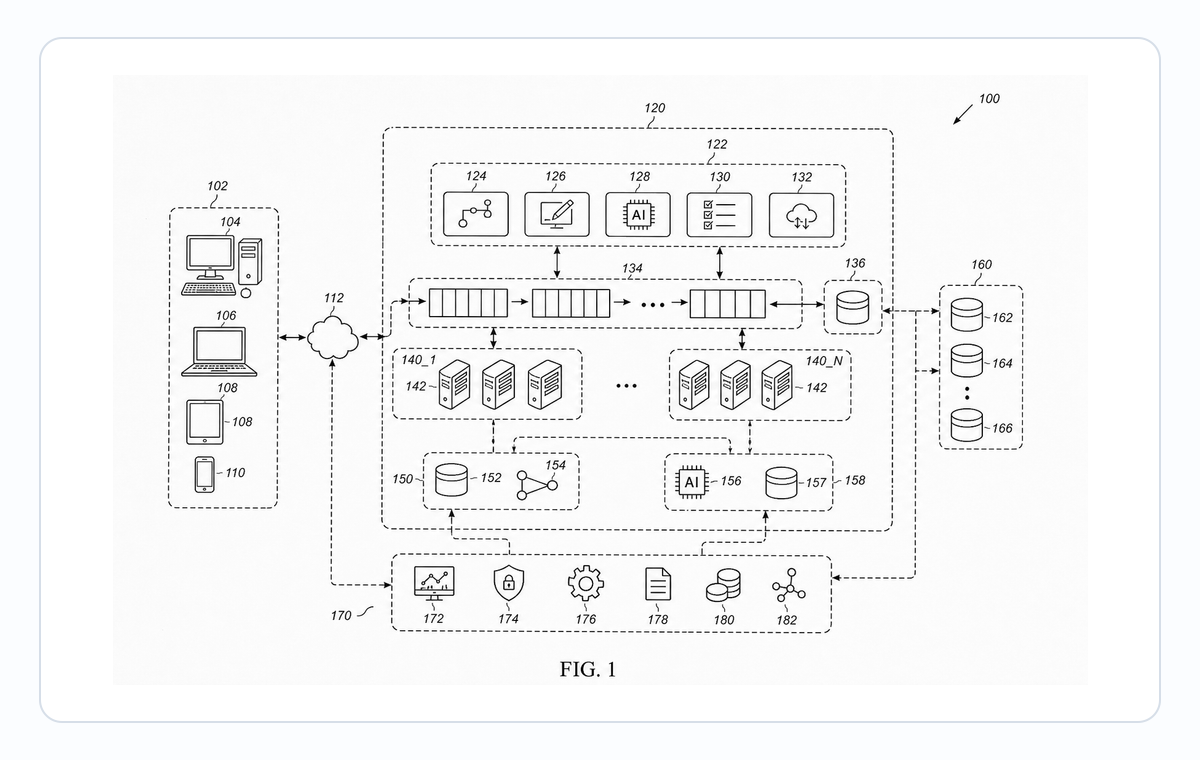
A patent architecture diagram is not a DevOps diagram. It should show only the components that support the disclosure: client device, server, processor, memory, database, rules engine, model service, API, sensor, or output device.
Use a flowchart when order matters. Good steps start with verbs: receive, determine, generate, compare, transmit, rank, validate, update. Avoid code, long paragraphs, or product copy inside the boxes.
A UI figure should preserve structure, not pixel-perfect design. Remove branding, user data, decorative icons, long text, color, shadows, and gradients. AI inventions should show training, inference, retrieval, agents, tools, memory, or feedback when those modules matter.
Prompt Template
Create a black-and-white software patent figure set for [invention]. Include one system architecture diagram with numbered modules and one method flowchart with ordered steps. Keep labels short, use reference numerals, remove product branding, and avoid implementation details that are not part of the disclosure.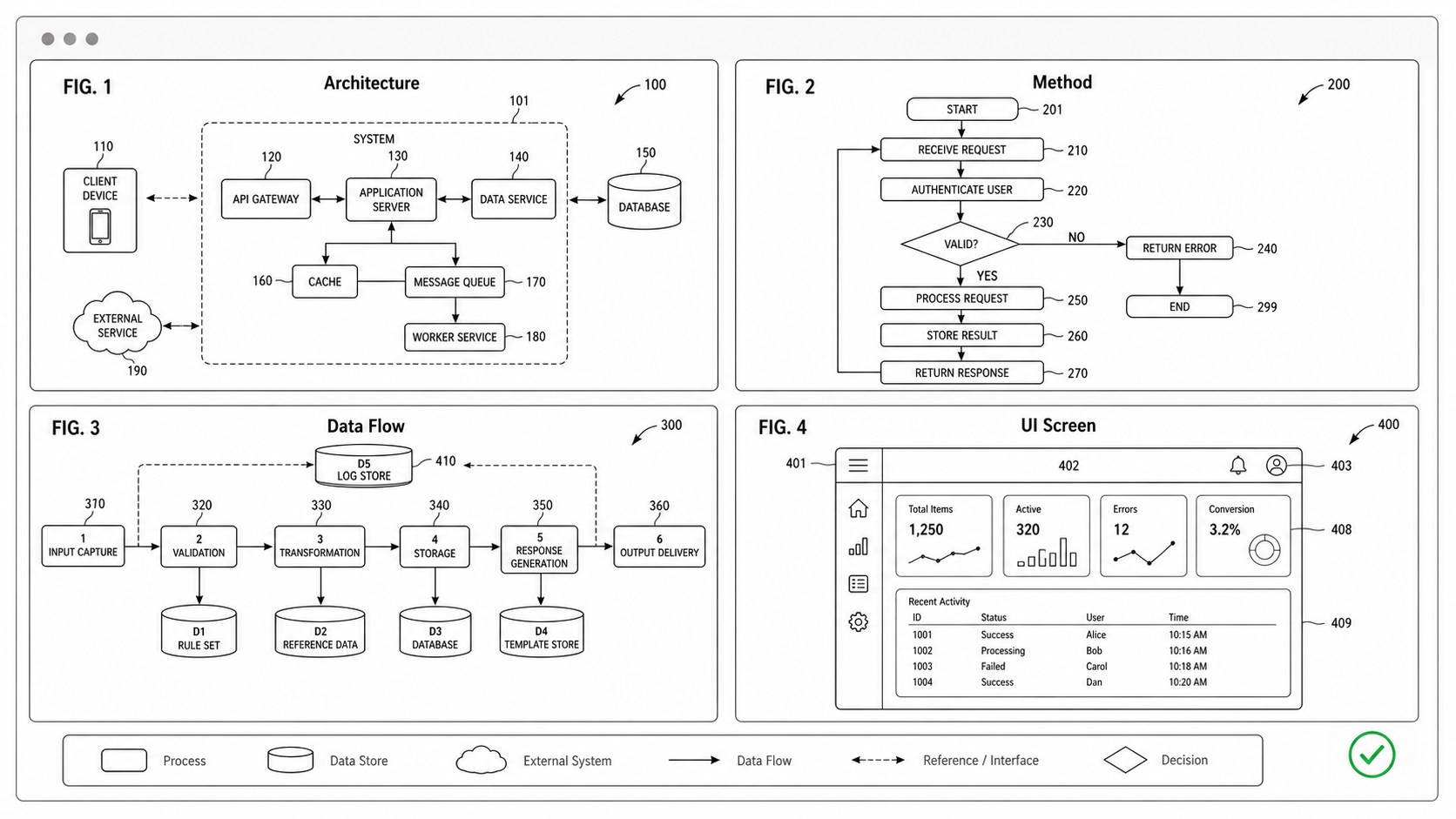
Why Product Architecture Slides Make Bad Patent Figures
Most software inventions start with an architecture deck — a 16:9 slide labeled "System Overview" with company-themed colors, brand icons inside each module, and a legend that lists six external services. The temptation is to drop the slide into the patent application and label it FIG. 1.
Three reasons not to:
- Branding is extraneous matter. A logo, a vendor name (AWS, Stripe, OpenAI), or a colored module fill all count as extraneous under USPTO 37 CFR 1.84(j) and EPO Rule 46(2)(c). They get stripped at filing anyway.
- The slide names what is, not what is claimed. A product architecture answers "what does the product use?" A patent diagram answers "what does the invention claim?" The two are rarely the same modules.
- The slide is built for one read. A patent figure must survive being read out of context, by an examiner, after multiple amendments. Stable module names, simple shapes, and reference numerals matter more than aesthetic balance.
Redraw rather than import. The new figure is usually smaller, has fewer modules, and survives the prosecution lifecycle.
Architecture Diagram Specifics
A software patent architecture diagram should typically include only:
- A device or user-side element (client, browser, mobile app)
- A server-side element (server, backend, processor)
- A storage element when the claim touches storage (database, memory, model store)
- An intermediate processing element when the claim is about that processing (rules engine, classifier, ranker, retriever)
- An output or interface element when the claim is about output (API, display, sensor)
Six to nine modules is the readable range. More than ten signals that the figure is trying to be a deployment diagram instead of a patent diagram.
Flowchart Specifics
Method flowcharts in software patents must use ordered verbs and avoid implementation detail. Good steps:
- "Receive a request from the client device"
- "Determine a category based on the request content"
- "Generate a response using the determined category"
- "Transmit the response to the client device"
Bad steps:
- "POST /api/v1/categorize" (implementation detail)
- "ML model classifies the input" (which model? at what abstraction?)
- "// add caching here later" (this is a code comment)
- "Return user-friendly result" (not a verb, not testable)
Use a diamond for decision points, a rectangle for steps, an oval for start/end. Avoid swim lanes — they imply a system structure that the flowchart shouldn't carry.
UI Figure Specifics
UI figures for software patents preserve structure, not aesthetics. A good UI figure for a search-suggestion invention shows: a text input region, a results region, a metadata region, and the relationship between them. It does not show the actual search box styling, the brand logo, or the pixel-perfect layout.
The relevant rules:
- USPTO 37 CFR 1.84(h)(3): UI screens are acceptable as patent figures provided they are line drawings.
- Remove user data: no real names, real addresses, real query content. Use "ITEM 1", "USER A", "QUERY X".
- Remove decorative icons. Keep only icons that are part of the claim.
- Avoid pixel-perfect screenshots. The figure should look like a wireframe, not a marketing screenshot.
AI Pipeline Figure Specifics
AI pipelines need at least two figures: one for the system structure and one for the method sequence. The block diagram shows modules (training service, inference service, model store, retrieval index). The flowchart shows ordered steps (prepare data, train, evaluate, deploy, infer, log).
If the invention is about retrieval-augmented generation, agent orchestration, or model selection, the figure set may grow to three or four. Examples:
- FIG. 1: System block diagram (devices, services, stores)
- FIG. 2: Training method flowchart
- FIG. 3: Inference method flowchart
- FIG. 4: Retrieval and verification flowchart (for RAG)
Each figure should be readable on its own. The set should be readable together.
Figure Set Sizing for Software Inventions
A rough heuristic for how many figures to plan:
| Invention type | Typical figure count | Common composition |
|---|---|---|
| Simple SaaS workflow | 2-3 | Architecture + flowchart |
| Multi-module backend | 4-6 | Architecture + 2-3 flowcharts + data model |
| AI/ML invention | 5-8 | Architecture + training + inference + RAG/agent + UI |
| UI-focused invention | 3-5 | Architecture + flowchart + 1-3 screen figures |
| API or protocol invention | 3-4 | Architecture + sequence diagram + state diagram |
| Hardware-software combo | 6-10 | Architecture + hardware detail + software flowcharts |
Under-figuring is more dangerous than over-figuring. A reviewer who cannot find the structure asks for an Office Action; one who has too many figures just reads more.
Export Review
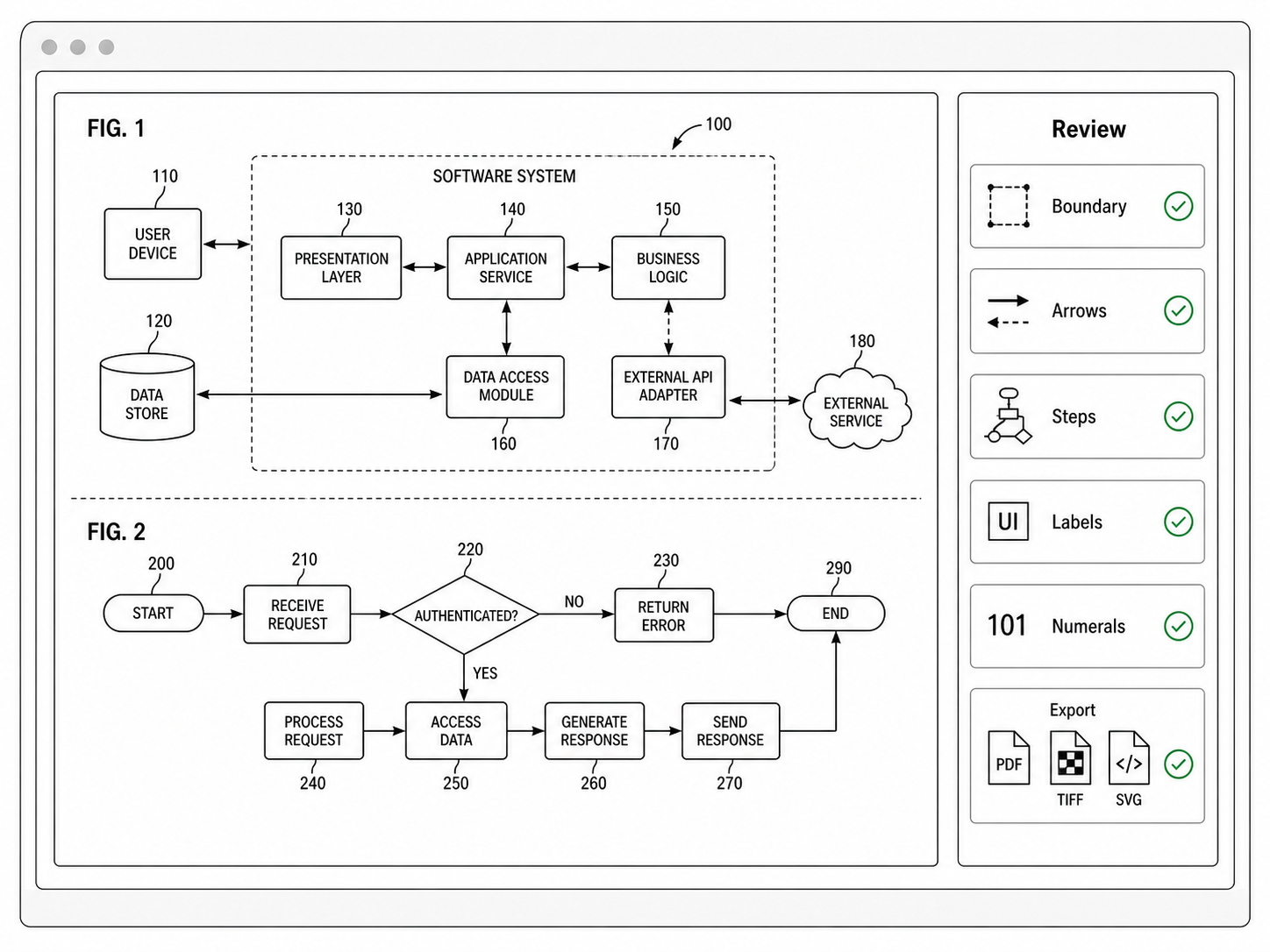
Before export, check five things: every module has written support; every method step starts with a verb; the figure type matches the claim story; branding is fully stripped; reference numerals are consistent across the set. Then run the final image through Figure Checker or continue in the PatentFig AI generator.
Next step: Browse the software flowchart examples — or open the generator and adapt the closest one to your method.
Author

Categories
More Posts
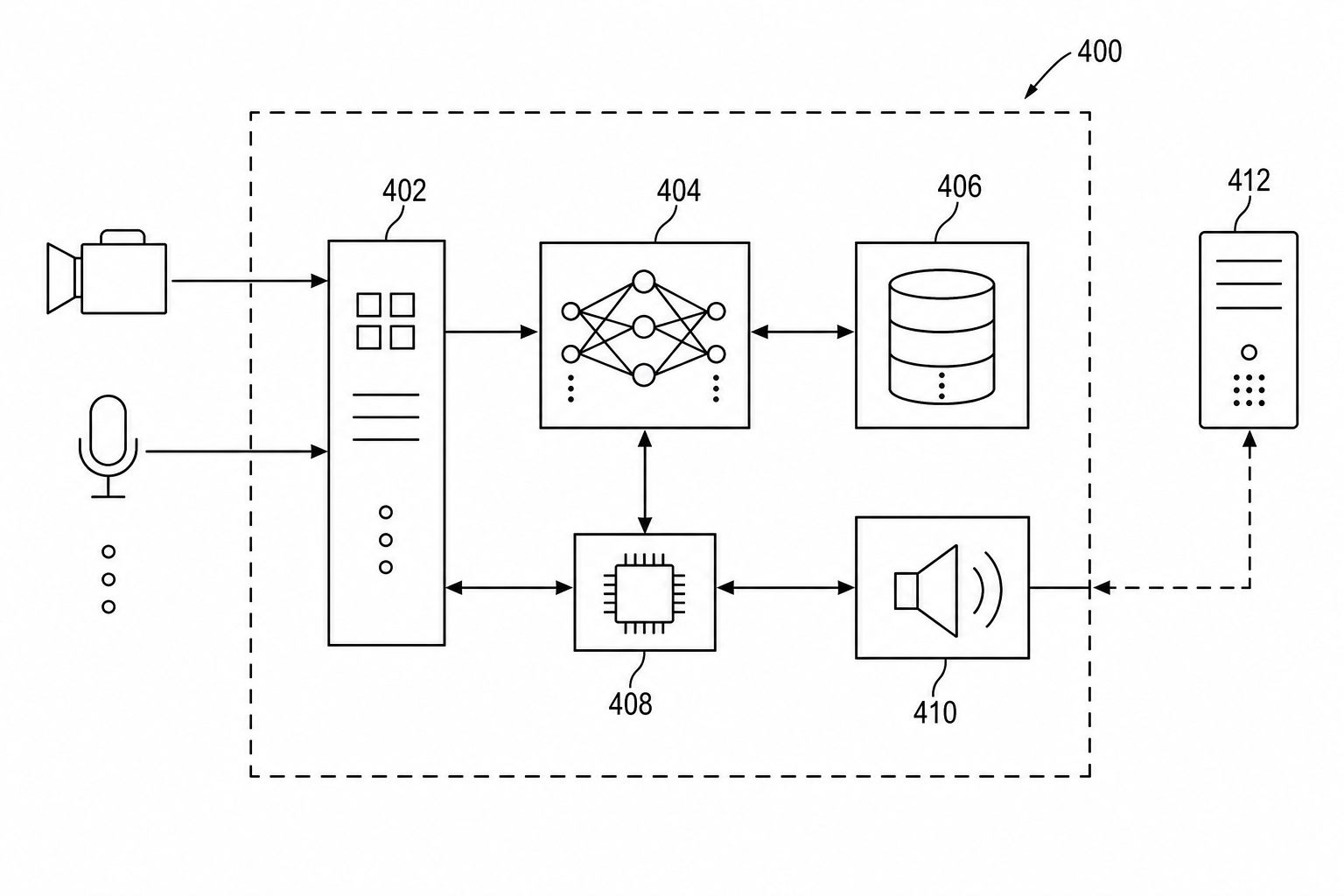
Patent Block Diagram Examples for Software, Hardware, and AI Systems
How to structure patent block diagrams for software systems, hardware products, AI workflows, networked devices, and platform inventions.
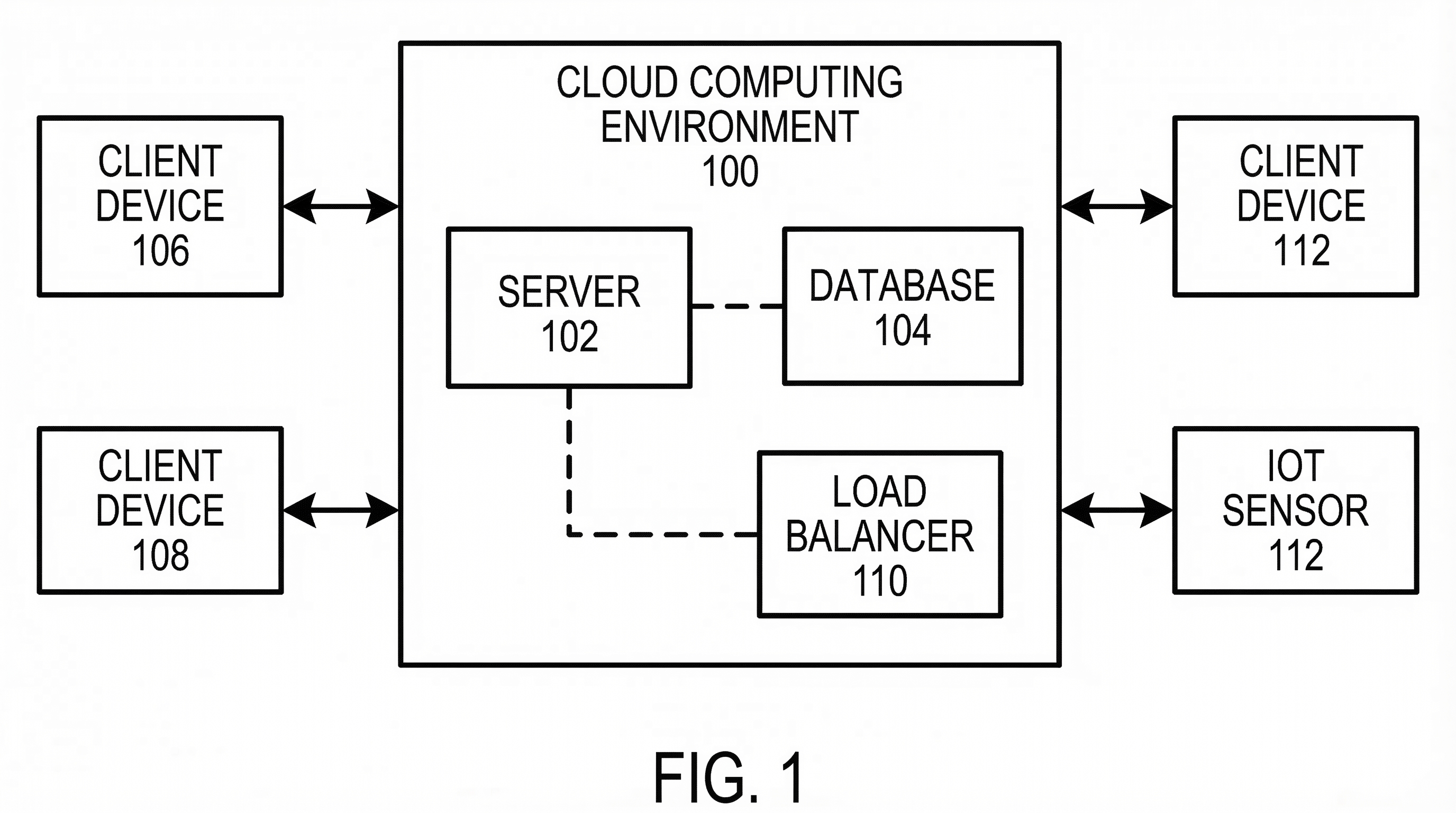
How to Turn Software Architecture Into Patent Flowcharts
Turn software architecture into USPTO-compliant patent flowcharts with AI. Method steps, system diagrams, and Section 112 safeguards in one workflow.
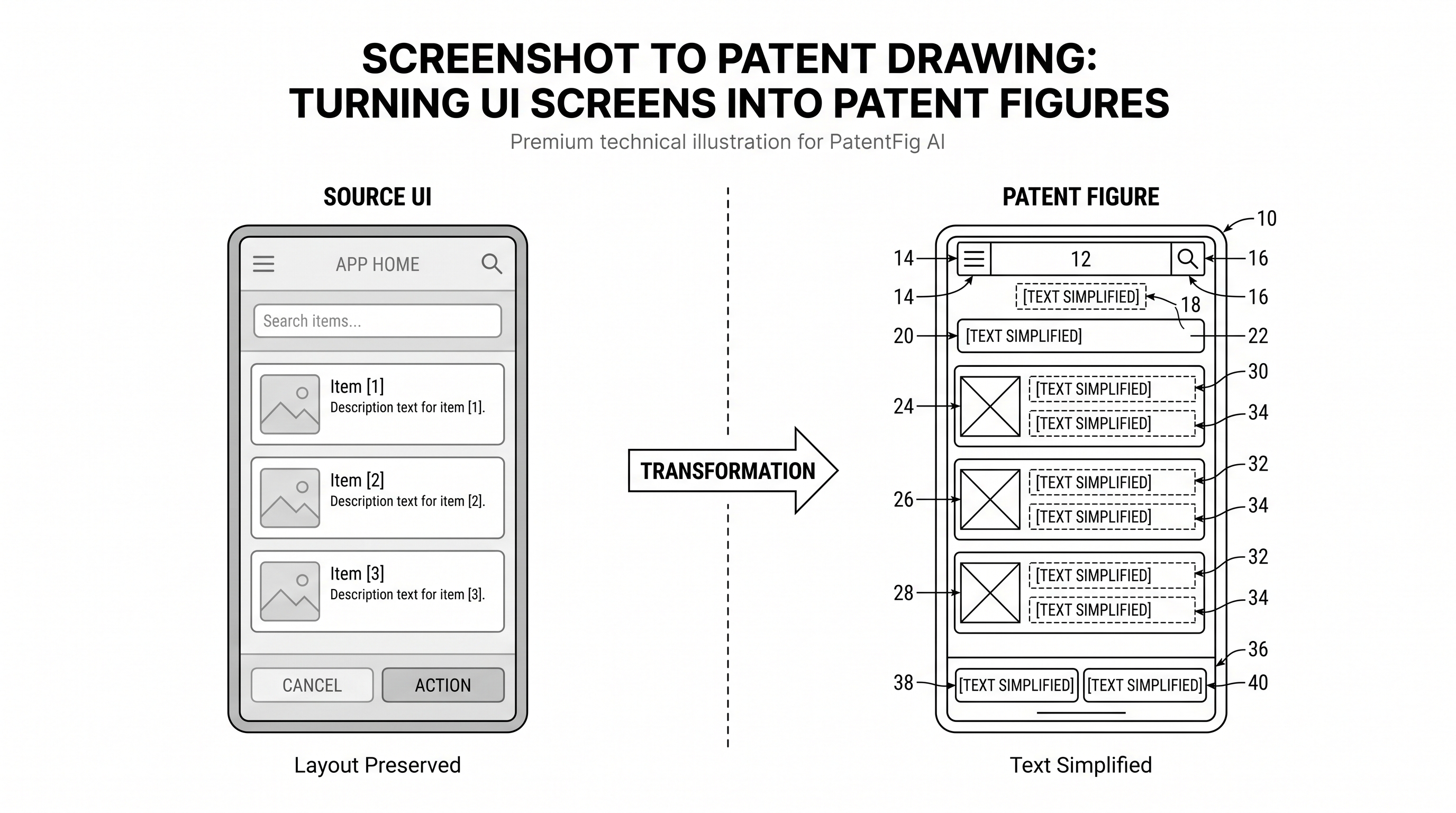
Screenshot to Patent Drawing: Turning UI Screens into Patent Figures
Learn how to convert UI screenshots into patent-style figures with simplified text, preserved layout, reference numerals, and clean black-and-white line art.
Newsletter
Join the community
Subscribe to our newsletter for the latest news and updates