Patent Block Diagram Examples for Software, Hardware, and AI Systems
How to structure patent block diagrams for software systems, hardware products, AI workflows, networked devices, and platform inventions.
TL;DR: A patent block diagram must commit to three decisions before drawing: where the system boundary sits, which modules count, and which relationships carry data, control signals, power, or user input. It is not a cloud architecture poster — use stable module names with reference numerals, and move ordered method steps into a separate flowchart instead of cramming structure, sequence, and UI into one figure. AI inventions usually need both a block diagram (training, inference, data stores) and a flowchart.
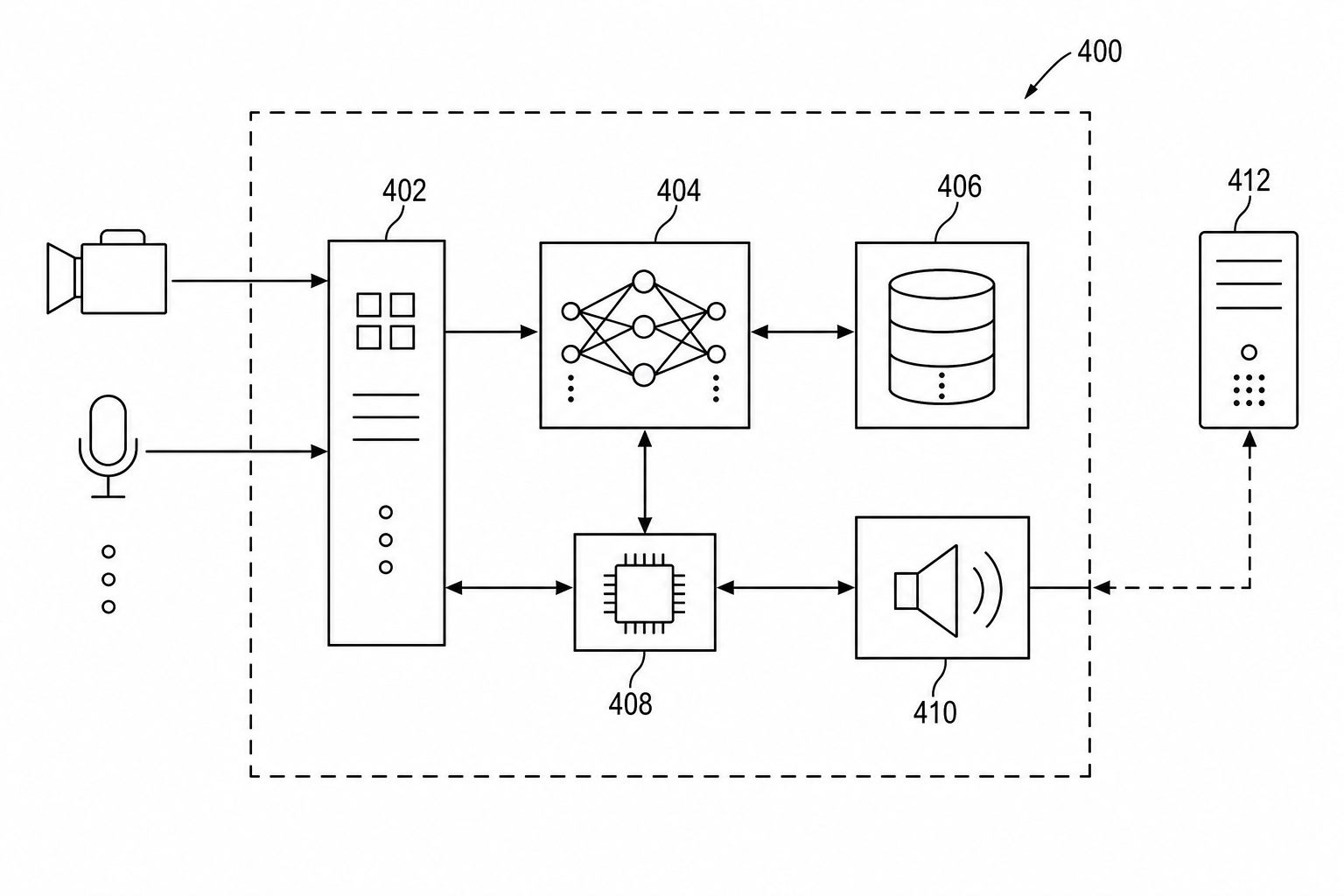
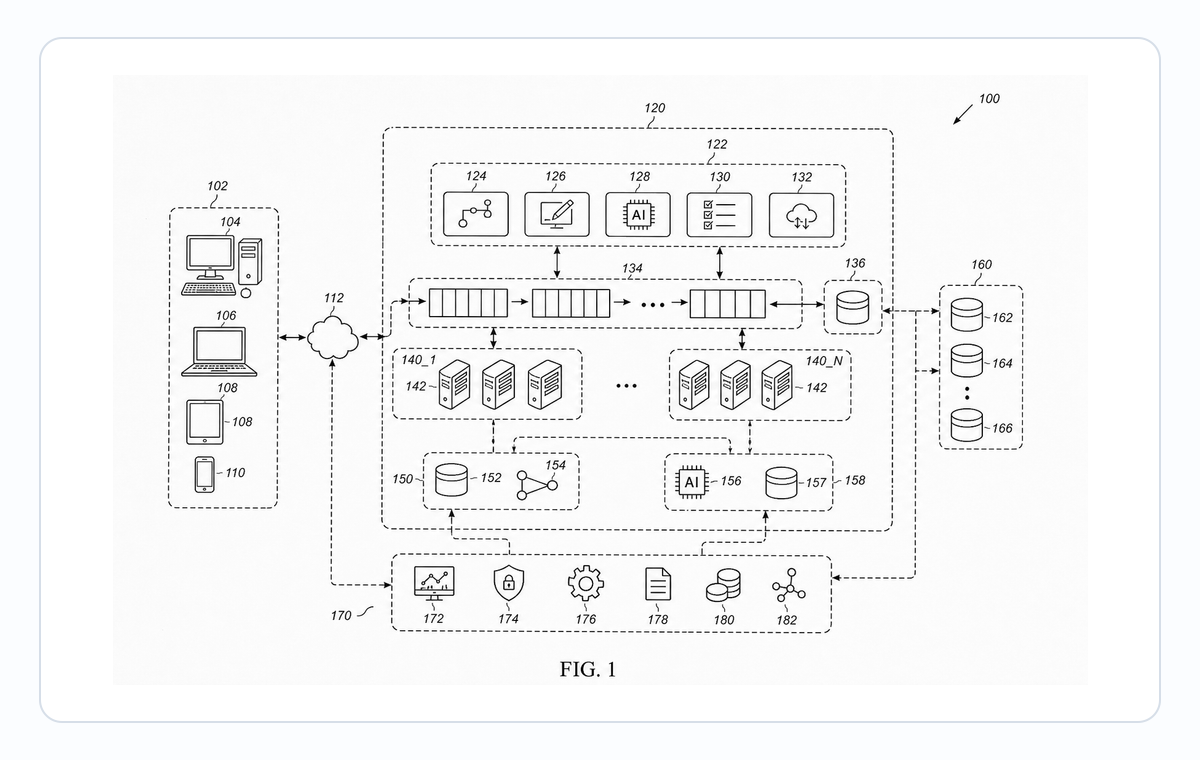
Block diagrams are the bridge between written disclosure and formal patent figures. They are especially useful when the invention is not a single visible product.
Use the patent block diagram generator when you need a system-level figure for software, hardware, AI, or networked inventions.
What A Block Diagram Must Decide
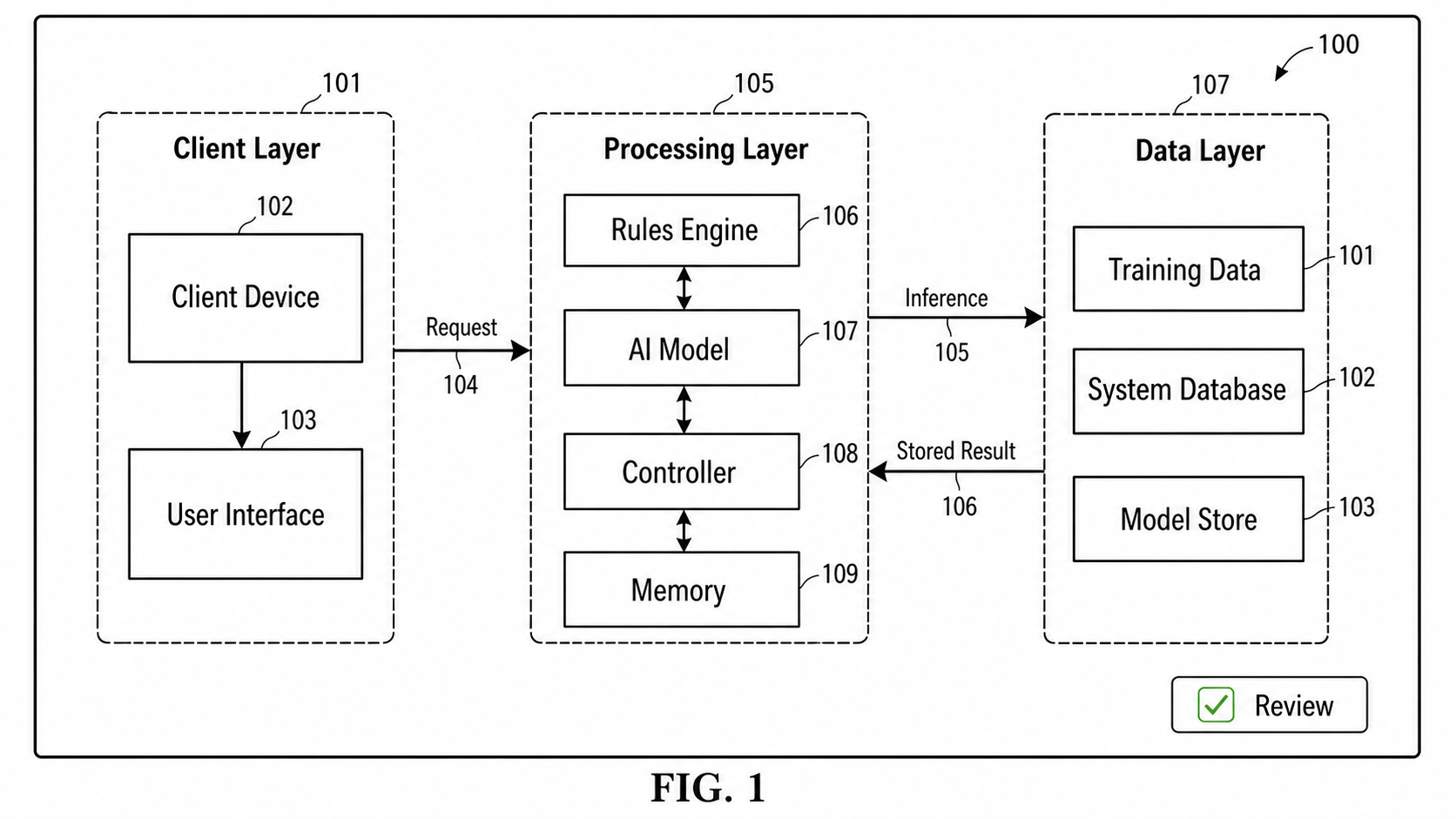
A patent block diagram is not a cloud architecture poster. It must decide what the invention treats as a module, where the system boundary is, and which relationships matter enough to support the written disclosure.
Before drawing, answer three questions:
- What is the broadest system that contains the invention?
- Which modules exchange data, control signals, power, or user input?
- Which boxes need their own detail figure later?
Software Systems
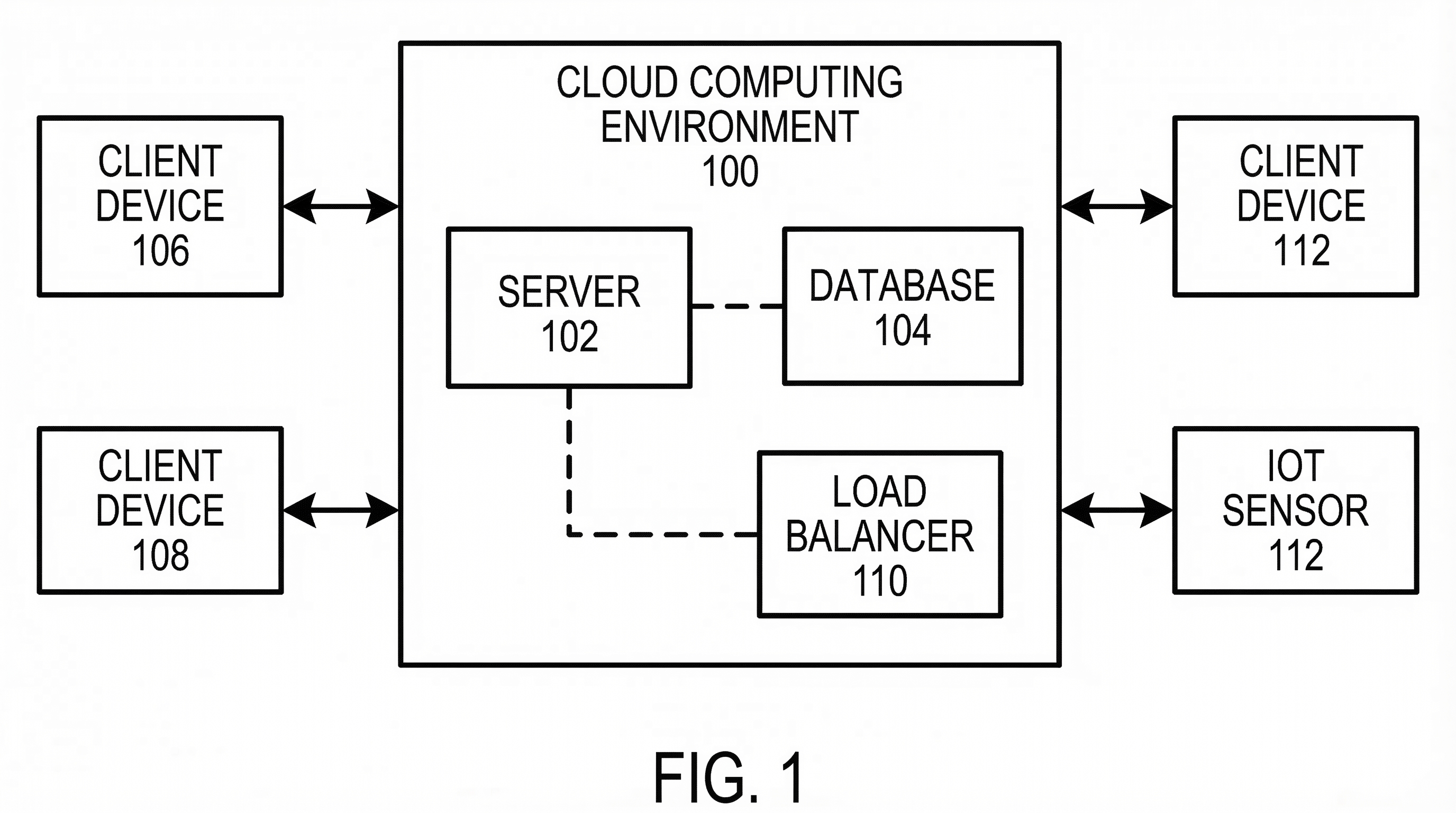
Software patent block diagrams usually show modules and relationships:
- client device
- server
- memory
- processor
- model or rules engine
- database
- output interface
Avoid importing a product architecture slide directly. Patent diagrams should use stable module names and reference numerals.
Hardware Platforms
Hardware block diagrams are useful when the invention includes physical components but the claim is about functional relationships. Show boundaries and connections before adding detailed views.
AI Systems
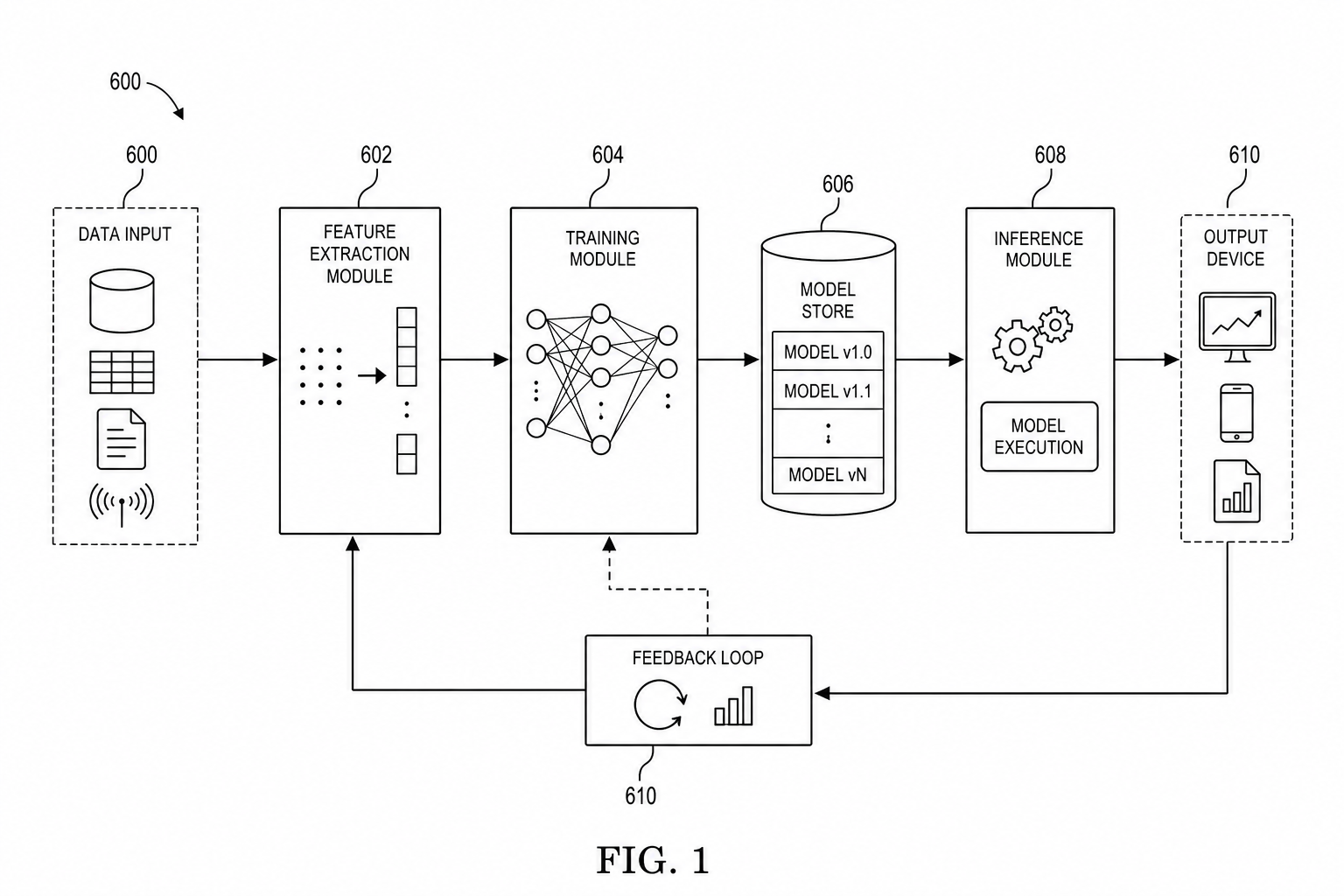
AI and machine learning inventions often need both a block diagram and a flowchart. The block diagram shows data stores, training modules, inference modules, and deployment boundaries. The flowchart shows ordered steps.
For model-specific workflows, use the AI / ML patent diagram generator.
Drafting Pattern
Start with the broadest system boundary, then decide whether each box needs:
- a separate detail figure,
- a method flowchart,
- a hardware cross-section, or
- only a reference numeral in the overview.
That sequence keeps the drawing set readable.
Example Block Diagram Patterns
| System type | Core blocks | Common companion figure |
|---|---|---|
| SaaS workflow | Client, server, rules engine, database, output interface | Method flowchart |
| Hardware product | Sensor, controller, memory, actuator, communication module | Structural detail or electrical diagram |
| AI platform | Data store, training module, model store, inference module | Training and inference flowcharts |
| Networked device | Device, gateway, server, remote interface, event log | Communication sequence figure |
| User interface invention | UI screen, processor, stored state, output module | Screenshot-to-patent drawing |
Prompt Template For PatentFig AI
Create a patent-style block diagram for a [software/hardware/AI] system.
Show the system boundary, main modules, data flow arrows, and reference numerals.
Use short technical labels and black-and-white patent line art.
Separate ordered method steps into a flowchart instead of crowding the block diagram.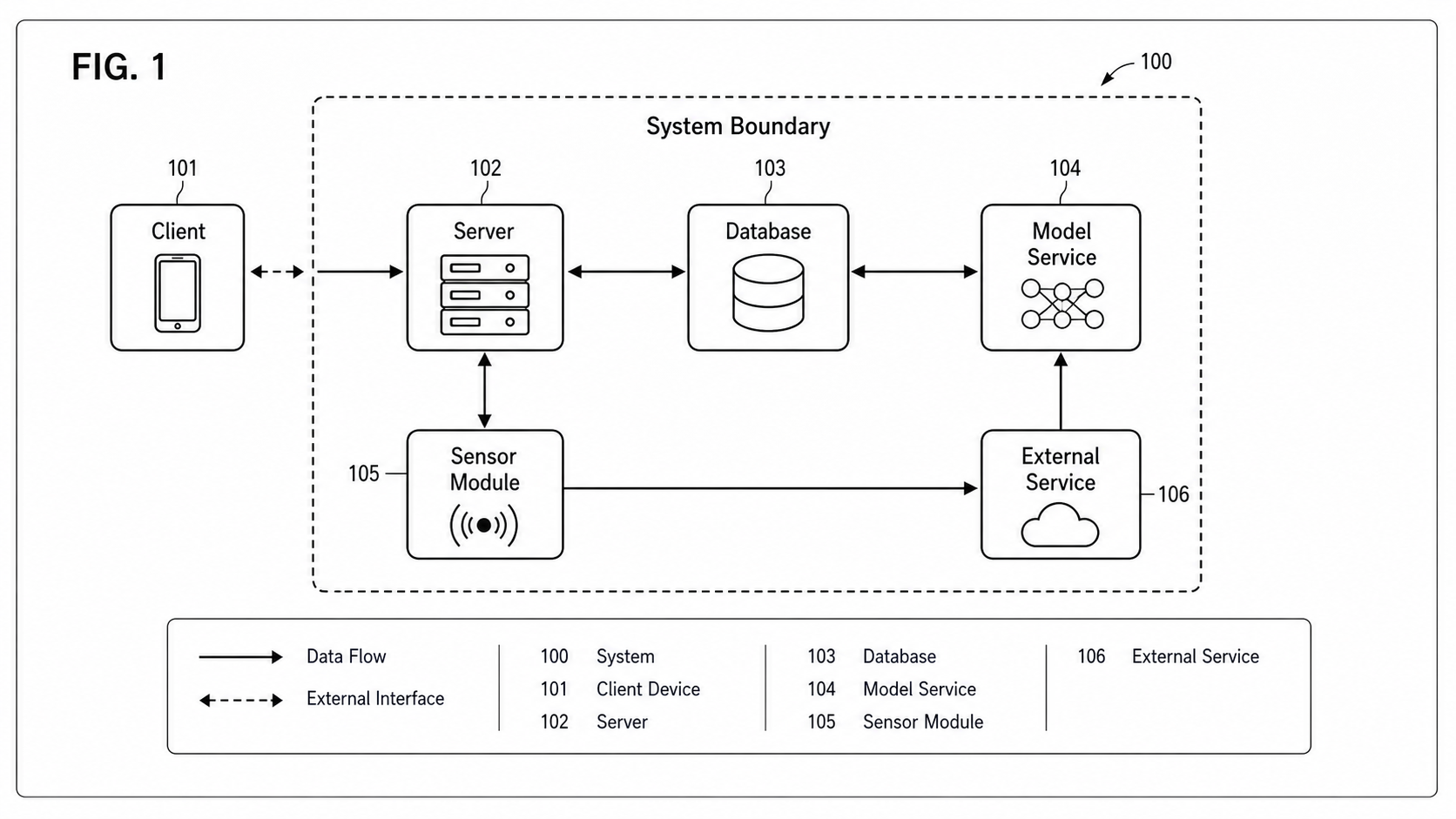
Review Checklist
| Check | Pass condition |
|---|---|
| Boundary | The system, device, server, or platform boundary is clear |
| Labels | Module names are stable enough to reuse in the specification |
| Direction | Arrows show data, signal, control, or output direction |
| Granularity | Boxes are neither too broad nor too implementation-specific |
| Companion figures | Flowcharts or detail views are planned where sequence or structure matters |
One Diagram, One Job
Most block-diagram failures come from trying to cram architecture, method sequence, and user interaction into a single figure. Each job has its own diagram type — block diagram for structure, flowchart for sequence, screen figure for UI — and a patent application can include all three. When a block diagram starts to feel crowded, the fix is rarely smaller fonts or thinner arrows; it is splitting the work across companion figures and letting each diagram do one job cleanly.
Open the patent block diagram generator.
Next step: Browse the patent block diagram examples — or open the generator and adapt the closest one to your system.
More Posts
Software Patent Diagrams: Architecture, Flowcharts, UI Screens, and AI Systems
Plan software patent figure sets across architecture diagrams, method flowcharts, UI figures, AI pipelines, and export review.

AI/ML Patent Diagrams: Model Pipeline, Training Flow, and Inference System
Create clearer AI and machine learning patent diagrams for model pipelines, training workflows, inference systems, RAG architectures, and agent workflows.
How to Turn Software Architecture Into Patent Flowcharts
Turn software architecture into USPTO-compliant patent flowcharts with AI. Method steps, system diagrams, and Section 112 safeguards in one workflow.
Newsletter
Join the community
Subscribe to our newsletter for the latest news and updates