How to Prepare Office-Ready Trademark Drawings
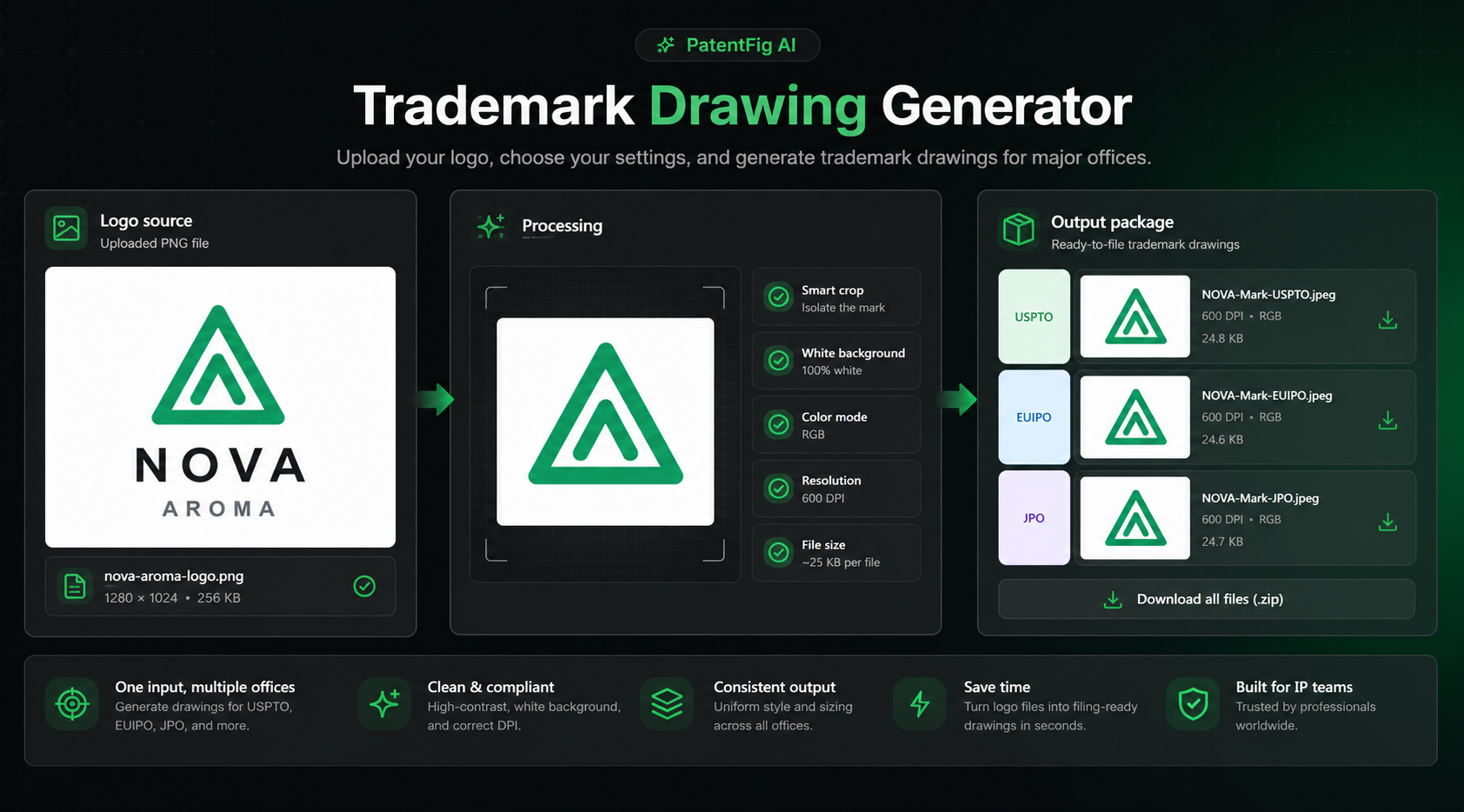
Turn client logo files into clean USPTO, EUIPO, JPO, Madrid, UKIPO, and CIPO trademark drawing assets without writing legal statements for the attorney.
TL;DR: The Trademark Drawing Generator turns a raw client logo into clean, office-ready drawing files — standard character or special form — sized and formatted for USPTO, EUIPO, JPO, Madrid, UKIPO, and CIPO. It produces the figures only, no legal statements, and removes the backgrounds, frames, and whitespace problems that get drawing pages objected to.
Trademark Drawing Generator: Prepare Office-Ready Trademark Figures
Trademark filing teams often receive logos in the least convenient form: a transparent PNG exported from a website, an Illustrator file with artboards and brand-guide backgrounds, a JPG with too much whitespace, or a customer presentation slide where the actual mark is sitting inside a decorative frame. None of that is unusual. The problem is that a trademark application does not need the whole branding scene. It needs a clean drawing of the mark.
PatentFig AI's Trademark Drawing Generator is built for that narrow job. It turns a client logo into a package of technical image files for major trademark offices. It does not write legal statements. It does not decide whether the mark is registrable. It does not replace the attorney. The positioning is intentionally simple:
We make the trademark figures. You handle the law.
What a trademark drawing generator actually does
A trademark drawing is the visual representation of the mark in the application record. For a word mark in standard characters, the visual is plain text. For a logo, stylized wordmark, device mark, or color mark, the visual is a special form drawing.
PatentFig AI focuses on the part that is easy to make tedious and error-prone:
- cleanly isolate the mark from the source logo file;
- remove carrier elements such as presentation frames, artboard backgrounds, and brand-guide decoration;
- force a white background when a portal expects a white drawing field;
- convert color handling for color-claim and no-color-claim workflows;
- crop away excess whitespace while preserving the full mark;
- generate office-oriented output files and a technical checklist.
That is different from legal drafting. If the application requires a mark description, a color claim, or an explanation of where colors appear, that language belongs with the attorney or trademark agent. PatentFig AI can link you to official guidance, but it does not generate the legal statement.
Why this matters in day-to-day trademark work
Most trademark drawing problems are not intellectually difficult. They are production problems:
- The logo is in CMYK because it came from print design.
- The background is transparent, but the filing system expects a white field.
- The mark is inside a large artboard, so the drawing wastes most of its pixels on empty space.
- The client sends a social-media avatar instead of the original artwork.
- A no-color-claim version is needed, but the only asset is a colored logo.
- A foreign associate asks for a smaller or differently prepared image package.
Those issues consume filing-team time because someone has to open design software, crop, export, check file size, and re-export until the portal accepts the image. A dedicated trademark drawing tool makes that work repeatable.
Inputs: what the tool needs
The first version is deliberately plain:
- Logo file:
PNG,JPG,TIFF,WebP, orSVG - Drawing type:
standard_characterorspecial_form - Mark text: the literal wording in the mark, when applicable
- Color mode:
claim_colororno_color_claim - Target offices:
USPTO,EUIPO,JPO,Madrid,UKIPO,CIPO
For a special form mark, the uploaded logo is the source artwork. For a standard character mark, the mark text becomes the source of the drawing. The point is to make the distinction explicit before export, because a standard character mark and a stylized logo are not the same filing object.
Outputs: image files, not legal copy
The generated package is image-first:
- office-specific drawing files;
- normalized color mode and background;
- compressed output sized for the selected office;
- a format checklist PDF that reports dimensions, DPI metadata, file size, color mode, and background handling.
It does not output:
- mark description text;
- color claim text;
- color location statement;
- specimen wording;
- filing-basis recommendations;
- legal opinions.
That boundary is important for IP boutiques and trademark attorneys. The software prepares assets. Counsel decides what those assets mean in the filing strategy.
Official requirements the workflow respects
Requirements vary by office, and portals can change. PatentFig AI therefore treats each office preset as a technical export rule, not as legal advice.
For USPTO special form drawings, the official USPTO guidance lists JPG format, a file size of 5 MB or smaller, minimal whitespace around the design, RGB for color images, and 300-350 DPI with both length and width in the 250-944 pixel range for scanned images. The same USPTO page explains the standard character versus special form distinction and warns that drawings often need to match specimens or foreign registrations.
EUIPO's e-filing attachment requirements use JPEG for mark representation and specify a maximum image size of 2835 x 2010 pixels, printing resolution from 96 to 300 DPI, and accepted color modes including RGB, grayscale, black and white, and CMYK. Because EUIPO also notes that CMYK can be converted for display, PatentFig AI favors RGB preview consistency when preparing client assets.
JPO's image-file rules distinguish line drawings, color drawings, photographs, and the specific image field for the trademark to be registered. For the trademark image field, the JPO rules list full-color JPEG at 200 DPI with 1181 x 1181 dots, and PNG/GIF/BMP at 400 DPI with 2362 x 2362 dots for monochrome-style images.
Those official references are why the tool is organized around offices instead of a single generic "export image" button.
Useful official links:
- USPTO drawing of your trademark
- EUIPO technical requirements for e-filing attachments
- JPO image file rules
Before and after: what gets cleaned
The most common cleanup is not artistic. It is removing the things that are not the mark.
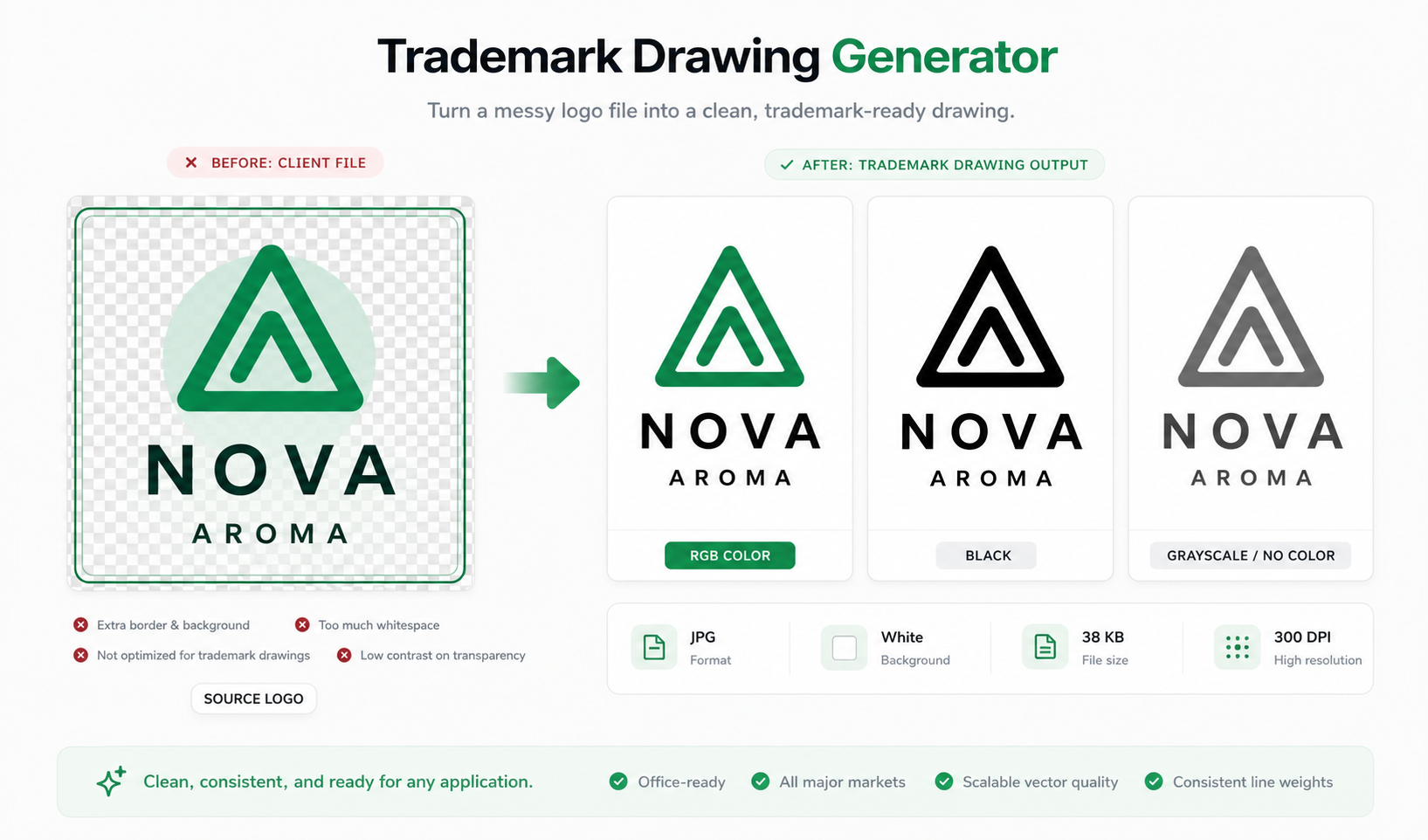
In a typical source file, PatentFig AI looks for:
- decorative borders;
- transparent checkerboard artifacts;
- background color blocks;
- brand-guide carrier shapes;
- presentation shadows;
- excessive margins;
- low-contrast colors after conversion.
The goal is not to redesign the client's mark. The goal is to preserve the mark while removing non-mark presentation material that can confuse the drawing record or trigger avoidable format cleanup.
How a trademark team can use it
A practical workflow looks like this:
- Ask the client for the highest-quality logo source they have.
- Open Trademark Drawing Generator.
- Choose standard character or special form.
- Enter the mark text when the mark includes wording.
- Choose color handling.
- Select the target offices.
- Generate the package.
- Review the checklist before attaching anything to a filing system.
- Let the attorney write or confirm all legal statements.
This is especially useful when a team handles the same brand across the United States, Europe, Japan, Canada, the United Kingdom, and Madrid Protocol workflows. The source mark may be the same, but the file package rarely stays identical.
Where it fits with PatentFig AI Tools
Trademark Drawing Generator belongs in the same family as PatentFig AI's image tools: Convert Image, DPI Enhance, Vectorize, and Figure Checker. Those tools solve general patent-figure production problems. Trademark Drawing Generator is narrower. It is designed around the trademark drawing package itself.
Start from the unified Tools workspace when you are choosing between image conversion, enhancement, vector output, figure checking, and trademark drawing preparation. Use Trademark Drawing Generator when the task is specifically "turn this logo into office-ready trademark drawing files."
Final takeaway
Trademark drawing preparation should not require a designer every time a client sends a logo. It also should not blur into legal drafting. PatentFig AI keeps the boundary clean: it prepares the visual files and the technical checklist, while the lawyer controls the legal language, filing basis, and office-specific strategy.
That makes the tool useful in the exact place where trademark teams lose time: between "the client sent us a logo" and "the application package has a clean drawing file."
Try the Trademark Drawing Generator
Prepare a clean logo drawing package for major trademark offices in Trademark Drawing Generator, or open the broader Tools workspace.
Next step: Open the trademark drawing tool and prepare an office-ready mark figure.
Author

Categories
More Posts

How to Show Clients Trademark Specimen Mockups Before Filing
Create watermarked trademark use mockups for client review: product labels, packaging, hang tags, apparel, menus, signage, and other carrier examples.
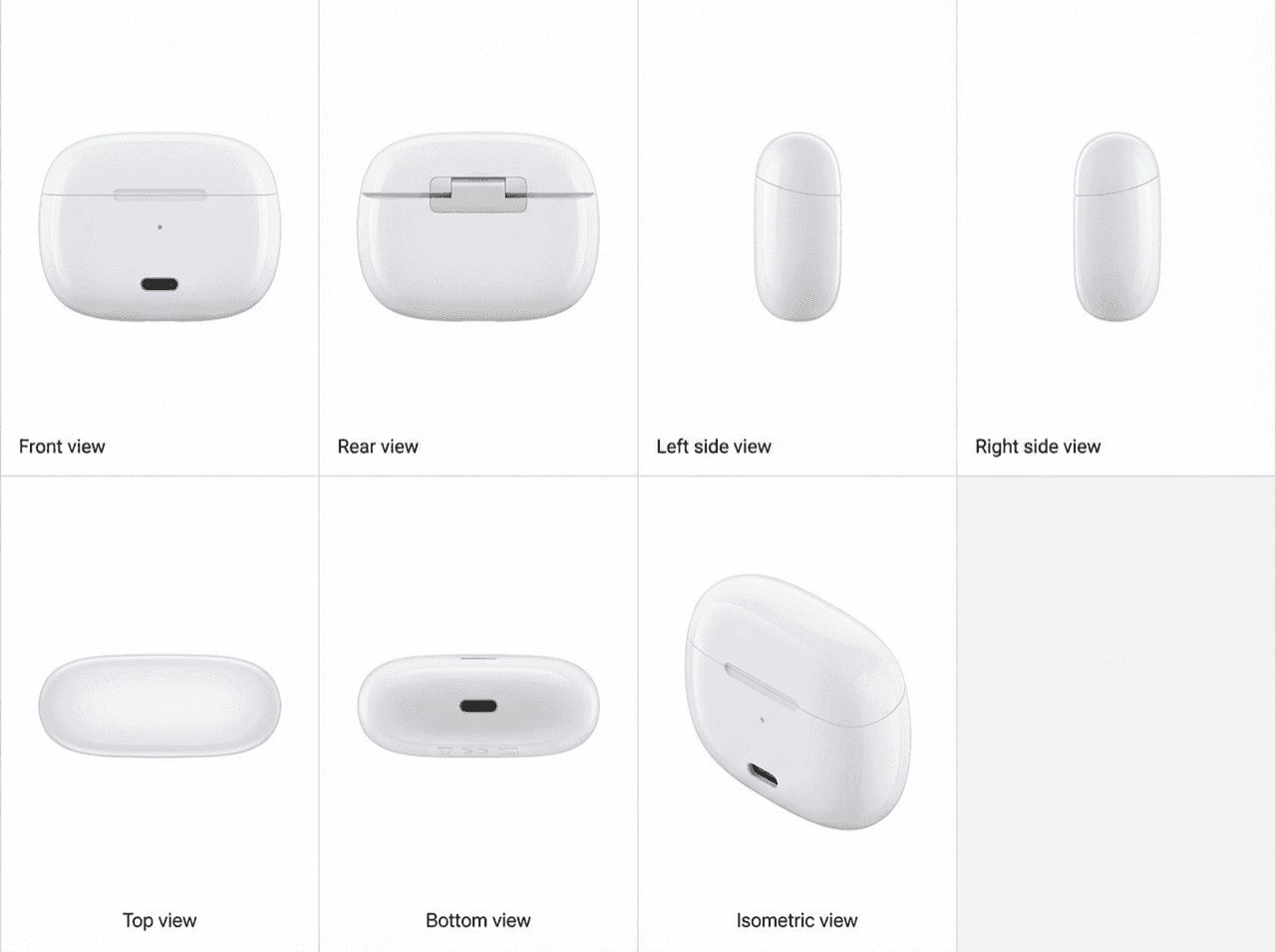
Inside PatentFig AI: How IP Teams Generate, Check, and Export Patent Figures
End-to-end AI workspace for patent figures: generate, refine, check, convert, and export. How PatentFig AI cuts figure prep time by 80% for IP teams. 2026.
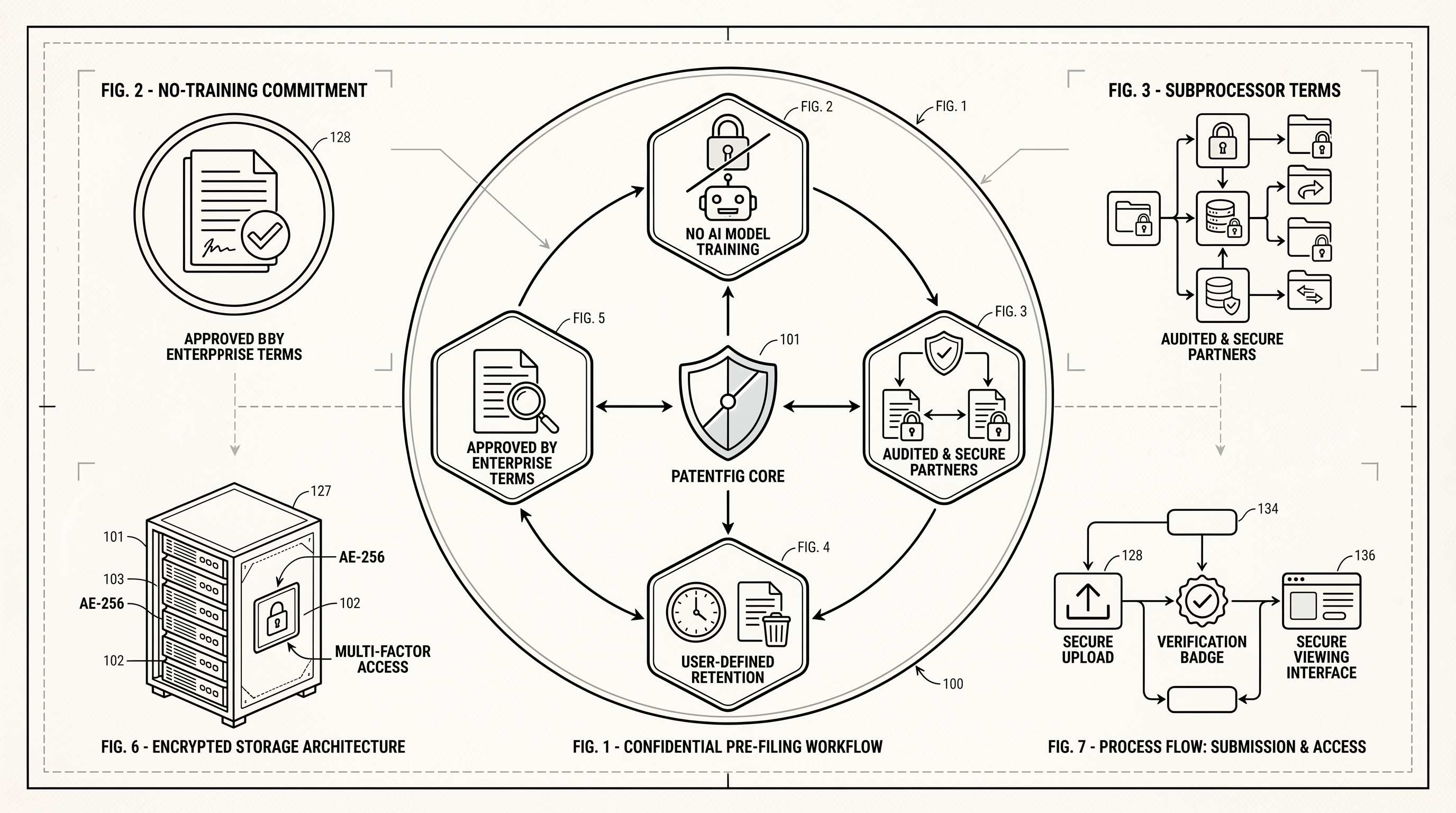
How PatentFig AI Protects Pre-Filing Patent Materials
A practical guide to how PatentFig AI handles confidential pre-filing patent materials, including no-training commitments, subprocessors, retention, and business review terms.
Newsletter
Join the community
Subscribe to our newsletter for the latest news and updates