How to Show Clients Trademark Specimen Mockups Before Filing
Create watermarked trademark use mockups for client review: product labels, packaging, hang tags, apparel, menus, signage, and other carrier examples.
TL;DR: The Specimen Mockup Generator creates watermarked mockups — labels, packaging, signage, web pages — so clients can see what acceptable trademark use could look like before filing. It is a communication tool, not a specimen substitute: the attorney still owns the legal standard, and the client still has to make real use of the mark.
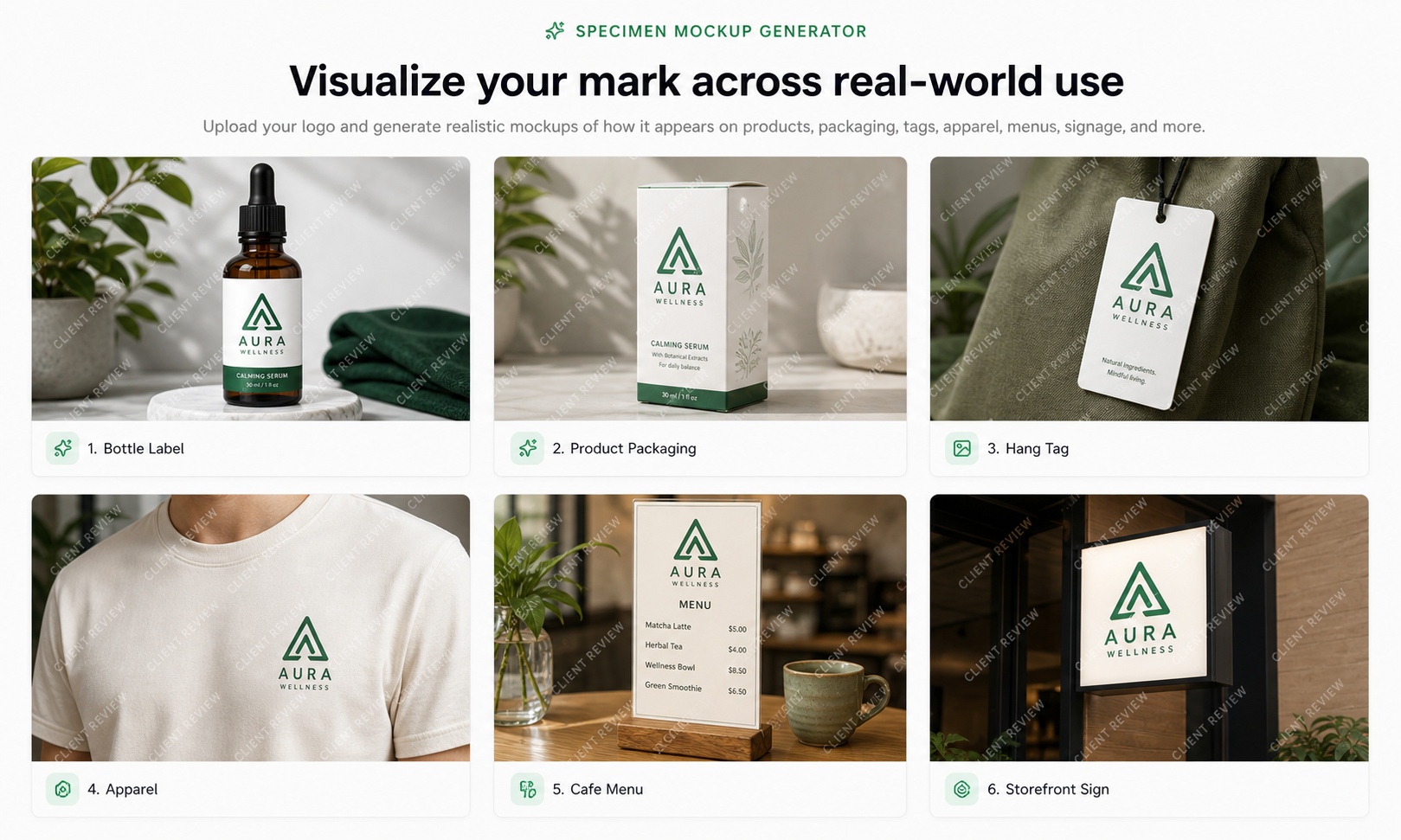
Specimen Mockup Generator: Show Clients How Trademark Use Could Look
Trademark clients often understand their logo before they understand trademark use. They can approve a mark, pick a color, and send a PNG, but still have a vague idea of what a specimen might need to show later. For goods, the conversation might involve labels, tags, packaging, containers, or product pages. For services, it might involve websites, menus, storefront signage, brochures, or other materials that connect the mark to the service.
PatentFig AI's Specimen Mockup Generator is built for that communication gap. It creates watermarked mockup images that help attorneys, agents, and IP boutiques show clients what proper real-world use could look like. It is not a filing shortcut. It is not a substitute for actual use. It is a visual planning tool.
The important boundary: mockup is not specimen
The word "specimen" can create confusion, so the product boundary has to be direct.
A PatentFig AI mockup is a client-review image. It helps the client understand what a label, hang tag, package, storefront sign, menu, or product page might need to communicate. It is generated, watermarked, and intended for discussion.
An actual trademark specimen is different. USPTO guidance describes a specimen as real-life evidence of how the trademark is used in commerce with the goods or services. The same guidance says an acceptable specimen must be a real example and not a mockup, printer's proof, digitally altered image, rendering of intended packaging, or draft website showing how the mark might appear.
That is why PatentFig AI adds a permanent watermark and avoids legal filing language in the output. The mockup is for the attorney-client conversation. The client still needs real-world use evidence when the law requires it, and counsel decides what can be submitted.
Useful official link:
What the workflow generates
The generator takes logo artwork and usage context, then produces a small set of carrier mockups:
- bottle labels;
- product boxes;
- hang tags;
- apparel placement;
- coffee cups;
- menus;
- storefront signs;
- retail displays;
- website or service-page concepts.
Each output is designed as a watermarked review asset. The mark appears on a plausible carrier, but the image remains visibly a mockup. That is intentional. The goal is clarity, not accidental filing use.
Inputs: simple, but specific
A practical input set looks like this:
- Logo file: preferably
PNGorSVGwith transparent background - Nice class: one or more classes from 1-45
- Goods/services description: for example, "essential oils for aromatherapy"
- Mockup count:
3,5, or8 - Visual style:
studio,lifestyle,minimalist, orretail - Required attorney acknowledgement: mockups are for client communication and not for filing as specimens
The Nice class and goods/services description do not make legal decisions for the user. They provide visual context. A Class 3 essential-oil example naturally suggests bottles, labels, cartons, or retail product pages. A restaurant-service example may suggest menus, signage, or a service website. A clothing example may suggest hang tags, labels, or packaging rather than a random advertisement.
Why this is useful for trademark teams
Specimen conversations are often abstract until the client sees examples. "Use the mark on the goods" sounds simple, but clients may interpret it as a logo mockup on a blank product shot, a social post, a press release, or a concept label that has never shipped.
Watermarked mockups give the attorney a clearer way to say:
- this is the kind of carrier we should be discussing;
- this is not automatically a specimen;
- this is how the mark should be visually associated with the goods or services;
- this is why the drawing and later use evidence need to match closely;
- this is what the client should photograph or document once real use exists.
The mockup becomes a bridge between legal instruction and client execution.
Goods versus services: the carrier matters
For goods, the discussion usually centers on the item, its packaging, a label, a tag, or a point-of-sale display. The USPTO specimen guidance gives examples such as labels and tags for goods, packaging, sales displays, and webpages selling the goods with ordering information.
For services, the carrier is different. A service specimen might involve advertising, brochures, websites, signage where services are rendered, menus, service vehicles, invoices, business cards, or other material that directly associates the mark with the service.
The Specimen Mockup Generator does not decide which option is legally acceptable. It helps the attorney show the client a direction that fits the goods/services context, so the client can create or capture real materials later.
Review board for attorney-client communication
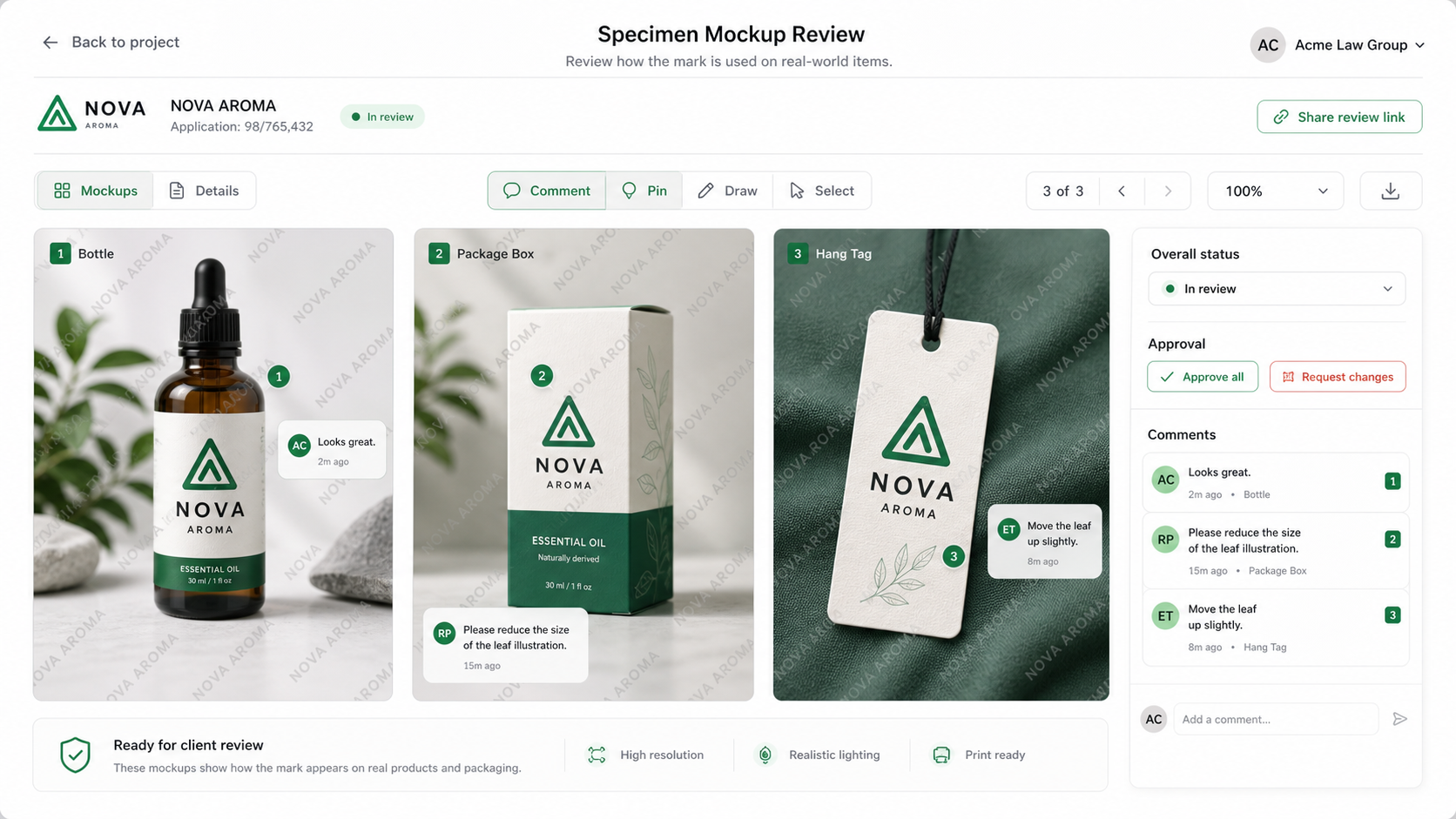
A useful review session is not just a pretty image. It needs decisions:
- Is the logo legible at product scale?
- Does the mark appear in a source-identifying position?
- Is the carrier plausible for the listed goods or services?
- Is the client able to create a real version, not only a concept?
- Does the use shown align with the drawing being prepared?
PatentFig AI's mockup outputs are meant to sit inside that conversation. They can be sent to a client, annotated in a review call, or used internally to explain why a different carrier would be better.
How it fits with Custom generation
This capability does not need a separate legal-writing surface. In PatentFig AI, the practical workflow can live inside the Custom generation workspace: upload the logo, product photo, packaging reference, or style reference, then describe what you want to see.
For example:
Place this logo on a small amber essential-oil bottle and matching carton for client review. Add a visible watermark. Keep it realistic, but do not make it look like a final filing specimen.
That prompt-based approach is useful because trademark work varies by industry. A rigid form cannot anticipate every carrier, product line, or service context. Custom generation lets the attorney keep control of the instruction.
See the broader multi-image workflow on Multi-Image AI Generator, or start from PatentFig AI Custom generation. And when the mark figure itself is the deliverable, the trademark drawing tool prepares the office-ready drawing file.
Practical rules for using mockups responsibly
Use mockups to:
- explain the difference between a logo file and use of a mark;
- help the client plan packaging, labels, tags, signage, or website materials;
- compare carriers before the client spends money on production;
- create internal review visuals with clear watermarking.
Do not use mockups to:
- represent actual use in commerce;
- replace a client photograph, screenshot, or real point-of-sale material;
- remove the need for attorney review;
- suggest that a generated image will satisfy an office requirement.
That distinction protects the product and the client relationship.
Final takeaway
Specimen Mockup Generator is useful because it makes an abstract legal-production conversation visual. The attorney remains responsible for the legal standard. The client remains responsible for real use. PatentFig AI supplies the watermarked visuals that make the conversation easier, faster, and less ambiguous.
Try the workflow
Use PatentFig AI Custom generation for logo-plus-product mockups, or read the Multi-Image AI Generator guide for examples of combining multiple visual inputs.
Next step: Open the trademark drawing tool and prepare an office-ready mark figure.
Author

Categories
More Posts
How to Prepare Office-Ready Trademark Drawings
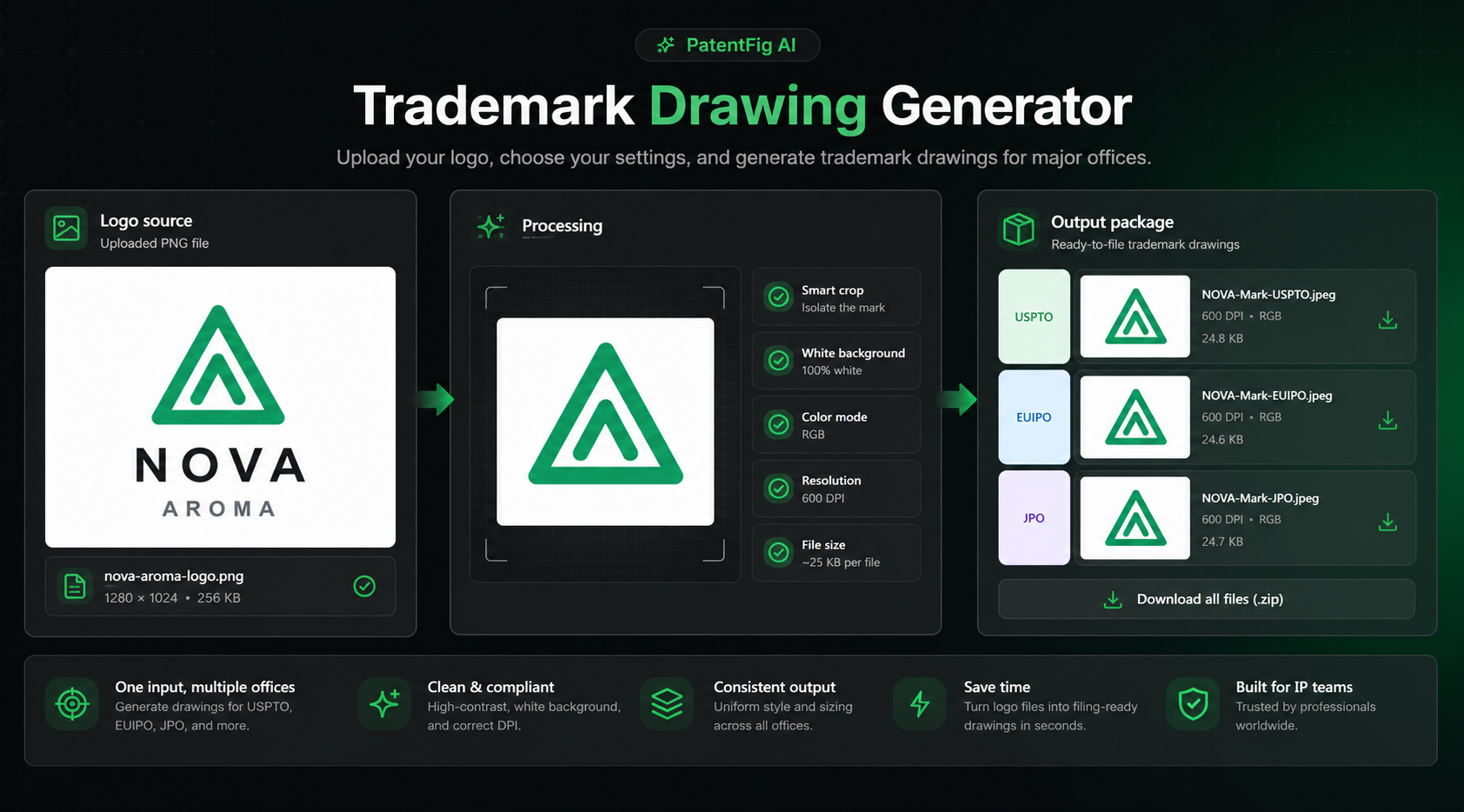
Turn client logo files into clean USPTO, EUIPO, JPO, Madrid, UKIPO, and CIPO trademark drawing assets without writing legal statements for the attorney.
Inside PatentFig AI: How IP Teams Generate, Check, and Export Patent Figures
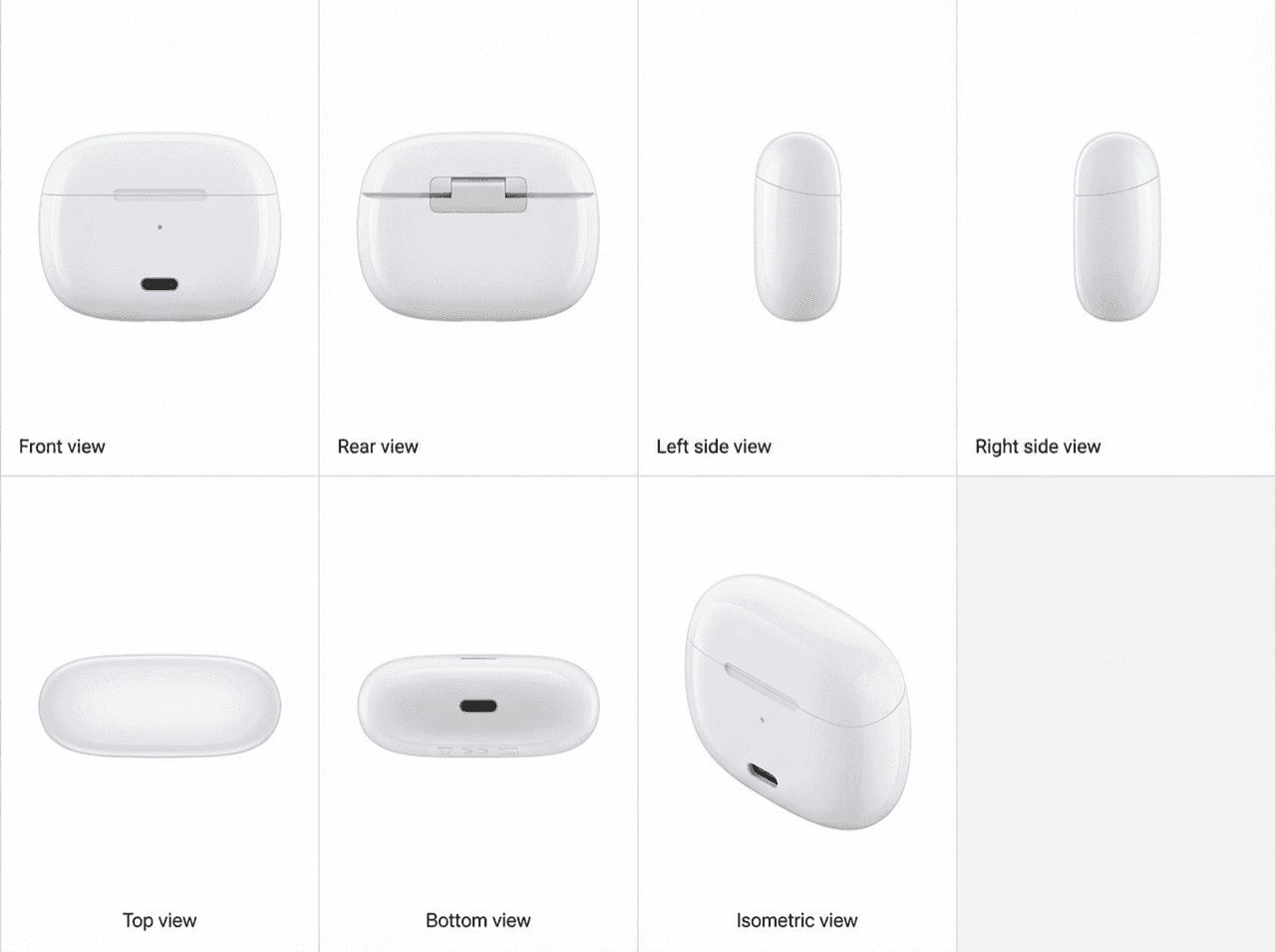
End-to-end AI workspace for patent figures: generate, refine, check, convert, and export. How PatentFig AI cuts figure prep time by 80% for IP teams. 2026.
How PatentFig AI Protects Pre-Filing Patent Materials
A practical guide to how PatentFig AI handles confidential pre-filing patent materials, including no-training commitments, subprocessors, retention, and business review terms.
Newsletter
Join the community
Subscribe to our newsletter for the latest news and updates