PatentFig AI vs. SmartDraw
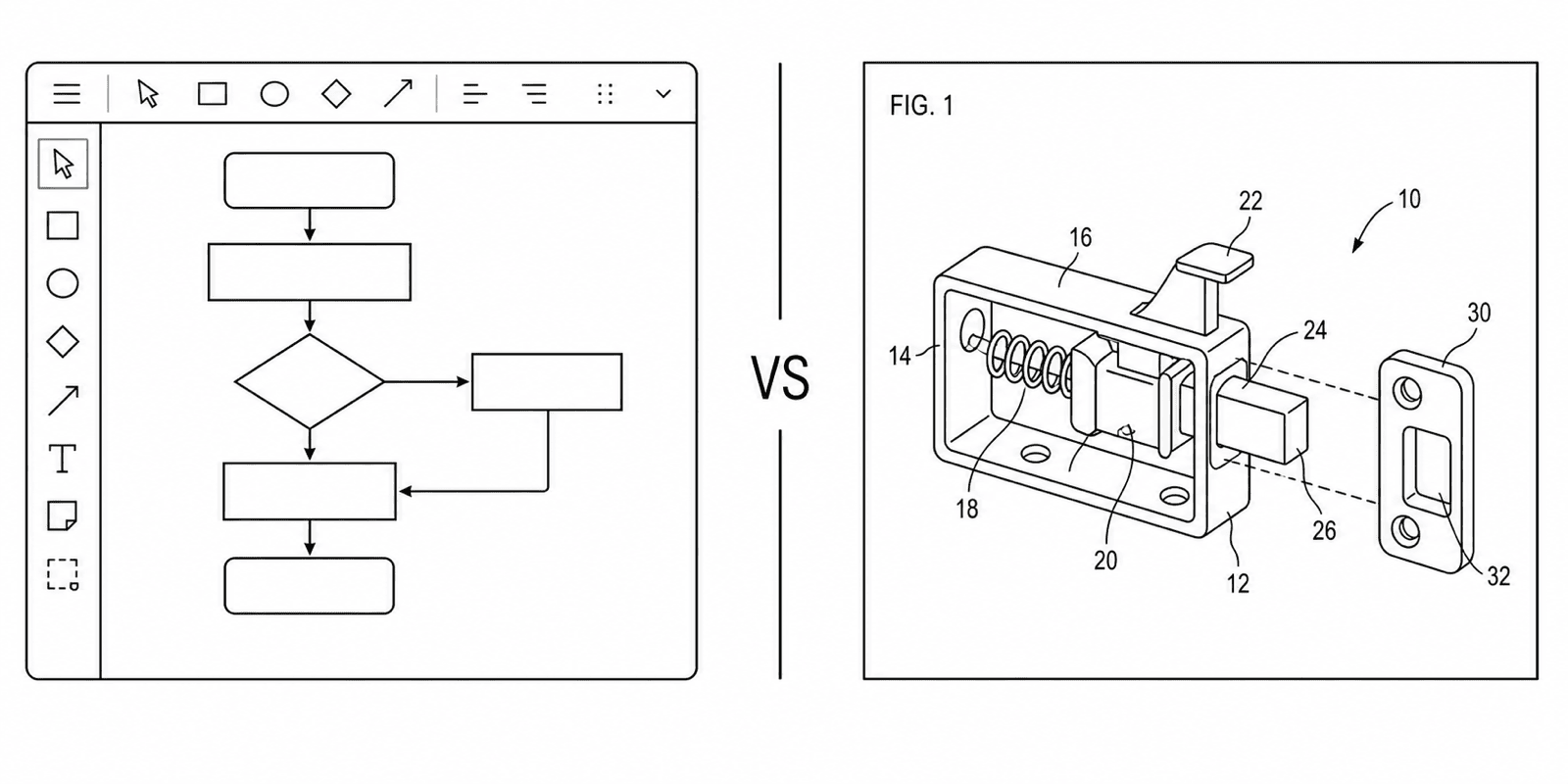
SmartDraw is a general diagramming app with patent drawing templates; PatentFig AI is purpose-built patent software with AI generation and compliance checking. The right choice depends on how much manual control you want.
- AI generation vs. manual
- 37 CFR §1.84 checking
- Numeral management
- Photo and sketch input
The 30-second answer
- SmartDraw is a general diagramming app with patent templates: full manual control, no patent compliance checking, no reference-numeral management, no AI generation.
- PatentFig AI is patent-native: it generates line art from photos, sketches, screenshots, or text, manages numerals across views, and checks figures against USPTO/CNIPA/EPO/JPO/KIPO/PCT rules.
- If your team already lives in SmartDraw and wants to draw every line by hand, it works; if you want generated, rule-checked figures, PatentFig AI is the purpose-built option.
Two different philosophies
Template-based manual drawing versus patent-native AI generation.
1
SmartDraw: manual drawing with templates
A broad template library — including patent drawing templates — where you construct each figure by hand with full control.
2
PatentFig AI: generate, then refine
Start from a photo, sketch, screenshot, or text description; get compliant line art and adjust it through chat.
3
Rules knowledge
SmartDraw leaves 37 CFR §1.84 — margins, line weights, numbering — entirely to you; PatentFig AI applies and checks the rules.
4
Figure scope
SmartDraw excels at flowcharts and schematic diagrams; mechanical line art, exploded views, and design view sets are PatentFig AI territory.
What manual drawing costs you on patents
The hidden work SmartDraw users take on for each patent figure.
Compliance by hand
Every margin, line weight, and font size checked against office rules yourself — objections surface in office actions, not before filing.
Numeral bookkeeping
Keeping part 12 as “12” in every view across ten figures is manual and error-prone without numeral management.
Mechanical views from scratch
Perspective, exploded, and cross-section views of physical devices are slow to construct in a 2D diagramming canvas.
Revision time
Each attorney markup means manual redrawing; with AI generation a chat instruction does the targeted edit.
PatentFig AI vs. SmartDraw at a glance
Based on each product’s public materials as of 2026 — verify current features with the vendors.
SmartDraw
PatentFig AI
Built for patent rules
General diagramming with patent templates
Patent-native, 37 CFR §1.84-aware
Generation vs. manual drawing
Fully manual drawing
AI generation from photo, sketch, or text
Reference numerals
Manual placement and tracking
Managed and consistent across views
Compliance checking
None
Built-in checker for six offices
Figure types
Flowcharts, schematics, general diagrams
Mechanical line art, design sets, flowcharts, block diagrams
Learning curve
Learn the canvas and templates
Describe or upload, then generate
PatentFig AI is the better fit when
- You want figures generated from a photo, sketch, or description, not drawn line by line
- You need 37 CFR §1.84 and multi-office compliance checked before filing
- Reference numerals must stay consistent across a multi-view set
- Patent figures are the job — not one diagram type among many
SmartDraw holds its own when
- Your team already uses SmartDraw for flowcharts, org charts, and floor plans
- You want complete manual control over every line and label
- You only need an occasional simple diagram and a template is enough
Honest comparison
PatentFig AI vs. SmartDraw FAQ
Generate the figure instead of drawing it
Turn a photo, sketch, or description into rule-checked patent line art with consistent reference numerals.
Related tools and guides
Patent drawing software
The full PatentFig workspace for filing-ready figure sets.
Patent flowchart generator
Method and process flowcharts for software patents.
Patent drawing generator
Generate a patent drawing from a text description.
Figure checker
Validate figures against office rules before filing.
Patent drawing requirements
What the USPTO requires for compliant drawings.
Patent drawing examples
Browse sample patent figures across every category.