LogoPatentFig AI
  • 作成を開始
  • 画像ツール
  • ソリューション
  • 料金
  • ブログ
LogoPatentFig AI

AI搭載の特許図面生成

YouTubeYouTubeEmailStripe ClimateXX (Twitter)
プロダクト
  • 機能
  • 料金
  • 特許図面ソフトウェア
  • Illustration Software
  • よくある質問
リソース
  • ブログ
  • 更新履歴
  • ロードマップ
  • AI Generator
  • Services vs Software
リーガル
  • Cookieポリシー
  • プライバシーポリシー
  • 利用規約
© 2026 PatentFig AI All Rights Reserved.
ManualFig.ai badgeFeatured on Twelve ToolsFeatured on Wired BusinessFazier badgePatentFig AI - Featured on Startup FamePatentFig AI | dang.ai

製品写真から特許線画へ

製品写真、試作品画像、斜視図、輪郭整理、特許向け線画 向けの出願用図面を作成します。

図面を生成関連ワークフロー
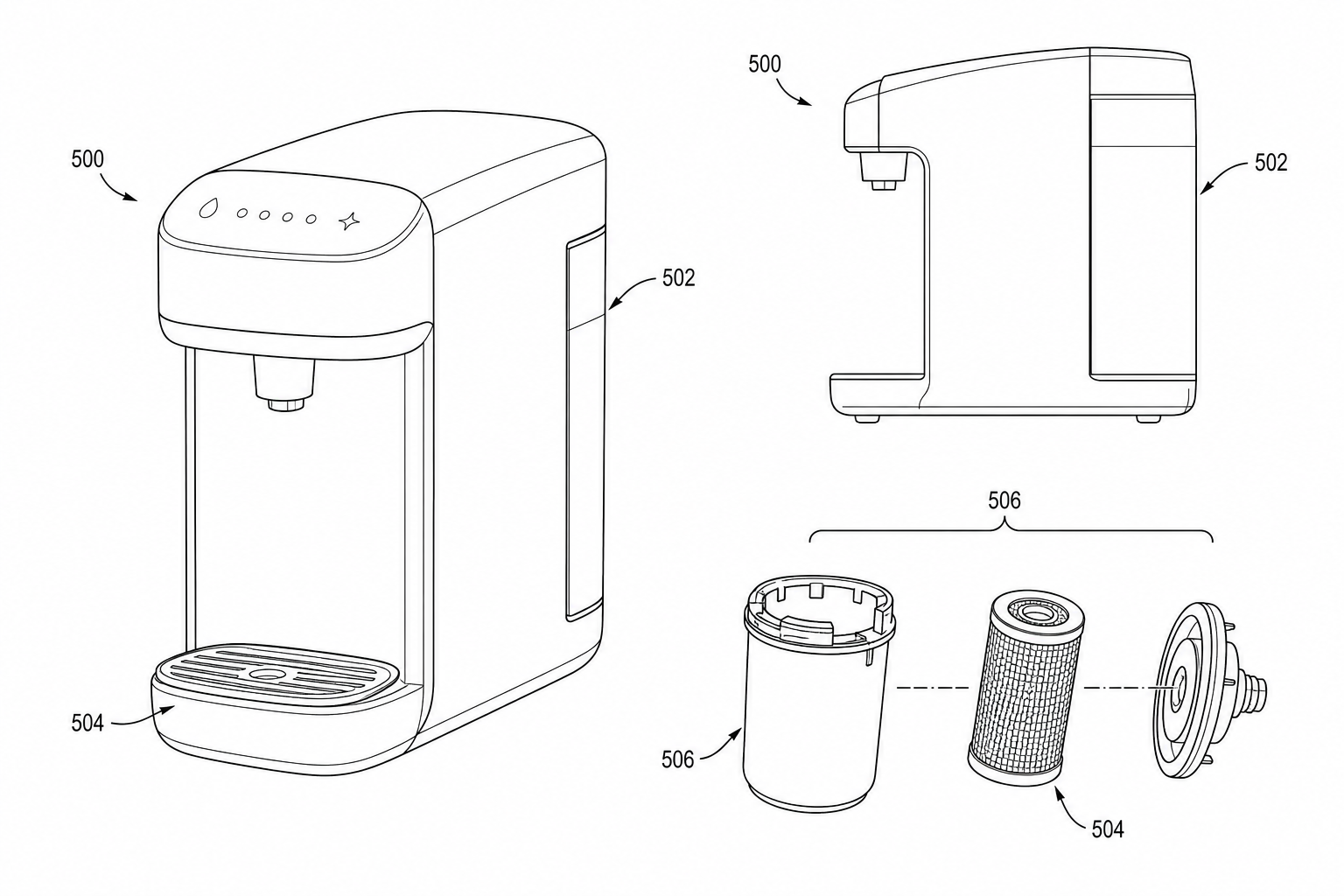
製品写真から特許線画へ カバー例
出力例: 販促的な質感を落とし、形状、ビュー、符号構造を残した特許線画案

実務フロー

製品写真から特許線画へ は素材準備、生成、修正、確認で構成されます。

1

素材を準備

製品写真、試作ショット、3D レンダー、EC 画像、発明者の参考画像 を整理します。

2

図面を生成

販促的な質感を落とし、形状、ビュー、符号構造を残した特許線画案 を作成します。

3

確認して出力

レイアウトと符号が安定してから出力します。

特許向けワークフローが必要な理由

特許図面向け構造

反復しやすい

出力前に確認

Common mistakes converting photos to patent line art

Submitting an AI-extracted line drawing without verifying which seams or fasteners the model invented.

Leaving company branding on the product (logos, molded text, color labels).

Photographing the product mid-assembly so the AI cannot tell which parts belong together.

Using a single photo to generate every required view instead of photographing each view separately.

製品写真から特許線画へ ワークフロー例
素材から図面への流れです。
製品写真から特許線画へ 確認例
出力前の確認項目です。

製品写真から特許線画へ FAQ

製品写真から特許線画へ とは何ですか?

製品写真、試作ショット、3D レンダー、EC 画像、発明者の参考画像 から 販促的な質感を落とし、形状、ビュー、符号構造を残した特許線画案 を作る PatentFig AI の入口です。

生成後に修正できますか?

はい。レイアウト、符号、矢印、細部を反復調整できます。

法的レビューを置き換えますか?

いいえ。提出前には専門家の確認が必要です。

How many photos do I need for a multi-view patent figure set?

One per required view. AI cannot infer the back of a product from a front photo. For a typical utility set, three to five photos are usually enough; for a design patent, plan six orthographic photos plus at least one perspective.

Can AI generate a cross-section from a photo?

No. A cross-section requires showing the interior, which a photo of the exterior cannot capture. Use CAD output, a hand sketch, or a written description of the interior structure for cross-section figures.

製品写真から特許線画へ を開く

販促的な質感を落とし、形状、ビュー、符号構造を残した特許線画案 を生成し、確認して出力します。

図面を生成
詳しいガイド
製品写真から特許線画へ の実務記事を読む。

関連ワークフロー

特許図面ソリューション
図面形式を確認
写真から特許図面 AI
意匠図面ソフトウェア