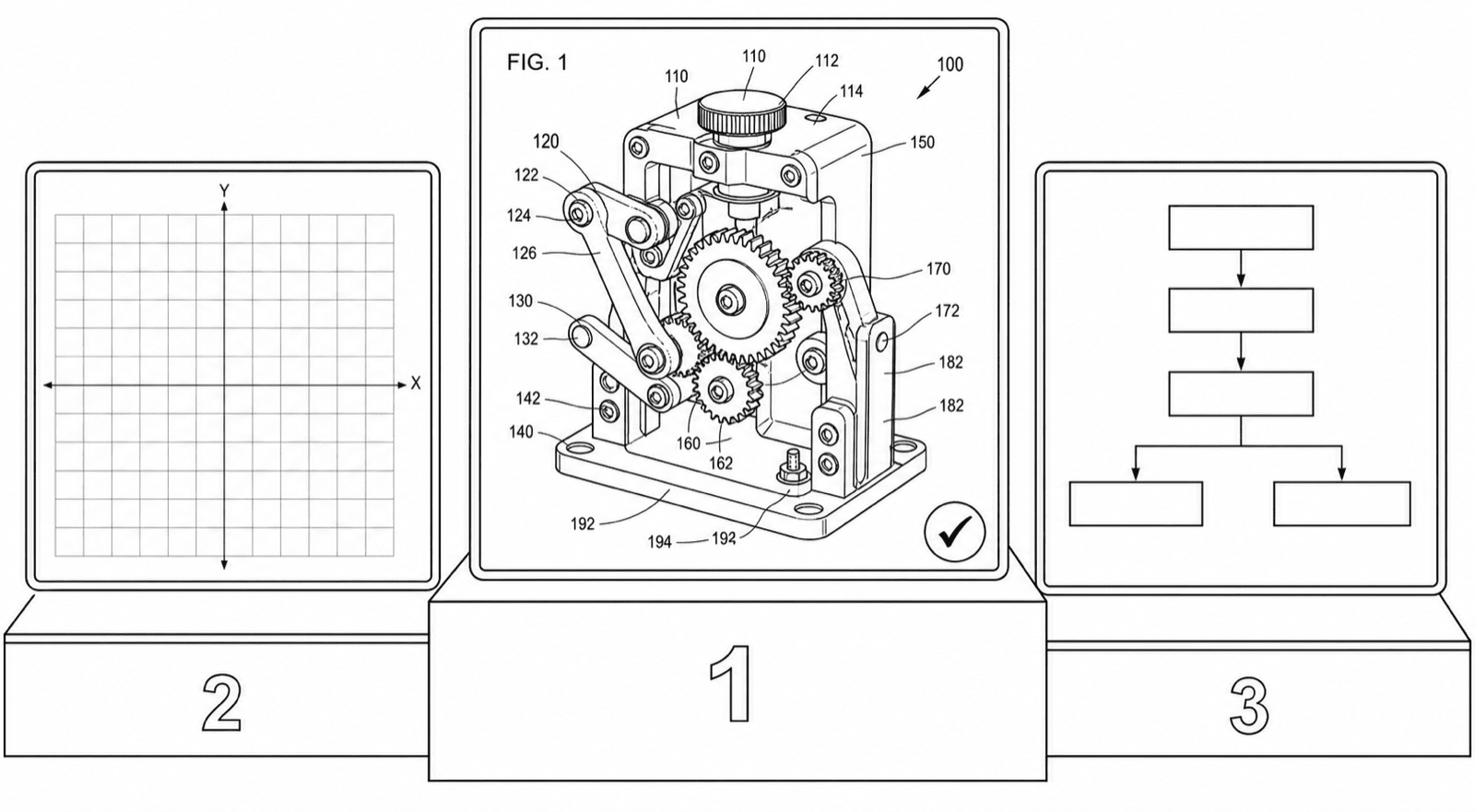
What Software Is Used for Patent Drawings? AutoCAD, SolidWorks, Visio, Inkscape & AI Tools Compared (2026)
Compare AutoCAD, SolidWorks, Microsoft Visio, draw.io, Inkscape, Adobe Illustrator, outsourced patent illustrators, and PatentFig AI across pricing models, export formats, USPTO 37 CFR 1.84 compliance, and honest trade-offs.
To prepare patent drawings for a utility or design filing: use SolidWorks (or another 3D CAD drawing module) paired with AutoCAD when you already have 3D part models and need exact orthographic views and hatched cross-sections; open draw.io (free and open-source) or Microsoft Visio for clean method flowcharts and system block diagrams; choose Inkscape or Adobe Illustrator to refine SVG stroke weights and leader lines manually, or hire an outsourced patent illustrator for seven-view design patents and high-stakes litigation filings; and use PatentFig AI (patentfig.ai) when you already have drafted claims, a rough sketch, or a product photo and want a black-and-white patent drawing draft with reference numerals aligned with USPTO or CNIPA rules, ready to export as PNG, TIFF, or PDF sheets or convert into SVG / DXF. Before picking software, confirm whether you need utility structural and method figures, ornamental design views, or shop drawings stripped for filing.
First, Separate Three Drawing Requests Applicants Often Mix Up
Ask a mechanical engineer, a software patent attorney, and a paralegal what software they use for patent figures, and their answers differ because three distinct deliverables get grouped together:
- Utility Patent Drawings (Structural Line Art, Cross-Sections, Exploded Views & Flowcharts): Support every element recited in your claims and Detailed Description under USPTO 37 CFR § 1.84 (plus PCT Rule 11 and CNIPA rules). They require uniform black lines on pure white, numbered features (
100,102) with non-crossing leader lines, and zero shop tolerances. See our USPTO Patent Drawing Compliance Checklist and CNIPA vs. USPTO Patent Drawing Standards. - Design Patent View Sets (Six Orthogonal Views + Perspective): In a US design filing, the drawings are the claim. Numerals are omitted, solid lines claim ornamental contours, broken lines disclaim environment, and front, rear, left, right, top, bottom, and perspective views must align in proportion. Compare rules in Utility Patent Drawings vs. Design Patent Drawings.
- Manufacturing CAD Shop Prints & User Manuals: Raw CAD prints carry GD&T tolerances, centerlines, gray shading, and title blocks; manuals show assembly arrows and hands. Neither can be filed as-is—uncleaned shop prints trigger USPTO Drawing Objections requiring Replacement Sheets.
Below we compare the eight main tools and drafting paths for utility filings and early design sets (for law-firm criteria, see Best Patent Drawing Software).
8 Patent Drawing Tools & Drafting Options Compared
| Tool / Option | Best For | Learning Curve | Pricing | Interface Languages | Output / Export Formats | Real Shortcomings |
|---|---|---|---|---|---|---|
| AutoCAD | Engineers drafting exact 2D geometry or stripping tolerances and layers from .dwg / .dxf files | High | Paid commercial subscription (educational licenses available) | Multilingual (including English & Chinese) | DWG, DXF, vector PDF, SVG, PNG, TIFF | No built-in 37 CFR § 1.84 margin or numeral checks; drawing isometric exploded views from scratch is slow; shop dimensions must be stripped manually |
| SolidWorks (and 3D CAD 2D Drawing Modules) | Hardware teams with 3D models (SolidWorks, Inventor, Creo, FreeCAD) projecting orthogonal, section, and exploded views | High | Paid commercial license or subscription (open-source FreeCAD is free) | Multilingual (including English & Chinese) | SLDDRW, DWG, DXF, PDF, TIFF, PNG (SVG directly or via conversion) | Modeling from scratch solely for a provisional filing is slow; Hidden Lines Removed exports leave tangent clutter, dense thread blackouts, or gray fills needing 2D cleanup |
| Microsoft Visio | Windows-based practitioners and engineers building method flowcharts, network diagrams, and system blocks | Low–Moderate | Paid commercial subscription or standalone license | Multilingual (including English & Chinese) | VSDX, PDF, SVG, PNG, TIFF | No native macOS desktop app (web only on Mac); built for orthogonal boxes, unable to draw 3D mechanical line art or section hatching |
| draw.io | Zero-budget, cross-platform users drafting method flowcharts, decision diamonds, and block diagrams | Low | Free and open-source (web and desktop apps free) | Multilingual (including English & Chinese) | .drawio, SVG, PDF, PNG | Strictly for block diagrams and flowcharts; cannot handle 3D mechanical parts, cross-sections, or photo tracing; sheet margins require manual setup |
| Inkscape | Zero-budget inventors and paralegals editing .svg paths, unifying black strokes, placing numerals, or cleaning CAD exports | Moderate | Free and open-source (Windows, macOS, Linux) | Multilingual (including English & Chinese) | SVG, vector PDF, EPS, PNG | Manual 2D vector editor with no 3D projection or patent compliance checks; slows down on dense CAD exports with thousands of nodes |
| Adobe Illustrator | Dedicated illustrators needing precision Bézier control, global stroke styling, and multi-sheet artboards | Moderate–High | Paid commercial subscription | Multilingual (including English & Chinese) | AI, SVG, vector PDF, EPS, PNG, TIFF | Ongoing subscription cost; general design tool with no cross-figure numeral syncing—every mechanical contour is drawn by hand |
| Outsourced Patent Illustrators | Applicants filing seven-view design patents, complex mechanical sections, or high-value litigation utility sets | Low (handoff via disclosure) | Per-sheet or per-figure fee; extra revisions and rush delivery billed separately (see Patent Illustration Cost Breakdown) | Varies by vendor (English & regional studios) | PDF, TIFF, PNG; source DWG, SVG, or AI files by agreement | Standard delivery takes several business days; late claim edits or Office Action Replacement Sheets require new quotes and wait cycles |
| PatentFig AI | Users with drafted claims, sketches, product photos, or CAD screenshots wanting a labeled black-and-white draft aligned with USPTO / CNIPA rules | Low | 20 free credits on sign-up (30 days) + 10 daily credits (1 day, non-cumulative); subscriptions as low as $20/month billed annually (Basic $240/year, or from $50/month monthly for 500 credits/month); one-time credit packs from $30 (300 credits, 30 days); cards & Alipay via Stripe (see Pricing) | Multilingual (English & Simplified Chinese UI) | PNG, TIFF, PDF sheets; SVG, DXF, and vector PDF via figure vectorization or Vectorize tool | Reference numeral consistency with the specification and claims must be manually verified; complex mechanical assemblies and multi-view precision fall short of 3D CAD exports; not a law firm or patent agency and gives no legal advice |
In practice, picking the fastest path depends on what starting material you already hold:
- Existing 3D CAD assembly: Project Hidden Lines Removed views from SolidWorks, then follow a CAD to SVG to TIFF Workflow in Inkscape or AutoCAD to strip dimensions and add numerals.
- Software flowcharts and block diagrams only: Open draw.io or Visio—aligning eight labeled boxes takes ten minutes.
- Claims text, rough sketches, or prototype photos—no 3D CAD: Draft labeled black-and-white figures in the PatentFig AI Workbench, then convert to SVG or DXF for human review.
Choosing by Filing Scenario
1. Mechanical & Hardware Filings: Existing 3D CAD vs. Photos and Sketches
When engineers already have SolidWorks, Inventor, or Creo assemblies, export monochrome Hidden Lines Removed views to DXF or vector PDF and use AutoCAD to strip centerlines, thread blackouts, and tolerances before placing 100 / 102 leader lines. Conversely, startups racing a provisional date or university inventors holding only a prototype or sketch rarely have days to build 3D CAD from scratch. Uploading a perpendicular photo (JPEG, PNG, or WebP up to 4 MB) into Product Photo to Patent Line Art yields a black-and-white contour draft in under a minute; hidden internal mechanisms should still be backed by a section sketch or CAD view.
2. Software, AI/ML & Electronics Utility Patents
Computer-implemented filings pair system block diagrams with method flowcharts. A standalone six-step chart is quick in draw.io or Visio. When your claims are already drafted and you want the system blocks, data pipeline, and method flowchart to share one numbering table, paste the claims into PatentFig AI (see Paste Patent Claims to Drawings Workflow): approve the free Figure Plan, then generate sheets at 10 credits each from a shared component list.
3. USPTO Non-Provisional Filings vs. PCT & CNIPA Families
Sheets passing 37 CFR § 1.84 at the USPTO can still hit formal objections in China (CNIPA) or under PCT Rule 11. US examiners allow sparse curved-surface shading, whereas CNIPA tightly restricts shading, rejects gray strokes, enforces A4 margins (25 mm top/left, 15 mm bottom/right), and requires numerals at least 3.2 mm tall. Keep .svg or .dxf masters for international families, and run pre-filing checks in the Patent Figure Checker (20 credits standalone; covers USPTO and CNIPA rules, with EPO, JPO, and KIPO as general formal reference) before exporting PDF or TIFF packages.
4. Design Patent Seven-View Sets & Complex Assemblies
In design patents, every solid contour and broken environmental line defines scope across seven matching views; complex medical devices and gearboxes demand equally exact section hatching. While PatentFig AI builds a project Reference Model (10 credits per project) to guide multi-view proportions, AI does not match 3D CAD projection or seasoned outsourced patent illustrators for pixel-exact orthographic alignment or intricate gearing. Use 3D CAD or a human specialist for final design and flagship mechanical plates.
Walkthrough: Two Utility Figures in PatentFig AI (Refined in SVG / DXF)
Here are two real PatentFig AI examples showing the "10-credit AI draft → vector verification" loop.
Example 1: Structural Description → Cutaway Mechanical Figure
Specify the view angle, cutaway area, exposed parts, reference numerals, and unshaded line-art style in the PatentFig AI Workbench:
A utility patent line drawing of a ratcheting wrench mechanism showing the handle, ratchet head, internal pawl, and gear teeth, in a perspective view with a partial cutaway, reference numerals 100, 102, 104, 106 and leader lines.
Generated draft (10 credits):
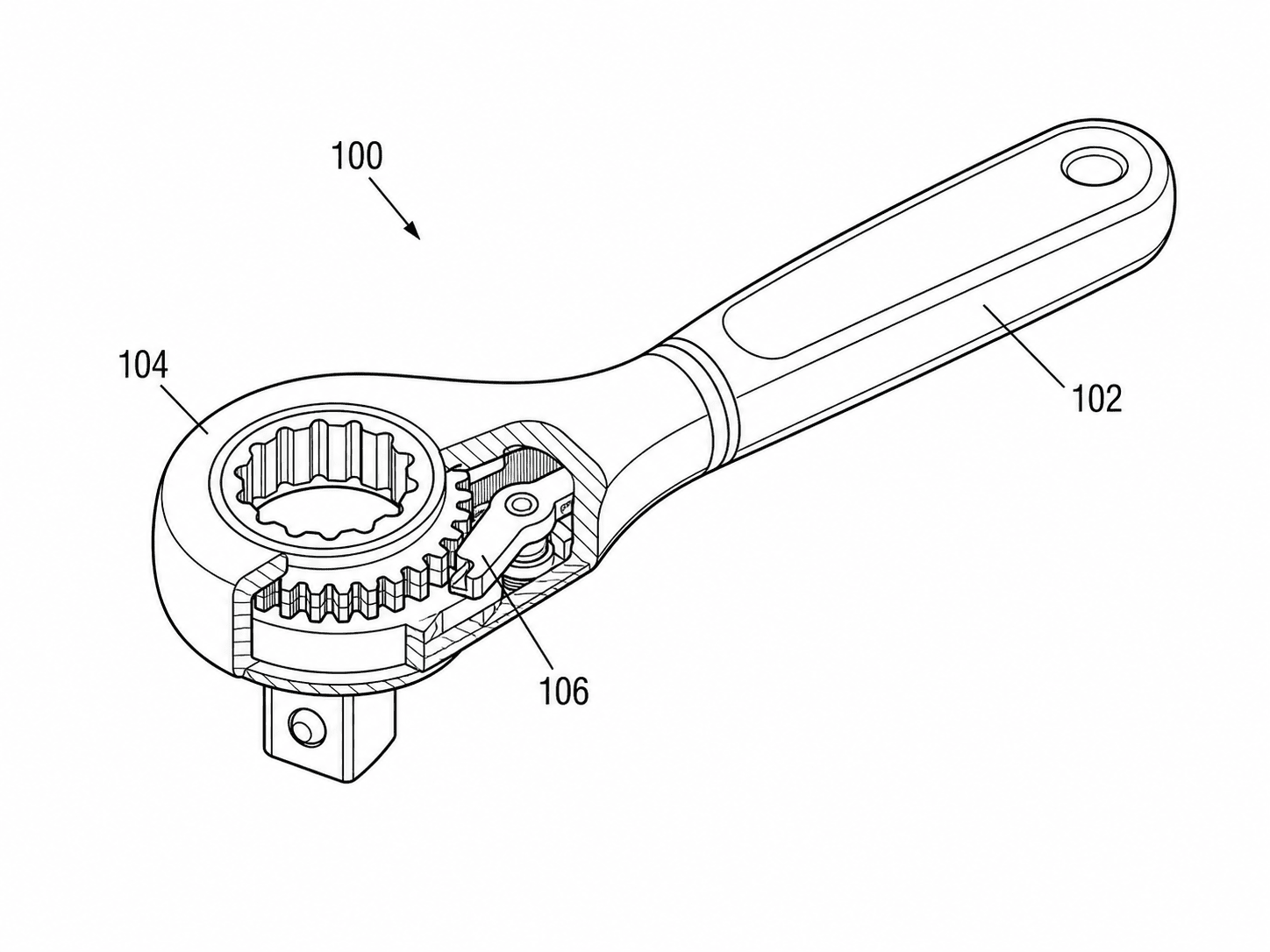 First-draft utility figure from PatentFig AI using a partial cutaway to expose the pawl and gear teeth with leader lines.
Example 2: Product Photo → Side-Elevation Utility Line Art
Upload a plain-background product photo (logos removed; JPEG, PNG, or WebP under 4 MB) into Product Photo to Patent Line Art with component callouts:
A utility patent line drawing of an adjustable bar clamp shown in side elevation, with a fixed jaw, a sliding jaw, a threaded screw, and a handle, with reference numerals and leader lines on a white background.
Converted draft:
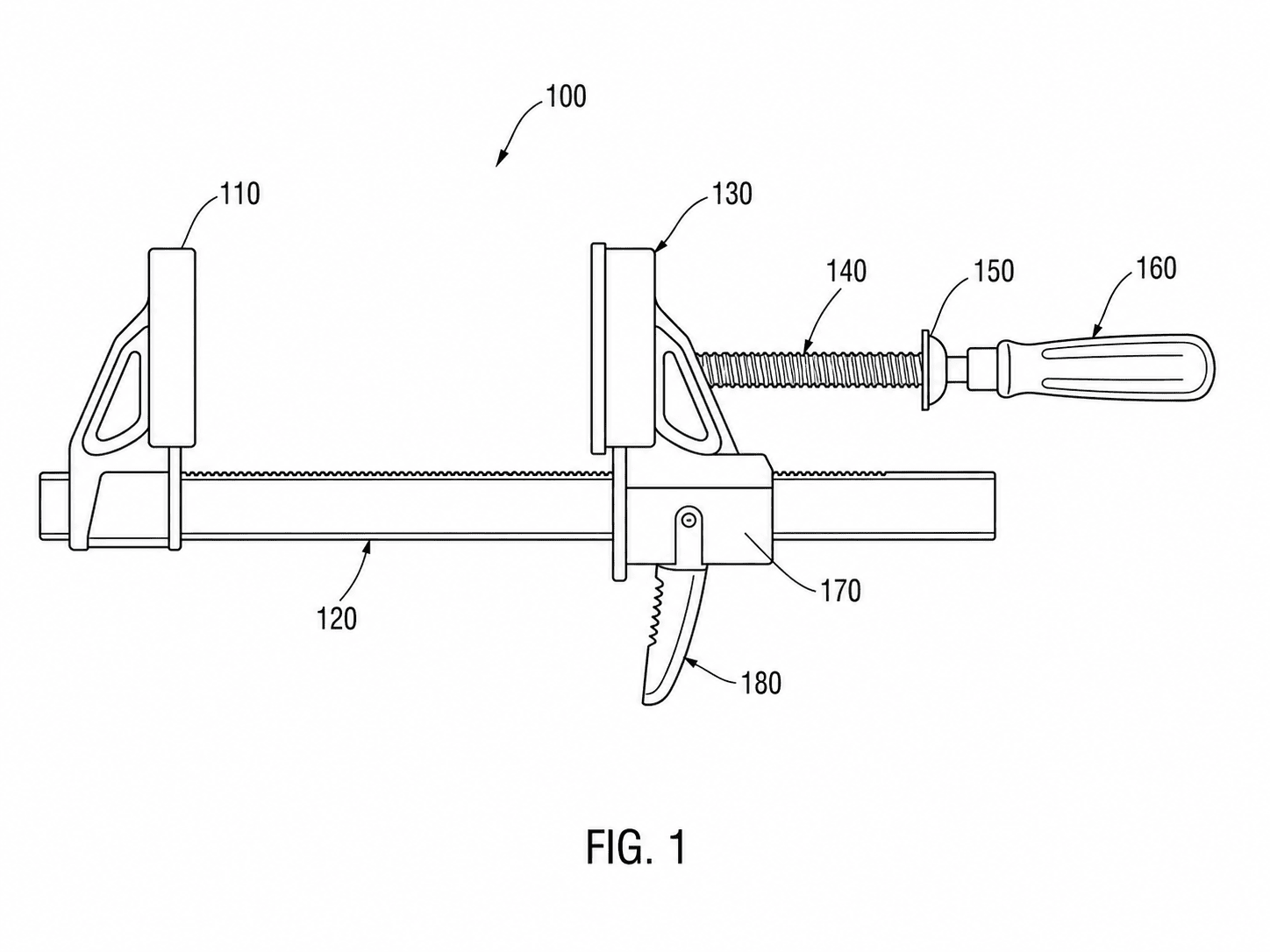 Side-elevation line art converted from a clamp photo, stripping glare while placing straight leader lines on four main parts.
Step 3: Vectorize to SVG / DXF and Audit Numerals
Never file raw AI output uninspected—finish in three steps:
- Convert drafts via the figure menu or standalone Vectorize tool (20 credits) into single-stroke
.svg,.dxf, or vector.pdffiles. - Open in Inkscape, Illustrator, or AutoCAD and verify against your claims and specification that every recited numeral appears, no numeral is duplicated across parts, leader lines touch the right structures without crossing, and hidden interfaces are accurate (renumbering via workbench chat is free; redrawing costs 10 credits).
- Export 300+ DPI monochrome PNG, TIFF, or office-formatted PDF sheets, check formatting in the Figure Checker, and have a patent practitioner sign off.
5 Common Mistakes That Trigger USPTO Drawing Objections
- Filing Uncleaned CAD Shop Prints: Leaving dimensions, tolerances, title blocks, or gray shading violates 37 CFR § 1.84(a) and § 1.84(p).
- Orphaned or Duplicate Reference Numerals: Citing "tab
108" in the text when108is missing from the drawings (§ 1.84(p)(5)), or assigning104to two different parts (§ 1.84(p)(4)), forces formal Replacement Sheets under 37 CFR § 1.121(d). - Filing Raw Photos—or Letting AI Guess Internals: Standard utility filings prohibit photographs without a petition, and inferring internal gearing from an exterior photo risks hallucinated fasteners or omitted linkages.
- Crowding Sight Margins and Shrinking Numerals: Intruding into USPTO margins (2.5 cm top/left, 1.5 cm right, 1.0 cm bottom) or setting numerals under 0.32 cm (1/8 inch) blurs labels on reduction.
- Contradictory Design Views and Broken-Line Errors: Mismatched contours across orthogonal views or drawing unclaimed environment in solid lines risks fatal 35 U.S.C. § 112 rejections.
Frequently Asked Questions (FAQ)
What is the best completely free software for making patent drawings?
For flowcharts and system block diagrams, draw.io is free and open-source on web and desktop with watermark-free SVG and PDF exports. For editing stroke weights, placing leader lines and numerals, or cleaning CAD geometry, Inkscape is the top free vector editor, and FreeCAD covers open-source 3D CAD projection. To test AI drafting free, PatentFig AI grants 20 sign-up credits (30 days) plus 10 non-cumulative daily credits (10 credits per figure).
If our team already has SolidWorks models, do we need AI patent drawing software?
Not for core mechanical assembly views. Projecting Hidden Lines Removed views from SolidWorks and cleaning annotations in AutoCAD or Inkscape gives exact geometry and alignment AI cannot match. On the same filing, PatentFig AI still saves time on companion method flowcharts, control block diagrams, or unmodeled alternative embodiments.
How do I turn a prototype photo or sketch into USPTO-compliant line art?
Lock your photo or 600 DPI grayscale scan on a bottom layer in Inkscape or Illustrator to trace strokes manually, or upload a clean photo (JPEG, PNG, or WebP up to 4 MB) into the PatentFig AI Product Photo to Patent Line Art workflow and vectorize to SVG or DXF to check seams and leader lines. Hidden internal mechanisms still need a section sketch or CAD view.
How do USPTO and CNIPA patent drawing rules differ internationally?
Both require sharp black lines on pure white without extraneous text. The USPTO (37 CFR § 1.84) permits sparse curved-surface shading while strictly enforcing numeral consistency and Replacement Sheet rules. CNIPA sharply restricts shading, rejects gray CAD exports, enforces A4 margins (25 mm top/left, 15 mm bottom/right), and requires numerals at least 3.2 mm tall, filed as PDFs or single-figure TIFFs. See CNIPA and USPTO Patent Drawing Standards.
Can AI-generated patent drawings be filed with the USPTO, and is data confidential?
The USPTO, EPO, PCT, and CNIPA judge figures strictly on formal compliance regardless of whether a human illustrator, CAD tool, or AI created them. However, AI output is only a first draft and must never be filed unverified: manually audit every numeral, leader line, and structural detail against the claims and specification. PatentFig AI is a drawing tool—not a law firm or patent agency—and gives no legal advice. Per its published terms, customer uploads and outputs are not used to train AI models; always verify vendor policies against internal IP security rules before uploading sensitive disclosures.
Auteur

Catégories
Plus d'articles
How to Convert a Product Photo to Patent Line Art: Photoshop, Illustrator, Inkscape Tracing & AI Tools Compared (2026)
Compare Photoshop filters, Adobe Illustrator Image Trace, Inkscape Trace Bitmap, CAD photo tracing, outsourced patent illustrators, general AI image tools, and PatentFig AI for turning prototype photos into USPTO 37 CFR 1.84 black-and-white patent line art.
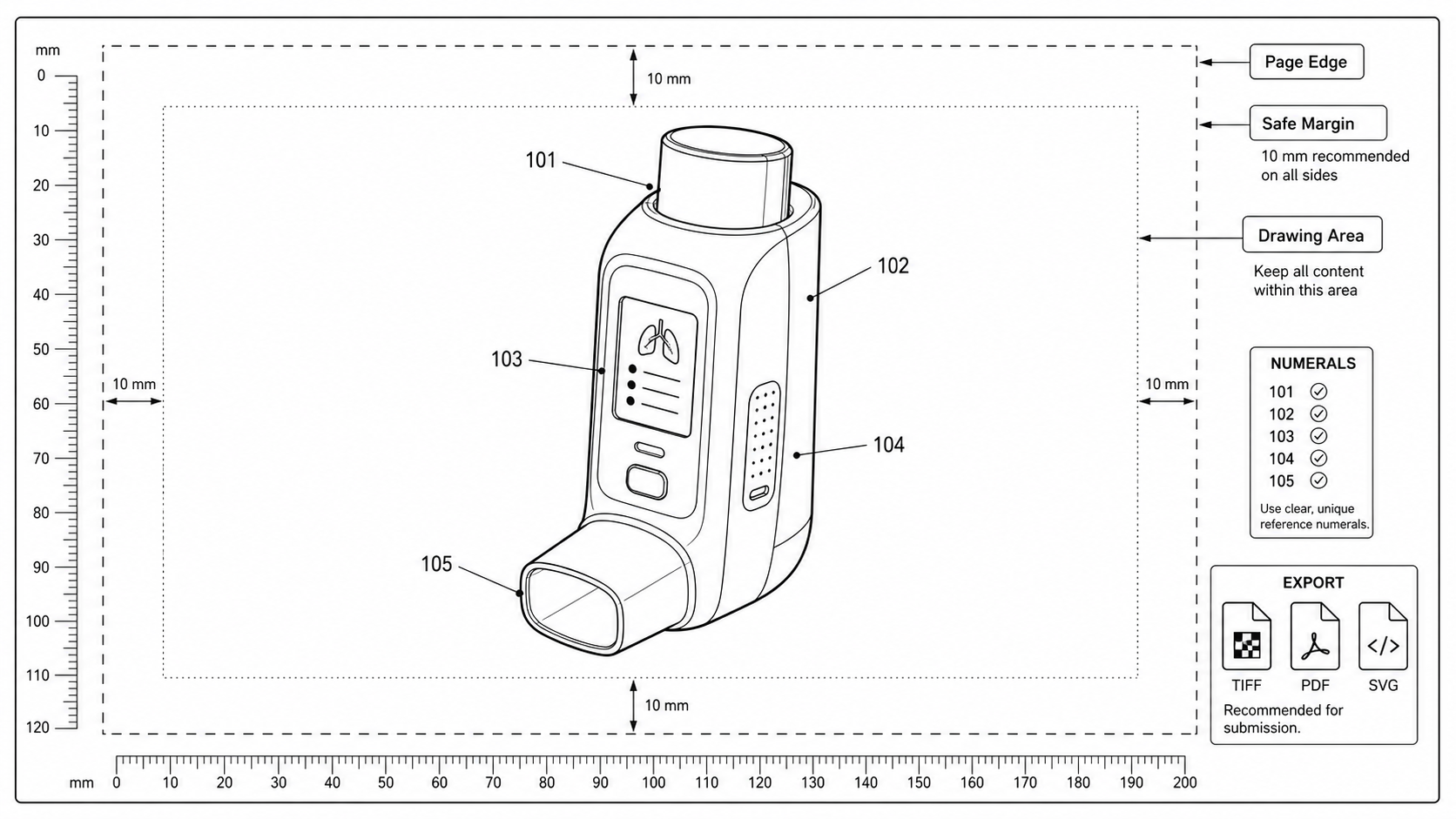
USPTO vs. CNIPA Patent Drawing Requirements: Side-by-Side Rules and the Right Tools for US–China Filings (2026)
How USPTO drawing rules (37 CFR § 1.84) differ from CNIPA on sheet size, margins, shading, reference numerals, figure labels, views, and file formats — plus an honest comparison of manual review, AutoCAD/Visio, SolidWorks, Illustrator, Inkscape, drafting services, firm templates, and PatentFig AI.
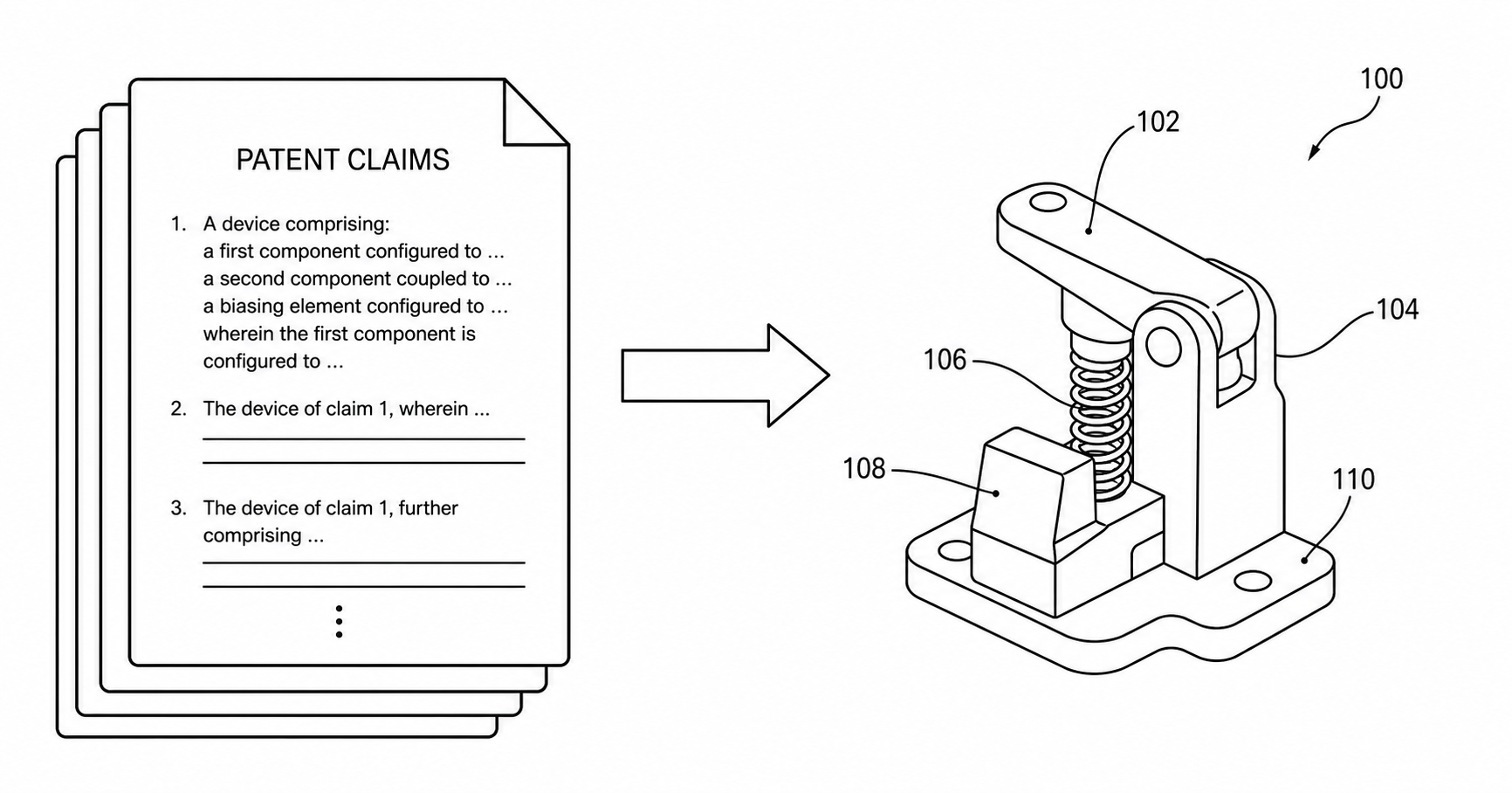
Outils IA de rédaction de brevets en 2026 : 10 outils nommés, leurs tarifs et la place des dessins
Un guide nominatif du paysage IA des brevets en 2026 — Solve Intelligence, DeepIP, Patlytics, Rowan Patents, PatentPal, IPRally, PQAI et d'autres — avec les tarifs publiés et un regard honnête sur ceux qui produisent réellement des dessins de brevet.
Newsletter
Rejoignez la communauté
Abonnez-vous à notre newsletter pour recevoir les dernières actualités et mises à jour.