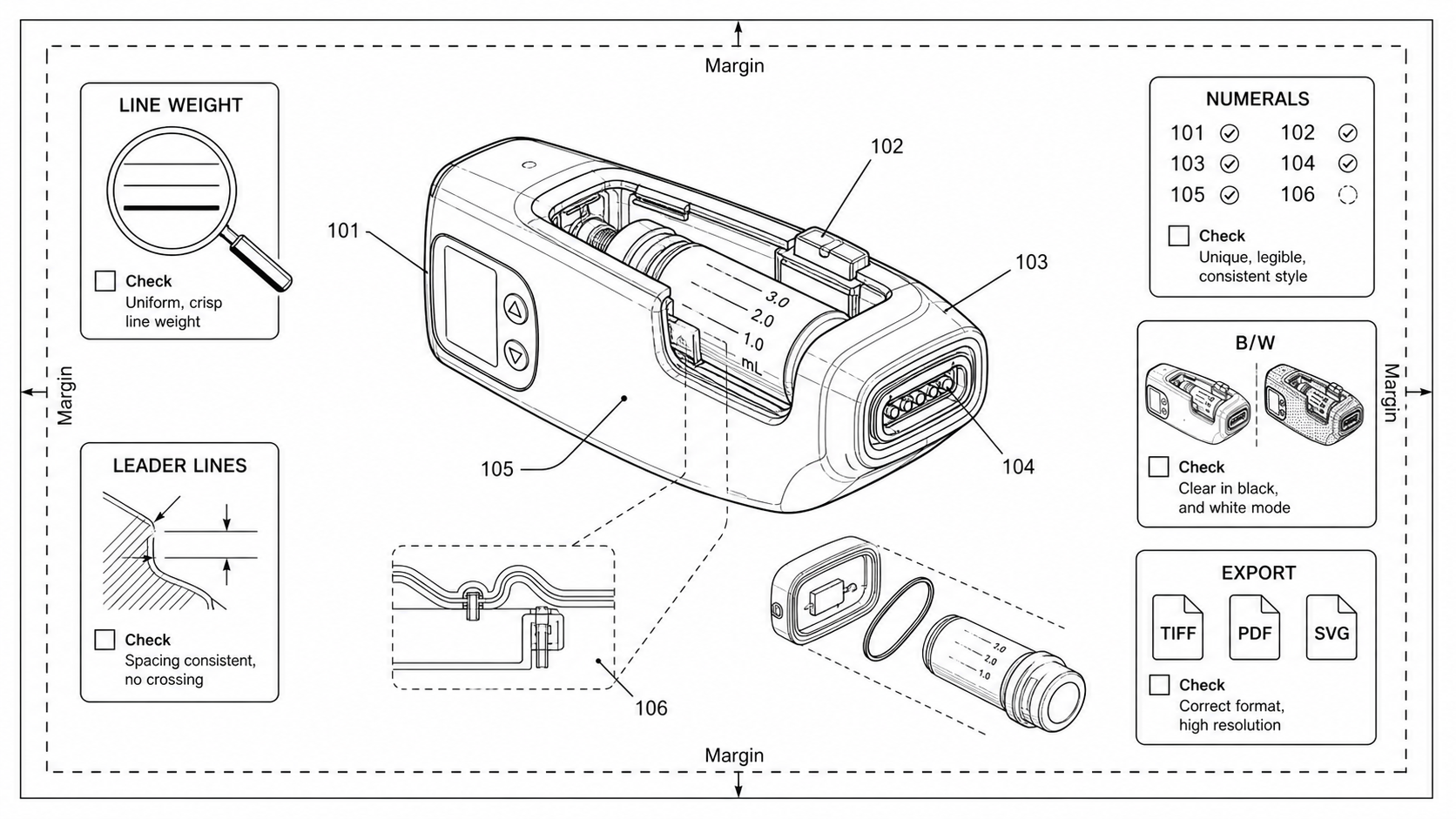
How to Check Patent Drawing Compliance Before Filing
A practical pre-filing compliance check for patent drawings: sheet, lines, numerals, views, formats, export. Per-office quirks for USPTO, EPO, PCT, CNIPA, JPO, KIPO.
TL;DR: Check six categories cheap-first — sheet (A4, 2.5/2.5/1.5/1.0 cm margins), formats (vector PDF or 600-DPI bilevel TIFF), lines, numerals (0.32 cm minimum height, consistent with the spec), views, and content (no logos, frames, or watermarks). Reference numeral inconsistency is the single most common source of Office Actions; mechanical defects cost minutes to fix while structural ones cost hours to days. To run these checks automatically, open the figure checker.
The expensive part of a patent drawing rejection is not the redraw. It is the response cycle: pulling a docketed file back from the office, briefing the illustrator on what changed, getting attorney sign-off, and re-filing within the response window. A quick margin check before filing prevents a multi-week response cycle after filing.
Pre-filing checks are what Figure Checker was built for. Run it on every figure before export.
The Six Categories That Matter
Almost every formalities objection falls into one of these six categories. Memorize the categories and the run-order before any specific rule.
- Sheet — paper size, orientation, margins, sheet numbering
- Lines — line weight, color, uniformity, density, shading rules
- Numerals — reference numeral consistency, height, font, leader placement
- Views — view labels, cross-section discipline, exploded-view conventions, perspective rules
- Formats — file format (PDF, TIFF, SVG), DPI, embedded fonts, color profile
- Content — extraneous matter (logos, watermarks, decorative borders), claim support, broken-line use
Cheap categories (sheet, formats) cost nothing to check and catch the highest-volume rejections. Expensive categories (numerals, content) take longer but catch the rejections that delay an Office Action response. Run them cheap-first.
A 12-Step Pre-Export Check
This is the sequence we recommend before any submission. It covers all six categories in order of cost.
Sheet checks (2 minutes)
- Page size. A4 (210 × 297 mm) by default. Letter (8.5 × 11 in) only for USPTO-only filings with no PCT or foreign equivalent.
- Orientation. Portrait unless the figure requires landscape. Top of landscape figures faces the left edge of the sheet.
- Margins. PCT spec: 2.5 cm top, 2.5 cm left, 1.5 cm right, 1.0 cm bottom. CNIPA: 1.5 cm bottom. JPO: 2.0 cm all around.
- Sheet numbering. Top center, format
n/N(e.g.,3/12). Required for multi-sheet drawings under PCT Rule 11.7(b).
See the dedicated guide on patent drawing margin rules for the full per-office breakdown.
Format checks (3 minutes)
- File format. Vector PDF preferred. TIFF Group 4 at 600 DPI acceptable for raster line art.
- DPI. 300 minimum, 600 recommended for raster. Vector PDFs have no DPI — verify they were not flattened to a single image.
- Color mode. Bilevel (1-bit) for line art, grayscale 8-bit for shaded views. No color outside of color-drawing petitions.
- Embedded fonts. Convert reference numerals to outlines so the font dependency disappears.
See patent figure DPI requirements for export presets that survive USPTO scanning.
Structural checks (10-15 minutes per drawing set)
- Reference numeral consistency. Every numeral that appears in the figure appears in the specification, and vice versa. No duplicates, no skips.
- Numeral height. USPTO requires 0.32 cm (1/8 inch) minimum. EPO and PCT use the same threshold.
- View labels. "FIG. 1", "FIG. 2A", "FIG. 2B" or the local-language equivalent. Below the figure, not inside the sight.
- Extraneous matter. No company logos, no watermarks, no decorative frames, no part-number labels that are not reference numerals.
How Strictly Each Office Enforces Each Defect
Based on the published examination guidelines and the formalities behavior we observe across firms. This is a qualitative map, not a statistical study — use it to plan effort, not as evidence.
| Defect | USPTO | EPO | PCT/IB | CNIPA | JPO | KIPO |
|---|---|---|---|---|---|---|
| Margin violation | strict | strict | moderate | moderate | lenient | strict |
| Line weight insufficient | moderate | strict | strict | moderate | lenient | lenient |
| Reference numeral inconsistency | strict | strict | moderate | strict | moderate | moderate |
| Color in drawings (no petition) | strict | strict | strict | moderate | moderate | moderate |
| Extraneous matter (logo, frame) | moderate | strict | moderate | moderate | lenient | lenient |
| Sheet number missing | lenient | moderate | strict | moderate | lenient | moderate |
| DPI below 300 raster | moderate | moderate | moderate | lenient | moderate | strict |
| Wrong view label | lenient | lenient | lenient | moderate | moderate | lenient |
| Broken-line misuse (design) | strict | moderate | n/a | strict | strict | strict |
A few takeaways:
- KIPO validates at upload. The portal blocks margin and DPI violations before the file ever reaches an examiner. A clean drawing set passes silently; a marginal one rejects within seconds. This makes KIPO the strictest in practice and the easiest to pass cleanly.
- PCT/IB cares most about sheet numbering and uniform line weight. The IB's job is to publish a clean PCT pamphlet; sheet numbering and line weight are what publication needs.
- JPO is the most lenient. JPO's drawing review is largely automated at the portal and reissues most defects as informal corrections rather than formal Office Actions. That said, JPO design filings are strict about broken-line discipline.
Cheap Failures, Expensive Failures
Some defects are mechanical and cost minutes to fix. Others are structural and cost days.
| Defect | Cost to fix | Typical cause |
|---|---|---|
| Margin overrun by 2-5 mm | Minutes | Auto-fit in PowerPoint or Word |
| Line weight too light | Minutes | Anti-aliased raster down-sampled by office pipeline |
| Sheet number missing | Minutes | Drawing tool did not add it; manual oversight |
| Numeral height under 0.32 cm | Minutes | Font size set too small in vector master |
| Reference numeral missing from spec | Hours | Spec drafted from an outdated numeral list |
| Reference numeral in spec without figure | Hours | Spec describes feature without showing it |
| View label wrong (FIG. 2 → FIG. 2A) | Hours | Figure set reorganized after spec drafted |
| Broken-line misuse (design) | Days | Wrong claim-scope decision during drafting |
| Extraneous matter inside sight | Days | Source figure built on a template with branding |
| Wrong sheet size | Days | Letter content scaled onto A4 at export time |
Run the cheap-failure checks first, fix all of them, then move to structural checks. A figure that fails margin and line-weight checks rarely passes structural checks either — fixing the cheap ones often reveals the structural ones.
Reference Numeral Discipline
Reference numeral failures are the single most common source of Office Actions in our sample. The defect modes:
- Duplicate numerals. The same number labels two different components (10 used for both the housing and a button).
- Drift between figures. Number 14 is the cap in FIG. 1 and the cartridge in FIG. 3.
- Missing from spec. A number appears in the figure with no corresponding mention in the written description.
- Phantom in spec. The written description references "the latch 22" but no element 22 appears in any figure.
- Out-of-range height. Numbers under 0.32 cm in the printed copy.
- Crossing leaders. Leader lines from different numerals cross each other in the same view.
The fix at scale: maintain a single reference numeral table for the entire drawing set, regenerate the figure labels from that table when needed, and check the specification against the same table before filing. The cross-figure consistency part can be automated; the table-to-spec check is still a human task.
Per-Office Quirks Worth Knowing
- USPTO is the only major office that accepts US letter (8.5 × 11 in) in addition to A4. If any PCT or foreign equivalent is possible, draw on A4 anyway.
- USPTO color drawings require a petition and fee under 37 CFR 1.84(a)(2). Black-and-white is the default. Avoid color unless the invention cannot be shown otherwise.
- EPO treats decorative borders, frames, and watermarks as "extraneous matter" under Rule 46(2)(c). Stricter than USPTO in practice.
- CNIPA requires Chinese-language figure designators in domestic filings ("图1" not "FIG. 1"). National-phase PCT entries that retain English designators are accepted but flagged.
- JPO design filings are the strictest in the world on broken-line discipline. A broken line in a design patent figure has formal meaning (unclaimed environment), and casual use will draw an immediate Office Action.
- KIPO validates DPI, margin, and color mode at upload. A figure that fails the portal cannot be filed at all — fix it before retrying.
When to Run Which Check
Three different times to check, and three different sets of checks:
| When | Who runs it | What gets checked |
|---|---|---|
| During drafting | Patent engineer or inventor | View choice, exploded-view direction, numeral assignment, claim support |
| Before spec freeze | Patent attorney or agent | Numeral consistency with spec, view labels, broken-line discipline |
| Before export | Filer or paralegal | Margins, line weight, DPI, color mode, sheet numbering, extraneous matter |
Mixing the three rounds is the most common process failure. An engineer who has been asked to check formalities will not catch a claim-support issue; an attorney who has been asked to check formalities will miss numeral height because it is not a legal concern. Separate the rounds.
What Figure Checker Does Automatically
The automated parts of the 12-step list:
- Sheet size and orientation detection
- Margin compliance (PCT, USPTO, CNIPA, JPO, KIPO presets)
- DPI verification (300 / 600 thresholds)
- Color mode (bilevel, grayscale, color) detection
- Line weight uniformity check
- Reference numeral height measurement
- Extraneous matter detection (logos, frames, watermarks)
- Sheet numbering presence check
The parts that still need human review:
- Whether each numeral in the figure is supported by the specification
- Whether the cross-section orientation is correct for the invention
- Whether a broken line in a design patent figure draws the right unclaimed scope
- Whether the figure set as a whole tells the story the claims require
The Cheapest Test for "Is This Filing-Ready"
Print the entire drawing set at 100% scale on a black-and-white laser printer. Step back roughly a meter from the page. If any line is invisible, if any numeral is unreadable, if any leader line crosses another, if any view looks crowded — fix it before filing.
Most formalities Office Actions describe defects that are obvious at that distance on a printed page. Catch them on paper before the examiner does.
Next step: Run your figures through the free figure checker before you file — it validates margins, line weight, DPI, and numerals against your target office. Or review the patent drawing requirements summary.
Author

Categories
More Posts
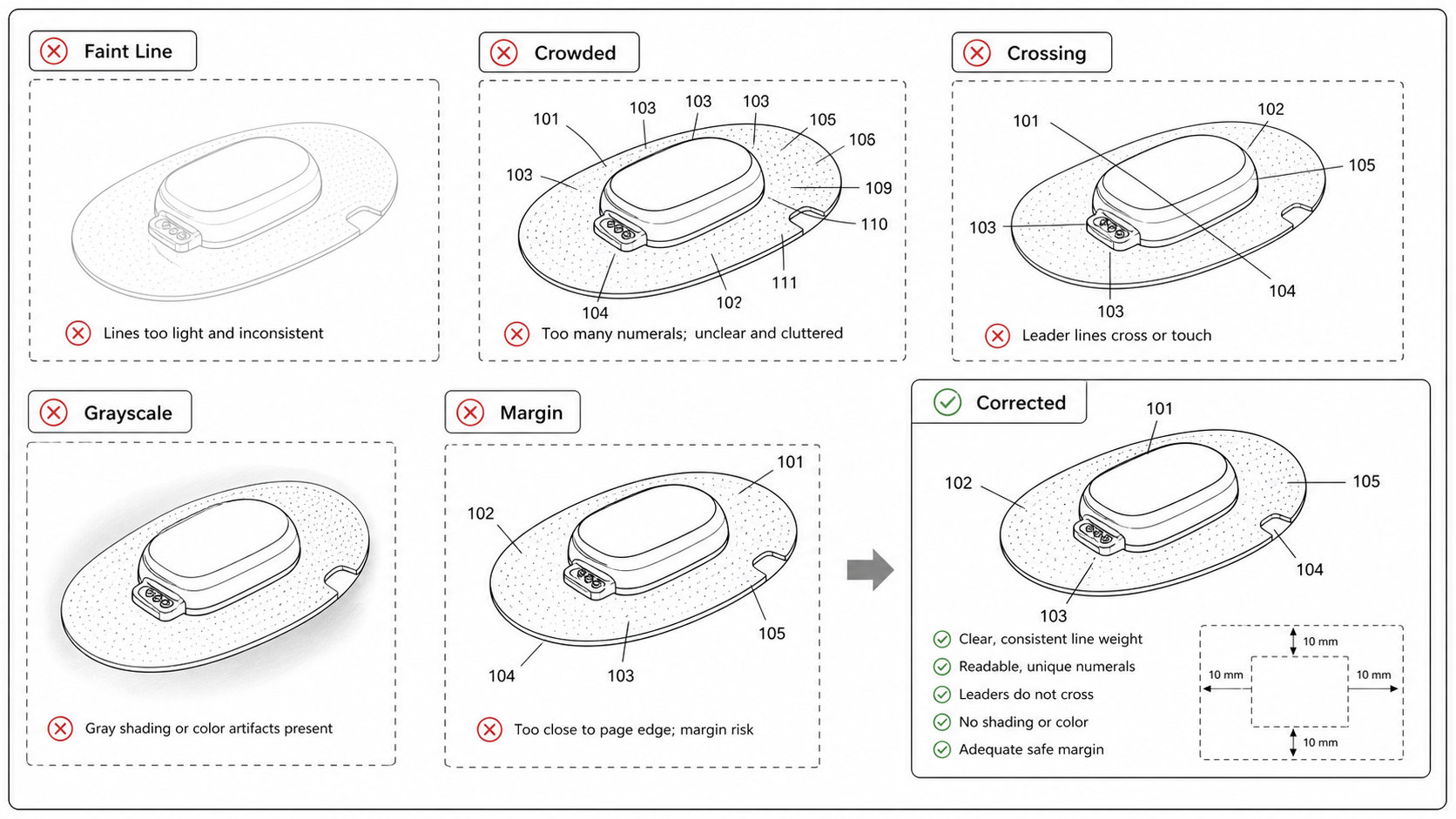
Common Patent Drawing Mistakes That Slow Down Filing
The recurring failure modes in patent drawings — line weight, numerals, views, color mode, extraneous matter — with the rule that catches each and the fix that ships fastest.
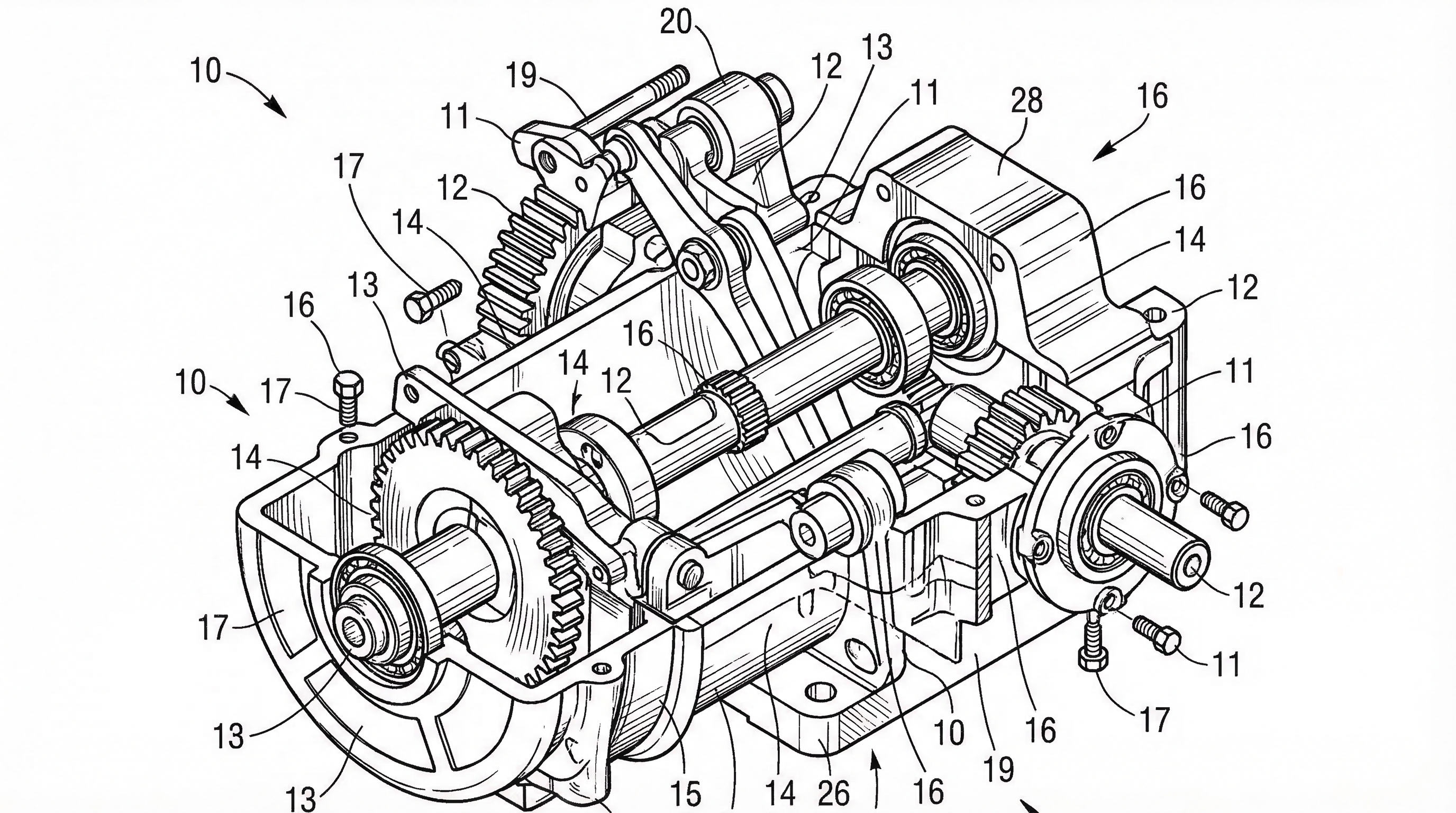
USPTO Patent Drawing Requirements 2026: Checklist, Margins & Examples
USPTO patent drawing requirements for 2026: 37 CFR 1.84 checklist, margins, line rules, reference numerals, examples, and pre-filing checks.
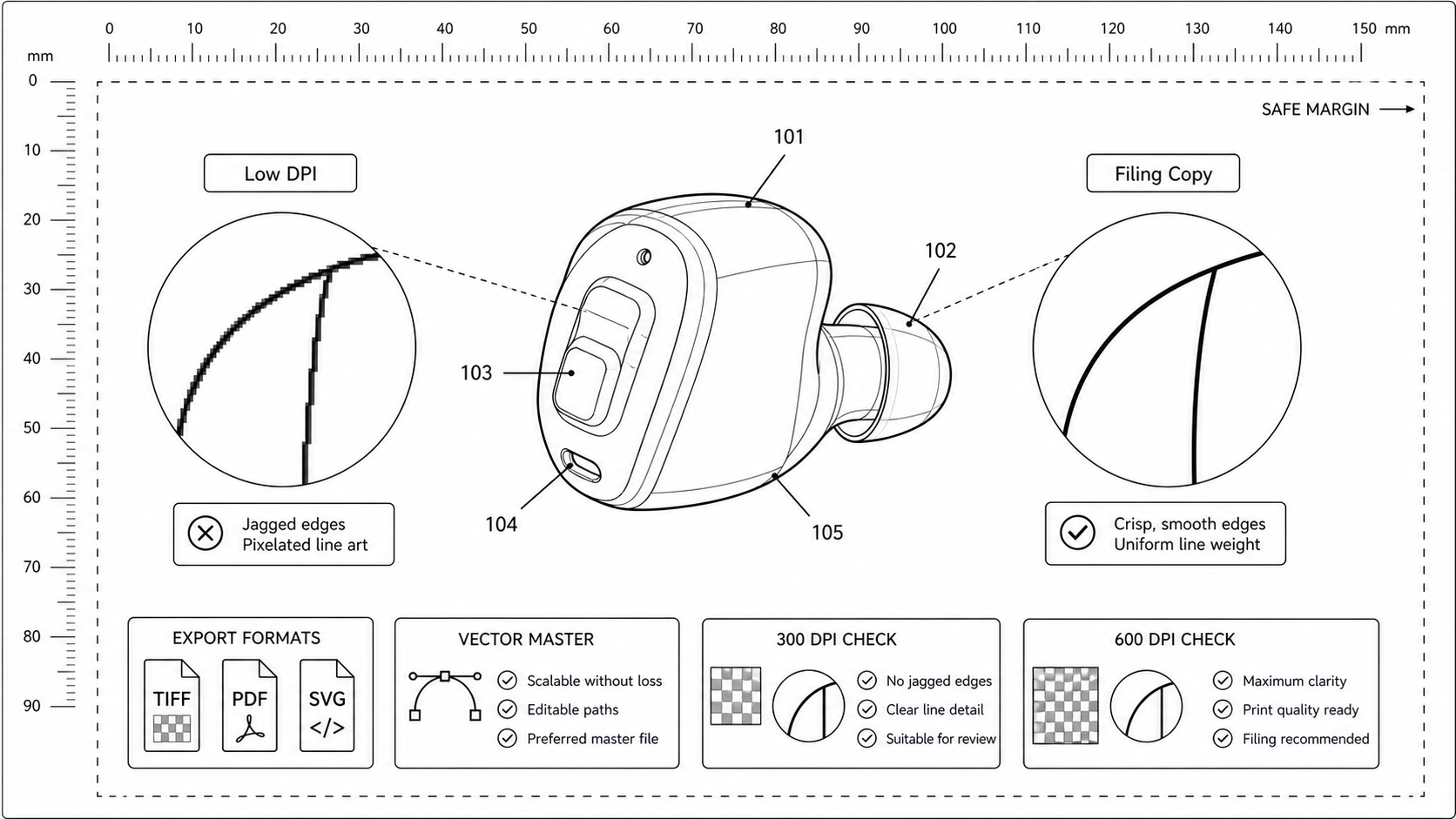
Patent Figure DPI Requirements: 300, 600, and When Vector Wins
What DPI patent offices actually expect, when raster is acceptable, and how to export TIFF and PDF figures that survive USPTO and PCT scanning without quality loss.
Newsletter
Join the community
Subscribe to our newsletter for the latest news and updates